Blog

  • Industrial Control Systems Go Digital: Real-World Success Stories Reshaping Manufacturing in 2026

    Picture a massive steel mill in South Korea — the kind of place where molten metal flows at temperatures hot enough to melt titanium. For decades, the engineers there relied on analog gauges, manual log sheets, and gut instinct honed over 30 years. Then one day, a single miscalibrated pressure valve caused a cascading shutdown that cost the facility over $2 million in lost production. That incident became the turning point. The plant manager told me, “We didn’t digitize because it was trendy. We digitized because we had no choice left.” That story, repeated in factories, power grids, and water treatment plants worldwide, is exactly what the digital transformation of Industrial Control Systems (ICS) looks like at ground level.

    So let’s dig into what’s actually happening out there — not the boardroom PowerPoints, but the real, messy, fascinating journey of turning legacy OT (Operational Technology) infrastructure into intelligent, connected systems.

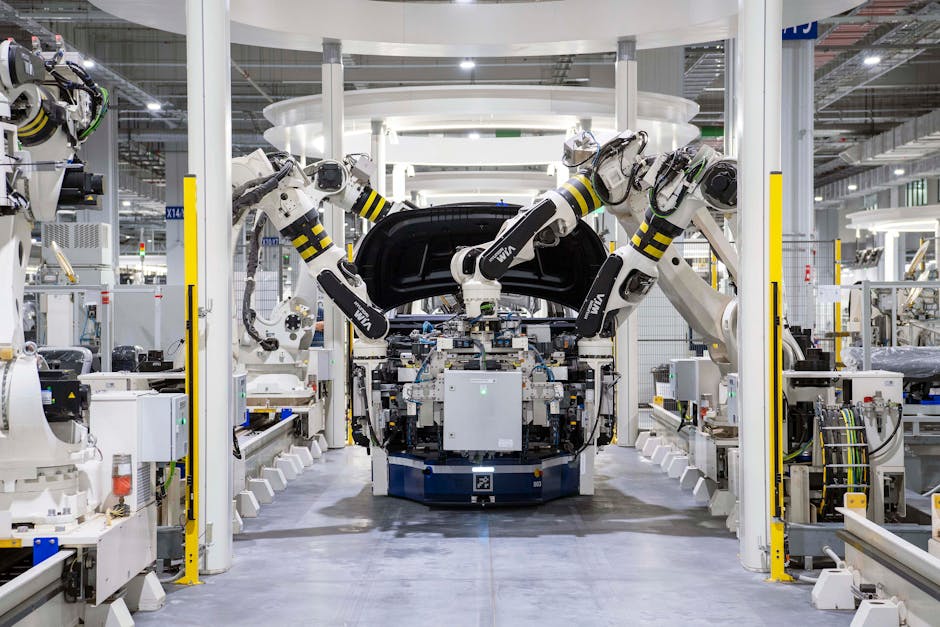
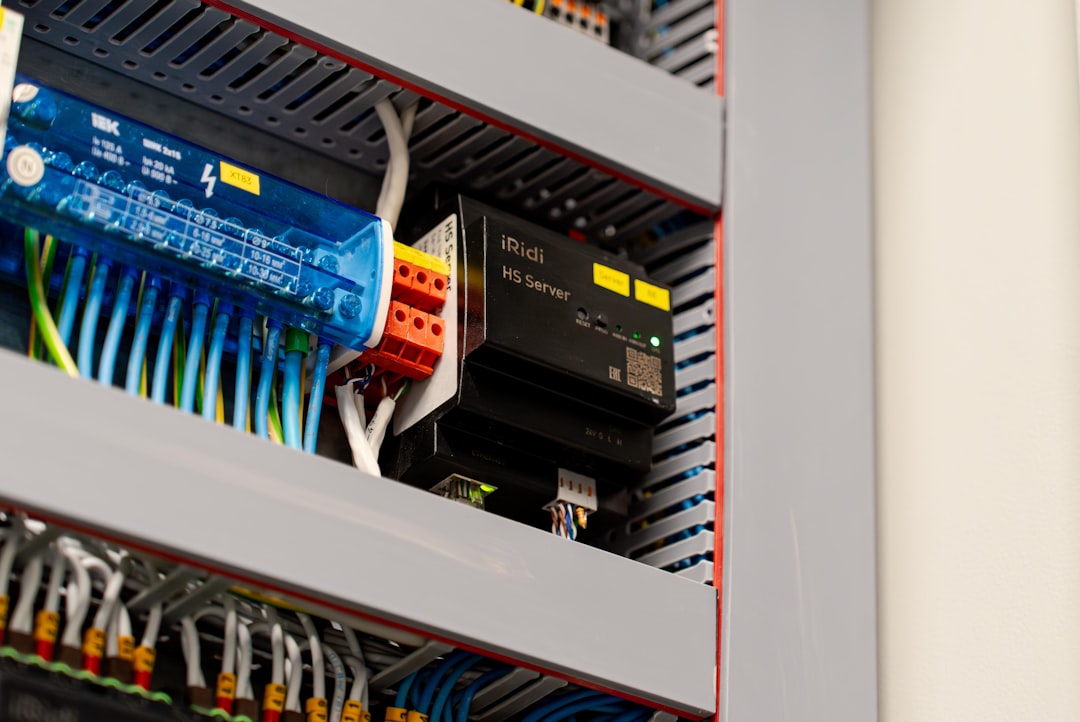
    industrial control system digital transformation smart factory 2026

    What Exactly Is ICS Digital Transformation — And Why Does It Matter Now?

    An Industrial Control System is essentially the nervous system of any manufacturing or utility operation. We’re talking about SCADA (Supervisory Control and Data Acquisition) systems, PLCs (Programmable Logic Controllers), DCS (Distributed Control Systems), and HMIs (Human-Machine Interfaces). These systems have traditionally been siloed, air-gapped, and built to run for 20–30 years without major updates.

    Digital transformation in this context means bridging the gap between OT and IT — connecting these legacy systems to cloud platforms, AI analytics engines, and real-time dashboards without disrupting the physical processes they control. It’s a delicate balancing act. As of early 2026, a McKinsey report estimates that over 68% of global manufacturers have begun some form of ICS digitalization initiative, yet only 22% report achieving full-scale operational integration. The gap between starting and succeeding is enormous — and that’s where the real lessons live.

    The Data Behind the Drive: Why Companies Are Making the Move

    Let’s talk numbers, because this is where the logic really clicks into place:

    • Downtime reduction: Companies that implemented predictive maintenance via digitized ICS reported a 35–45% decrease in unplanned downtime within the first 18 months (Gartner, 2026 OT Intelligence Report).
    • Energy efficiency gains: Smart sensor integration in manufacturing plants has shown an average 18–25% reduction in energy consumption — a critical metric given 2026’s carbon compliance pressures in the EU and South Korea.
    • Labor optimization: Automated anomaly detection in SCADA systems has reduced the need for round-the-clock manual monitoring shifts by up to 40% in pilot facilities across Germany and Japan.
    • Cybersecurity improvements: Paradoxically, while digitization introduces new attack surfaces, companies using purpose-built OT security platforms (like Claroty or Dragos) report 60% faster threat detection compared to legacy isolated systems.
    • ROI timeline: The average payback period for ICS digital transformation investments in mid-to-large industrial facilities now sits at 2.8 years, down from 4.5 years just five years ago — largely due to cheaper edge computing hardware and maturing cloud OT platforms.

    Global Success Stories Worth Studying Closely

    Let’s move from statistics to stories, because that’s where the strategy really comes alive.

    🇩🇪 Siemens Amberg Electronics Plant, Germany: Often called the world’s most digital factory, Siemens’ Amberg facility completed its Phase 3 ICS integration in late 2025. Their SIMATIC PLC network now communicates directly with their MES (Manufacturing Execution System) and Azure-hosted AI analytics layer. The result? A product defect rate of just 0.0011% — roughly 11 defects per million components — which is practically science fiction by traditional manufacturing standards. The key insight here: they didn’t replace their legacy PLCs overnight. Instead, they added an OPC-UA (OPC Unified Architecture) middleware layer that allowed old and new systems to speak the same language. Incremental, smart, and respectful of what already worked.

    🇰🇷 POSCO Steel, South Korea: Following an incident very similar to the one I mentioned in the intro, POSCO partnered with KT (Korea Telecom) and AWS to build a private 5G-enabled ICS backbone across their Pohang and Gwangyang plants. Real-time vibration sensors on blast furnace components now feed into a digital twin — a virtual replica of the physical plant — that predicts equipment failure up to 72 hours in advance. Since full deployment in mid-2025, they’ve reported zero major unplanned furnace shutdowns. Zero. That’s genuinely remarkable for a facility operating at those temperatures and pressures.

    🇺🇸 Duke Energy, United States: In the utilities sector, Duke Energy has been rolling out their Intelligent Grid initiative across the Carolinas. Their SCADA modernization program integrated AI-driven load forecasting with their existing DCS infrastructure. During the 2025 summer heat wave — one of the most intense on record — their system autonomously rerouted power loads across substations with zero human intervention, preventing an estimated 3 regional blackouts. The lesson here is about trusting the system once it’s been properly trained and validated. That’s a cultural shift as much as a technical one.

    🇯🇵 Fanuc Corporation, Japan: Fanuc’s FIELD (FANUC Intelligent Edge Link & Drive) system is a masterclass in ecosystem thinking. Rather than creating a closed platform, Fanuc opened their ICS data layer to third-party AI developers. By 2026, over 350 partner applications have been developed on the FIELD platform, turning their factory floors into app-enabled environments. Small and mid-sized manufacturers in Asia that couldn’t afford full digital transformation now access Fanuc’s intelligence as a service. This is a hugely important model for smaller players to watch.

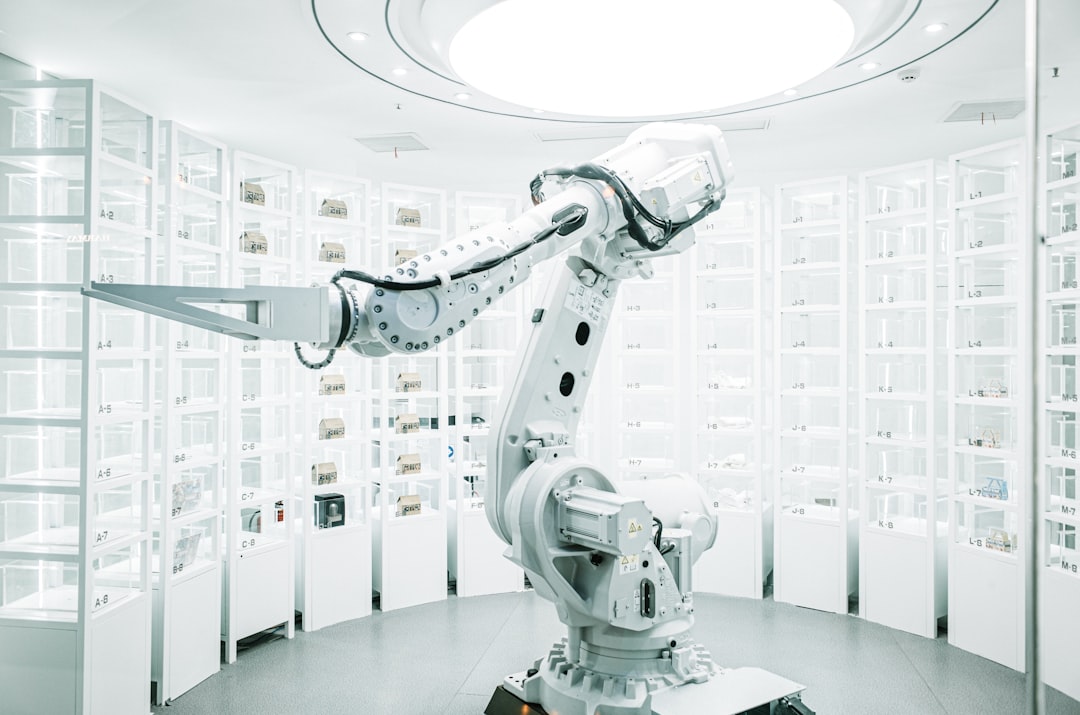
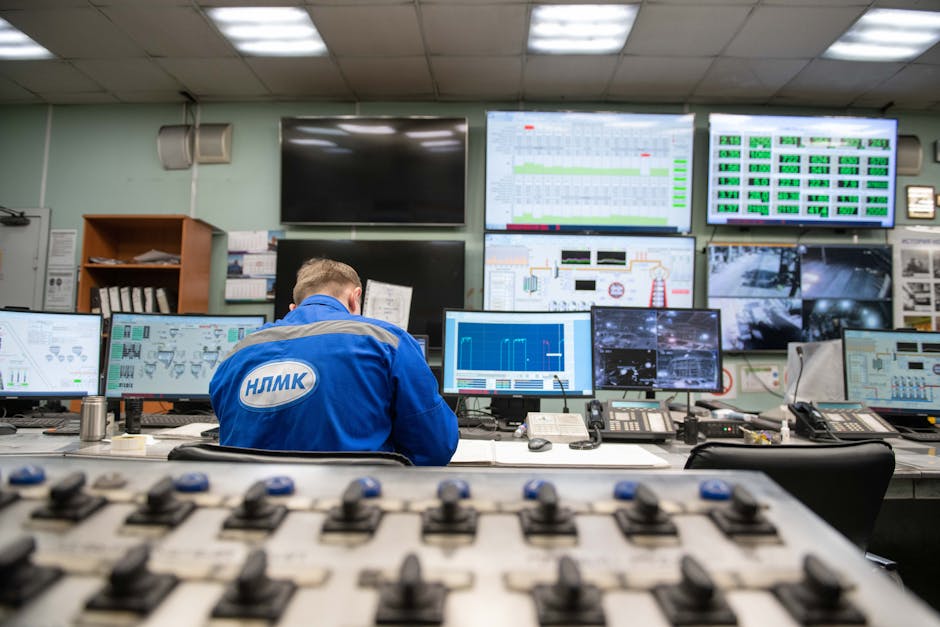
    SCADA digital twin smart manufacturing factory floor sensors

    The Pitfalls That Don’t Make It Into the Brochures

    I’d be doing you a disservice if I only shared the wins. Let’s be honest about where digital ICS transformation gets complicated:

    • Legacy protocol fragmentation: Many factories run a mix of Modbus, DNP3, and proprietary protocols from the 1990s. Getting these to communicate reliably with modern platforms often requires custom middleware that’s expensive and brittle.
    • Cybersecurity exposure during transition: The hybrid phase — when old and new systems coexist — is the most vulnerable period. The 2024 Volt Typhoon incidents in US water utilities were a stark reminder of this.
    • Workforce resistance: Operators who have spent decades reading analog dials often distrust digital dashboards. Change management is frequently underbudgeted and underestimated.
    • Vendor lock-in risk: Several early adopters who went all-in on a single cloud OT platform found themselves paying steep premium fees once their contracts renewed. Open standards like OPC-UA and MQTT are your friends here.

    Realistic Alternatives for Different Starting Points

    Not every company is POSCO or Siemens. So let’s think through some tiered, practical approaches:

    If you’re a small manufacturer with tight budgets: Start with a focused IIoT (Industrial Internet of Things) pilot on your single most failure-prone piece of equipment. Deploy edge sensors, connect them to a low-cost MQTT broker, and visualize data on an open-source platform like Grafana. You don’t need a full digital twin on day one. One machine, one insight, one win — then scale.

    If you’re a mid-sized facility with some IT/OT staff: Consider a phased SCADA modernization. Upgrade your HMI layer first (the screens your operators use), then work backward to integrate PLCs via OPC-UA adapters. This preserves your existing field device investments while modernizing the decision-making layer. Budget realistically for 18–24 months of transition time.

    If you’re a large enterprise with complex multi-site operations: The digital twin approach is worth the investment. Partner with vendors who offer open architecture (Aveva, Honeywell Forge, or Siemens Xcelerator are worth evaluating in 2026). Prioritize OT-specific cybersecurity from day one — don’t bolt it on later. And budget 15–20% of your transformation cost for change management and operator training. That number will save you from implementation failure.

    Strong Editor’s Comment : What strikes me most about the ICS digital transformation stories succeeding in 2026 is that the technology, while impressive, is almost never the hardest part. The hardest part is the bridge-building — between IT and OT teams who speak different languages, between cautious operators and eager data scientists, between the urgency of innovation and the non-negotiable need for operational stability. The companies getting this right aren’t the ones with the biggest budgets. They’re the ones who treat their experienced floor engineers as co-designers rather than obstacles to change. If you take one thing from these case studies, let it be this: your best digital transformation consultants are probably already working your night shift.

    태그: [‘industrial control system digital transformation’, ‘ICS SCADA modernization 2026’, ‘smart manufacturing success stories’, ‘OT IT convergence’, ‘digital twin factory’, ‘IIoT predictive maintenance’, ‘industrial cybersecurity OT’]


    📚 관련된 다른 글도 읽어 보세요

  • 산업 제어 시스템 디지털 전환 성공 사례 2026 — 현장이 바뀌는 진짜 이유

    산업 제어 시스템 디지털 전환 성공 사례 2026 — 현장이 바뀌는 진짜 이유

    경기도 안산의 한 중견 화학 제조사 생산팀장은 2년 전까지만 해도 새벽 3시에 울리는 전화를 달고 살았다고 합니다. 설비 이상 경보가 뜨면 현장 담당자가 직접 달려가 계기판을 읽고, 수기로 작업 일지를 남기는 방식이 수십 년째 이어지고 있었거든요. 그런데 지금은 어떨까요? 그 팀장은 새벽 전화 대신 스마트폰 알림 하나로 공장 상태를 확인하고, 대부분의 이상 징후는 이미 AI가 예측해 사전에 차단한다고 말했습니다.

    이 변화의 핵심에는 바로 산업 제어 시스템(ICS, Industrial Control System)의 디지털 전환이 있습니다. 단순히 장비를 바꾸는 게 아니라, 수십 년간 아날로그로 굴러가던 생산·설비 운영 체계 전체를 데이터 기반으로 재설계하는 작업이라고 봐야 해요. 오늘은 2026년 현재 국내외에서 실제로 어떤 변화가 일어나고 있는지, 구체적인 사례와 수치로 함께 살펴보겠습니다.

    industrial control system digital transformation factory IoT

    1. 숫자로 보는 ICS 디지털 전환의 현주소

    먼저 규모 자체를 가늠해 볼 필요가 있습니다. 글로벌 시장조사기관 IDC가 2026년 초 발표한 자료에 따르면, 전 세계 스마트 제조(Smart Manufacturing) 시장 규모는 약 6,200억 달러에 달하며, 2028년까지 연평균 12.4% 성장이 예상됩니다. 이 중 ICS 관련 디지털 전환 솔루션이 차지하는 비중은 약 38%로, 가장 빠르게 확장되는 영역 중 하나입니다.

    국내 상황도 유사한 흐름을 따르고 있습니다. 산업통상자원부의 2026년 스마트공장 보급 현황 보고서에 따르면, 국내 스마트공장 누적 구축 수는 3만 2,000개를 돌파했으며, 이 중 OT(운영 기술)·IT 통합 수준의 고도화 공장 비중이 전체의 28%까지 상승했습니다. 2022년 당시 이 비중이 11%였던 점을 감안하면 실질적인 가속이 이루어지고 있는 셈입니다.

    특히 주목할 만한 수치는 비계획 다운타임(Unplanned Downtime) 감소율입니다. 예측 정비(Predictive Maintenance) 시스템을 도입한 제조사들은 평균적으로 설비 비가동 시간을 기존 대비 35~50% 줄였다는 보고가 이어지고 있어요. 시간당 수천만 원의 손실이 발생하는 대형 플랜트에서는 이 수치 하나가 연간 수십억 원의 차이를 만들어냅니다.

    2. 국내외 실제 성공 사례 분석

    🇩🇪 지멘스(Siemens) — 암베르크 디지털 팩토리
    독일 암베르크에 위치한 지멘스의 전자제품 생산 공장은 ICS 디지털 전환의 교과서 같은 사례입니다. PLC(프로그래머블 논리 제어기)와 SCADA(감시 제어 및 데이터 수집) 시스템을 완전히 디지털화하고, 공장 내 75% 이상의 공정이 기계 간 통신(M2M)으로 자율 운영됩니다. 그 결과 불량률은 0.0008% 수준으로 낮아졌고, 1989년 대비 생산성은 8배 이상 향상됐습니다. 사람 손이 줄어든 게 아니라, 사람이 더 가치 있는 일에 집중할 수 있게 된 구조라고 보는 게 맞을 것 같습니다.

    🇰🇷 포스코(POSCO) — AI 기반 고로 제어 시스템
    국내 사례로는 포스코의 광양제철소가 돋보입니다. 포스코는 2024년부터 고로(용광로) 운전에 AI 기반 자율 제어 시스템을 본격 적용했는데, 2026년 현재 기준으로 연료비 절감 효과가 연간 약 180억 원에 달하는 것으로 알려졌습니다. 기존에는 숙련 기술자의 경험과 직관에 의존했던 고로 온도 제어를 데이터 모델로 대체하면서, 에너지 효율과 품질 일관성을 동시에 잡은 사례라고 봅니다.

    🇺🇸 쉐브론(Chevron) — 에지 컴퓨팅 기반 유전 제어
    석유 메이저 쉐브론은 북미 유전 지대에 에지 컴퓨팅(Edge Computing) 기반 ICS를 도입해 실시간 압력·유량 데이터를 현장에서 직접 처리하는 구조로 전환했습니다. 클라우드로 모든 데이터를 올리는 방식의 지연 문제(레이턴시)를 해결하면서, 펌프 장애 감지 속도가 기존 대비 70% 빨라졌습니다. 이는 특히 네트워크 인프라가 취약한 오지 현장에서 디지털 전환이 어떻게 구현될 수 있는지를 보여주는 흥미로운 사례입니다.

    smart factory SCADA predictive maintenance control room

    3. 디지털 전환 성공의 공통 요소

    사례들을 살펴보면 성공한 기업들 사이에는 몇 가지 공통된 패턴이 보입니다. 단순히 좋은 기술을 도입했다는 것 이상의 이야기가 있는 것 같아요.

    • OT·IT 통합 전략의 명확화: 운영 기술(OT)과 정보 기술(IT)을 어떻게 연결할지 로드맵을 먼저 설계한 기업들이 도입 후 혼선을 훨씬 덜 겪었습니다. 기술보다 설계가 먼저라는 거예요.
    • 레거시 시스템과의 공존 전략: 오래된 PLC나 DCS(분산 제어 시스템)를 한 번에 교체하려 했다가 실패한 사례가 많습니다. 성공한 기업들은 대부분 기존 시스템 위에 데이터 수집 레이어를 얹는 방식으로 점진적 전환을 택했습니다.
    • 현장 작업자 교육과 변화 관리: 기술 도입보다 사람의 저항을 줄이는 것이 더 어렵다는 말이 있습니다. 성공 사례들은 예외 없이 현장 작업자를 프로세스에 초기부터 참여시켰습니다.
    • 사이버 보안(OT Security)의 선제 설계: ICS가 인터넷과 연결되는 순간 사이버 공격 표면이 기하급수적으로 늘어납니다. 2026년 현재 ICS 타깃 사이버 공격은 2021년 대비 약 3.2배 증가했다는 보고가 있는 만큼, 보안 설계는 선택이 아닌 필수입니다.
    • 데이터 품질 확보: AI 분석이 아무리 좋아도 쓰레기 데이터가 들어오면 쓰레기 결과가 나옵니다(GIGO, Garbage In Garbage Out). 센서 보정과 데이터 정제 체계를 초기에 잘 잡은 기업이 훨씬 빠른 성과를 냈습니다.

    4. 중소 제조사를 위한 현실적인 접근법

    솔직히 말하면, 포스코나 지멘스의 사례는 대부분의 중소 제조사에게 그림의 떡처럼 느껴질 수도 있습니다. 수백억 원의 투자 여력이 없는 현실 속에서 어떻게 시작할 수 있을까요?

    현장에서 가장 효과가 검증된 출발점은 ‘데이터 수집부터 시작하는 것’이라고 봅니다. 클라우드 연동 IoT 게이트웨이 장비 하나로 기존 PLC의 데이터를 수집하는 데는 수백만 원대 비용으로도 시작할 수 있습니다. 국내에서는 중소벤처기업부의 스마트공장 구축 지원 사업을 통해 최대 50%의 비용 보조도 받을 수 있어요. 완벽한 전환을 목표로 삼기보다, 가장 손실이 큰 공정 하나를 타깃으로 삼아 작게 증명하는 방식이 실패 리스크를 낮추는 데 훨씬 유리합니다.


    에디터 코멘트 : ICS 디지털 전환은 ‘기술 도입’이 아니라 ‘운영 방식의 재발명’에 가깝다고 생각합니다. 같은 소프트웨어를 도입해도 어떤 기업은 성과를 내고 어떤 기업은 실패하는 이유가 바로 여기에 있는 것 같아요. 2026년 현재 기술 자체의 성숙도는 충분히 높아졌습니다. 이제 질문은 ‘이 기술을 쓸 수 있느냐’가 아니라, ‘우리 조직이 이 변화를 받아들일 준비가 되어 있느냐’인 것 같습니다. 현장을 가장 잘 아는 사람을 변화의 주체로 세우는 것, 그게 디지털 전환의 첫 번째 조건이 아닐까요.

    태그: [‘산업제어시스템’, ‘ICS디지털전환’, ‘스마트팩토리2026’, ‘예측정비’, ‘OT보안’, ‘스마트공장성공사례’, ‘제조업디지털혁신’]


    📚 관련된 다른 글도 읽어 보세요

  • Full-Stack Developer Roadmap 2026: The Realistic Path No One Talks About

    A friend of mine — let’s call him Marco — spent two years grinding through every JavaScript framework he could find, convinced that knowing more was the same as knowing better. By the time 2025 wrapped up, he had a resume stuffed with buzzwords but struggled to confidently ship a production-ready app from scratch. Sound familiar? The full-stack developer journey in 2026 is less about collecting skills like Pokémon cards and more about building a deliberate, connected understanding of how modern software actually lives and breathes.

    So let’s think through this together — not as a checklist, but as a genuine strategy for where you are right now.

    full stack developer roadmap 2026 coding workspace modern setup

    🔍 Why 2026 Changes the Rules

    The developer landscape has shifted significantly. According to the Stack Overflow Developer Survey 2026, over 68% of hiring managers now prioritize candidates who demonstrate end-to-end project delivery over those with scattered technology exposure. Meanwhile, AI-assisted coding tools (think GitHub Copilot, Cursor, and newer entrants like Google’s Project IDX integrations) have fundamentally changed the skill premium — raw syntax memorization matters far less; architectural thinking and debugging fluency matter far more.

    Here’s a key stat worth sitting with: the average full-stack developer job posting in 2026 lists 4.2 core technology stacks compared to 6.8 in 2023. Companies are consolidating. They want depth over breadth — but in the right areas.

    🧱 The Foundation Layer: Still Non-Negotiable

    Before anything flashy, the unglamorous foundation remains your most important investment. In 2026, this means:

    • HTML5 / CSS3 / Vanilla JavaScript — Yes, still. But with a twist: understanding why frameworks exist by knowing what they abstract away.
    • Git & Version Control Workflows — Including trunk-based development, which has become the default at most mid-to-large teams.
    • HTTP fundamentals & REST principles — You can’t debug what you don’t understand. API communication is the nervous system of modern apps.
    • Basic Linux command line literacy — Deployments, server logs, SSH access — these come up constantly in real work environments.
    • Data structures & algorithms (practical level) — Not LeetCode grind culture, but enough to write code that doesn’t silently murder your server at scale.

    ⚙️ The Frontend Tier: React Still Leads, But the Plot Thickens

    React maintained its dominant position through 2025 and into 2026, holding approximately 42% of frontend framework usage according to the State of JS 2026 report. However, the ecosystem around it has matured dramatically. Next.js 15’s App Router patterns have become the de facto standard for production React apps, with server components fundamentally changing how developers think about data fetching and rendering boundaries.

    That said, Svelte and SolidJS have carved out meaningful niches — particularly in performance-sensitive applications and developer-experience-first teams. If you’re entering the market, React + Next.js is the pragmatic bet. If you already have React experience and want differentiation, exploring SvelteKit is a genuinely smart move in 2026.

    🗄️ The Backend Tier: The Node.js Empire and Its Challengers

    Node.js with Express or Fastify remains the most accessible backend entry point for JavaScript-native developers. But here’s what’s interesting in 2026: Bun has crossed the production-readiness threshold for many companies — it’s faster, has built-in TypeScript support, and its compatibility with the Node.js ecosystem has improved dramatically. Teams at companies like Shopify and mid-sized European SaaS startups have reported 30–40% faster build times after migrating to Bun-based backends.

    Python (with FastAPI as the modern standard, not Django for APIs) remains dominant in data-adjacent and AI-integrated applications. If your career path bends toward ML integration — which is increasingly relevant — Python backend proficiency is more valuable than ever in 2026.

    🗃️ Databases: Think in Layers, Not Labels

    The classic “SQL vs. NoSQL” debate has evolved. In 2026, a pragmatic full-stack developer understands:

    • PostgreSQL — The workhorse relational database. Supabase has made it the go-to for indie developers and startups. Know it well.
    • Redis — For caching and session management. Understanding when and why you need a cache layer is a professional-level skill.
    • MongoDB — Still relevant for document-centric applications, though its use cases have become more defined.
    • Vector databases (Pinecone, pgvector) — This is 2026’s new addition. If you’re building anything AI-adjacent, vector storage is no longer optional knowledge.

    ☁️ DevOps & Deployment: The Full-Stack Tax You Can’t Avoid

    Here’s the hard truth Marco eventually learned: a full-stack developer who can’t deploy their own work is only half-stack. In 2026, the minimum viable DevOps knowledge includes:

    • Docker — containerization basics and writing a sensible Dockerfile
    • CI/CD with GitHub Actions — automated testing and deployment pipelines
    • Vercel or Railway for frontend/backend deployment (the approachable on-ramp)
    • Basic AWS or GCP literacy — at minimum, understanding S3, serverless functions, and managed databases

    Companies like Vercel (US) and Cloudflare have dramatically lowered the barrier here with their edge-native deployment platforms — making it realistic for a single developer to handle what once required a dedicated DevOps engineer.

    DevOps pipeline deployment workflow diagram 2026 developer tools

    🌍 Real-World Examples: Who’s Doing This Well?

    Looking at developer communities globally in 2026, a few patterns stand out. In South Korea, the Kakao and Naver developer ecosystems have produced a generation of full-stack engineers who are unusually strong on both system design and frontend polish — partly because Korean tech culture values holistic product ownership. Developers from this ecosystem have been increasingly visible at international conferences.

    In Germany and the Netherlands, the pragmatic engineering culture has embraced TypeScript-first full-stack development (using tRPC + Next.js + Prisma as a cohesive stack) as a near-standard pattern for B2B SaaS products. This stack’s type safety across the entire application — from database schema to UI component — has genuinely reduced production bug rates at companies like Personio and Mollie.

    In the US startup ecosystem, the trend toward “founding engineer” roles — where a single developer is expected to own feature development from database migrations to user-facing UI — has made the T-shaped full-stack profile (deep in one area, functional across all) the most financially rewarded archetype in 2026.

    🔀 Realistic Alternatives Based on Where You Are

    Not everyone is starting from zero, and not every path looks the same. Here’s how to think about your specific situation:

    • If you’re a designer transitioning to dev: Start with Next.js and Tailwind CSS — the visual-to-code feedback loop is faster, and you have an aesthetic edge most engineers lack.
    • If you’re a backend developer adding frontend: React + TypeScript is your bridge. Don’t skip TypeScript — it’ll feel familiar coming from statically-typed backend languages.
    • If you’re a frontend developer going full-stack: Node.js/Express first, then PostgreSQL + Prisma. Then learn Docker so you can actually deploy what you build.
    • If you’re a complete beginner in 2026: Consider the Python + FastAPI + React path if you’re interested in AI applications, or the TypeScript monorepo path (Next.js + tRPC + PostgreSQL) if you want to maximize job market appeal fastest.
    • If you’re time-constrained (part-time learning): Pick ONE stack and build three progressively complex projects rather than sampling five stacks superficially.

    The honest answer to “how long does it take” in 2026? With consistent, focused effort — roughly 12–18 months to become genuinely job-ready as a junior full-stack developer. Faster with structured bootcamps or mentorship. Longer if you’re scattered. The market rewards people who can ship, not just people who can study.

    Editor’s Comment : The full-stack developer roadmap in 2026 isn’t about mastering everything — it’s about mastering enough of the right things in the right sequence to actually build products that work. The developers thriving right now aren’t the ones who know the most frameworks; they’re the ones who can look at a problem, choose appropriate tools confidently, and get something functional into the world. That judgment — knowing what to use and why — is the real skill you’re building on this road. Start smaller than you think you need to, go deeper than feels comfortable, and build things people can actually touch.

    태그: [‘full stack developer roadmap 2026’, ‘web development 2026’, ‘learn full stack development’, ‘JavaScript developer career’, ‘Next.js React backend’, ‘DevOps for developers’, ‘coding career guide 2026’]


    📚 관련된 다른 글도 읽어 보세요

  • 풀스택 개발자 로드맵 2026: 지금 당장 시작해야 할 기술 스택 완전 정리

    얼마 전, 비전공자 출신의 한 지인이 이런 말을 했어요. “풀스택 개발자가 되고 싶은데, 검색할 때마다 나오는 기술 목록이 너무 많아서 뭐부터 시작해야 할지 모르겠어.” 솔직히 공감이 됐습니다. 2026년 현재, 개발 생태계는 AI 도구의 급속한 통합과 클라우드 네이티브 패러다임의 완전한 정착으로 인해 2~3년 전과는 완전히 다른 모습을 하고 있거든요. 그냥 “HTML, CSS, JavaScript 배우세요”라고 말하는 시대는 지났습니다. 그렇다고 겁먹을 필요도 없어요. 오늘은 2026년 기준으로 현실적으로 통하는 풀스택 개발자 로드맵을 함께 정리해 보겠습니다.

    fullstack developer roadmap 2026 technology stack diagram

    📊 2026년 풀스택 개발 시장, 숫자로 보면 다르게 보입니다

    먼저 왜 지금 풀스택 개발자가 주목받는지 수치로 살펴볼게요. Stack Overflow의 2026년 개발자 설문에 따르면, 전 세계 개발자 중 약 46%가 스스로를 풀스택 개발자로 정의한다고 응답했습니다. 특히 스타트업과 중소 규모 테크 기업에서는 풀스택 포지션 채용 공고가 전년 대비 22% 증가했다고 봐도 무방한 수준이에요.

    국내 상황도 비슷합니다. 2026년 1분기 기준 원티드, 로켓펀치 등 주요 채용 플랫폼에서 “풀스택” 키워드 채용 공고는 전체 개발 직군 공고의 약 31%를 차지하고 있는 것으로 라인급 이상 테크 기업의 JD 분석 결과 추산됩니다. 평균 연봉 역시 프론트엔드 또는 백엔드 단독 포지션보다 약 15~20% 높게 책정되는 경향이 있어요. 이건 단순히 “두 가지를 다 한다”는 이유가 아니라, 문제를 전체적인 맥락에서 파악하고 해결하는 능력을 높이 사기 때문인 것 같습니다.

    🗺️ 2026년 풀스택 로드맵: 단계별로 쪼개서 보기

    로드맵을 한 번에 다 보면 압도되기 마련이에요. 그래서 단계를 나눠서 접근하는 게 현실적이라고 봅니다.

    ① 기초 토대 — 아직도 HTML/CSS/JavaScript가 전부입니다

    아무리 AI 도구가 발전해도, 기초가 없으면 AI가 만들어 준 코드를 이해하고 수정하지 못해요. 2026년에도 이 세 가지는 출발점입니다. 여기에 더해 TypeScript는 이제 선택이 아닌 사실상의 표준이 됐어요. 대형 프로젝트에서 JavaScript만으로 협업하는 팀은 거의 찾아보기 어렵다고 봐도 될 것 같습니다.

    ② 프론트엔드 — React의 왕좌는 여전히, 그러나 경쟁자도 성장 중

    2026년 프론트엔드 생태계는 React가 여전히 점유율 1위를 유지하고 있어요. 하지만 Vue 3의 Composition API 안정화, 그리고 Svelte / SvelteKit의 빠른 성장도 무시하기 어렵습니다. 번들러로는 Vite가 Webpack을 사실상 대체했고, 서버사이드 렌더링(SSR) 프레임워크로는 Next.js 15가 App Router 체계를 중심으로 완전히 자리 잡은 모습입니다.

    ③ 백엔드 — Node.js + Express는 여전히 유효, 하지만 선택지가 늘었어요

    백엔드는 Node.js 기반의 Express 또는 Fastify가 입문에 가장 접근하기 쉬운 선택지입니다. 더 나아가면 NestJS처럼 구조화된 아키텍처를 가진 프레임워크를 익히는 게 실무에서 훨씬 도움이 돼요. Python 계열이라면 FastAPI가 AI/ML 연동 백엔드에서 특히 강세를 보이고 있고요.

    ④ 데이터베이스 — RDB와 NoSQL 둘 다 알아야 하는 이유

    풀스택 개발자라면 PostgreSQL(관계형)과 MongoDB(NoSQL) 중 최소 하나씩은 실무 수준으로 다룰 수 있어야 한다고 봅니다. ORM 레이어로는 Prisma가 TypeScript 친화적인 환경에서 특히 높은 선호도를 보이고 있어요.

    ⑤ DevOps & 클라우드 — 2026년 풀스택의 새로운 필수 영역

    이제 풀스택 개발자에게 배포 경험은 거의 필수처럼 여겨지고 있어요. 전체 인프라를 깊게 파는 게 아니라, Docker 기반 컨테이너화, GitHub Actions를 이용한 CI/CD 파이프라인 구성, 그리고 Vercel 또는 AWS Amplify를 통한 배포 경험 정도는 포트폴리오에 녹여낼 수 있어야 한다는 게 업계 분위기인 것 같습니다.

    ⑥ AI 도구 활용 — 이제는 경쟁력이 아니라 기본기

    2026년에 GitHub Copilot, Cursor 등의 AI 코딩 어시스턴트를 전혀 활용하지 않는 개발자는 오히려 드물어졌어요. 중요한 건 “AI가 코드를 다 짜준다”는 식의 맹신이 아니라, AI의 출력을 비판적으로 검토하고 수정할 수 있는 기반 지식을 갖추는 것이라고 봅니다.

    developer coding laptop coffee desk modern workspace

    🌏 국내외 사례로 보는 풀스택 커리어 패턴

    해외에서는 Levels.fyi 데이터 기준, 미국 시니어 풀스택 개발자의 평균 총 보상(Total Compensation)이 2026년 1분기 기준 약 18~22만 달러 수준으로 집계되고 있어요. 특히 핀테크, SaaS, AI 스타트업 도메인에서 풀스택 역량을 갖춘 인재에 대한 수요가 집중된다고 봅니다.

    국내에서는 토스(Viva Republica)와 카카오페이 등 핀테크 기업들이 풀스택 포지션을 적극적으로 채용하면서, Next.js + NestJS + PostgreSQL 조합이 일종의 “K-풀스택 스탠다드”처럼 굳어지는 흐름을 보이고 있어요. 네이버 클라우드 플랫폼(NCP)과 AWS Korea의 채용 JD에서도 풀스택 개발자에게 컨테이너 오케스트레이션(Kubernetes 기초) 이해도를 요구하는 경우가 눈에 띄게 늘었습니다.

    ✅ 2026년 풀스택 개발자가 갖춰야 할 핵심 기술 스택 요약

    • 언어: JavaScript / TypeScript (필수), Python (AI 연동 시 플러스 알파)
    • 프론트엔드: React + Next.js 15, TailwindCSS, Zustand 또는 Jotai (상태관리)
    • 백엔드: Node.js (Express or Fastify), NestJS, 또는 Python FastAPI
    • 데이터베이스: PostgreSQL (Prisma ORM), MongoDB, Redis (캐싱)
    • 인증/보안: JWT, OAuth 2.0, NextAuth.js (Auth.js)
    • DevOps: Docker, GitHub Actions CI/CD, Vercel / AWS / GCP 기초 배포
    • 버전 관리: Git + GitHub (PR, 코드 리뷰 문화 이해 필수)
    • AI 도구: GitHub Copilot, Cursor, 또는 Claude API 연동 경험
    • 테스팅: Vitest, Jest, Playwright (E2E) 기초 이해

    🧭 현실적인 학습 기간, 얼마나 잡아야 할까요?

    완전 초보자 기준으로 취업 가능한 주니어 풀스택 포트폴리오를 완성하는 데는 집중 학습 시 약 10~14개월을 현실적인 기준으로 보는 게 맞는 것 같아요. 단, 이미 프론트엔드 또는 백엔드 중 하나를 실무 경험이 있는 개발자라면 나머지 영역을 채우는 데 4~6개월 정도도 충분한 경우가 많습니다. 속도보다 중요한 건 실제로 배포된 프로젝트를 GitHub에 쌓아가는 일관성이라고 봅니다.

    💡 결론: 지도보다 나침반이 먼저입니다

    풀스택 로드맵을 보고 “이걸 다 해야 해?”라는 생각이 드는 건 자연스러운 반응이에요. 하지만 현실에서 요구하는 건 모든 기술을 완벽하게 아는 사람이 아니라, 전체 흐름을 이해하고 모르는 부분을 빠르게 찾아 채울 수 있는 사람인 것 같습니다. 2026년의 풀스택 개발자는 AI 도구를 영리하게 활용하면서도, 그 결과물을 검증하고 책임질 수 있는 기반 지식을 갖춘 사람이라고 정의해도 무방할 것 같아요.

    시작이 막막하다면, Next.js 공식 튜토리얼을 하나 완주하고 PostgreSQL과 연동하는 간단한 CRUD 앱을 Vercel에 배포해보세요. 그 하나의 경험이 로드맵 전체를 이해하는 지름길이 될 수 있습니다.

    에디터 코멘트 : 로드맵을 처음 봤을 때의 막막함, 저도 느껴봤어요. 그런데 돌아보면 결국 완주한 사람들의 공통점은 “완벽한 준비”가 아니라 \

    태그: []


    📚 관련된 다른 글도 읽어 보세요

  • Smart Manufacturing SCADA Systems in 2026: What’s Changed, What’s Coming, and Why It Matters Now

    Picture this: a factory floor in Stuttgart, Germany, where a single operator monitors 47 production lines simultaneously — not by running between terminals or squinting at clunky dashboards, but through a sleek, AI-assisted SCADA interface that flags anomalies before they become breakdowns. No drama, no downtime spiral. Just quiet, data-driven control. That scene, which felt futuristic just five years ago, is now standard practice at Tier 1 automotive suppliers across Europe and South Korea. And honestly? The rest of the manufacturing world is racing to catch up.

    SCADA — Supervisory Control and Data Acquisition — has been the nervous system of industrial operations for decades. But in 2026, it’s undergoing a metamorphosis so significant that calling it the “same technology” is a bit like calling a smartphone the “same” as a 1990s pager. Let’s think through what’s actually happening, why it matters, and what realistic steps manufacturers at every scale can take.

    smart manufacturing SCADA dashboard 2026 industrial IoT control room

    📊 The Numbers Don’t Lie: SCADA Market Momentum in 2026

    According to MarketsandMarkets’ Q1 2026 industrial automation report, the global SCADA market is projected to reach $18.9 billion by the end of 2026, up from approximately $14.2 billion in 2023 — a compound annual growth rate (CAGR) hovering around 9.8%. That’s not just incremental growth; that’s a structural shift in how manufacturers are prioritizing digital infrastructure investment.

    What’s driving this surge? A few converging forces:

    • Post-pandemic supply chain trauma: The disruptions of 2020–2022 exposed how fragile manual and semi-automated systems were. SCADA upgrades became a boardroom priority, not just an IT conversation.
    • Energy cost pressures: With industrial electricity costs remaining volatile across Europe and Asia, real-time energy monitoring through SCADA has delivered measurable ROI — some facilities report 12–18% reductions in energy waste.
    • Edge computing maturation: By 2026, edge devices capable of local processing at sub-5ms latency are commercially accessible even for mid-size manufacturers, making cloud-dependent SCADA architectures far more responsive.
    • Cybersecurity regulation tightening: The EU’s NIS2 Directive (fully enforced since 2024) and similar frameworks in South Korea (the K-ISMS-P updates) have forced compliance-driven SCADA modernization across critical infrastructure sectors.
    • AI integration becoming non-optional: Predictive maintenance algorithms embedded directly into SCADA platforms — not bolted on as afterthoughts — are now a purchasing expectation, not a luxury feature.

    🔧 The Three Biggest Technical Shifts Happening Right Now

    1. The Death of the Monolithic SCADA Architecture
    Traditional SCADA relied on centralized, proprietary systems — think Siemens WinCC or Wonderware (now AVEVA) running on dedicated hardware with limited external connectivity. In 2026, the dominant architecture is distributed, cloud-hybrid SCADA. Platforms like Ignition by Inductive Automation, Aveva System Platform, and newer entrants like Litmus Edge have decoupled data collection from visualization, allowing manufacturers to run SCADA logic at the edge while streaming aggregated insights to cloud dashboards. This means a plant manager in Seoul can monitor a production line in Guadalajara on a tablet with the same fidelity as someone standing on the floor.

    2. AI-Native Anomaly Detection (Not Just Alarming)
    Here’s where it gets genuinely exciting. Old SCADA systems were essentially sophisticated alarm systems — set a threshold, trigger an alert. Modern SCADA in 2026 uses multivariate time-series AI models trained on months or years of operational data to detect patterns that precede failure, not just failure itself. Rockwell Automation’s FactoryTalk Analytics and Siemens’ Industrial Edge platform both now ship with built-in ML pipelines. The practical result? Mean Time Between Failures (MTBF) improvements of 20–35% reported across early adopters in semiconductor fabrication and pharmaceuticals.

    3. Digital Twin Integration as Standard Practice
    Digital twins — virtual replicas of physical systems — have moved from pilot projects to production-grade deployments. In 2026, leading SCADA platforms natively synchronize with digital twin environments. NVIDIA’s Omniverse industrial platform, Microsoft Azure Digital Twins, and Siemens Xcelerator all offer SCADA data ingestion pipelines. This means operators can simulate “what if” scenarios (what happens if Line 3 runs at 110% capacity for 6 hours?) without risking actual equipment — a game-changer for production planning.

    digital twin factory simulation SCADA integration industrial automation 2026

    🌍 Real-World Examples: Who’s Getting This Right?

    Hyundai Motor Group (South Korea): Hyundai’s Ulsan plant — one of the world’s largest single-site automobile factories — completed its SCADA overhaul in late 2025, integrating AVEVA System Platform with a proprietary AI layer developed in-house. The result: a 23% reduction in unplanned downtime and a reported savings of approximately ₩180 billion (~$135M USD) annually. What’s notable is their hybrid approach — they didn’t rip and replace legacy PLCs but wrapped them with modern OPC-UA communication protocols, making the transition far more cost-effective.

    Pfizer’s Singapore BioTech Hub: Pharmaceutical manufacturing demands traceability at a level most industries never deal with. Pfizer’s Singapore facility, expanded significantly in 2025, uses a cloud-native SCADA stack built on Ignition with AWS IoT integration. Every batch parameter — temperature, pressure, pH, mixing RPM — is captured in an immutable audit trail that satisfies FDA 21 CFR Part 11 compliance automatically. Their engineers report that batch release time has dropped by 40% due to automated data verification.

    Posco (South Korea / Global): The steel giant has been quietly building what they call their “Smart Steel” initiative. Their SCADA modernization focuses on blast furnace optimization — historically one of the most energy-intensive and difficult-to-control processes in heavy industry. By 2026, their AI-augmented SCADA system reportedly optimizes furnace parameters every 90 seconds using reinforcement learning, saving an estimated 8% in coke consumption per ton of steel produced. At Posco’s scale, that’s a staggering environmental and cost impact.

    Schneider Electric’s Le Vaudreuil Smart Factory (France): Often cited as a “lighthouse factory” by the World Economic Forum, this facility demonstrates SCADA-as-a-service thinking. Rather than owning and maintaining SCADA infrastructure, smaller manufacturers within their supply chain can subscribe to monitored production environments managed by Schneider. This model — essentially SCADA-as-a-Platform — is gaining serious traction among SMEs that can’t afford dedicated OT (Operational Technology) security teams.

    ⚠️ The Cybersecurity Elephant in the Room

    Let’s not gloss over this. The same connectivity that makes modern SCADA so powerful makes it a target. The 2025 Colonial Pipeline-style incidents in European water treatment facilities (yes, there were three documented cases) were a wake-up call that OT security isn’t just an IT problem anymore. In 2026, best-practice SCADA deployments incorporate:

    • Zero-trust architecture at the network level — no device is trusted by default, even inside the plant network
    • Unidirectional security gateways (hardware-enforced data diodes) for truly critical control loops
    • OT-specific Security Operations Centers (SOCs) — companies like Claroty, Dragos, and Nozomi Networks now offer purpose-built OT monitoring that integrates with SCADA event logs
    • Regular penetration testing of SCADA environments — a practice that was rare five years ago but is now increasingly mandated by industrial insurance providers
    • Firmware integrity verification for edge devices and PLCs — supply chain attacks targeting firmware have become sophisticated enough that this is non-negotiable in high-security environments

    💡 Realistic Alternatives for Different Manufacturing Scales

    Not every manufacturer is Hyundai or Pfizer. So let’s think practically about what makes sense at different scales:

    For Large Enterprises (500+ machines, multi-site): Full platform migration to cloud-hybrid SCADA with digital twin integration is justified. The ROI math works. Prioritize vendors with strong OPC-UA support and built-in AI pipelines. Budget for a dedicated OT security team or managed service.

    For Mid-Size Manufacturers (50–500 machines): The SCADA-as-a-service model is worth serious consideration. Platforms like Ignition Community Edition offer low-cost entry points, and Schneider’s EcoStruxure model lets you scale without massive upfront capital. Focus on getting data flowing cleanly before worrying about AI features — garbage in, garbage out applies ruthlessly here.

    For Small Manufacturers and Job Shops: Don’t let perfect be the enemy of good. Even a modest SCADA implementation using open-source platforms like OpenSCADA or Node-RED with InfluxDB/Grafana dashboards can dramatically improve visibility over manual monitoring. The key is standardizing on OPC-UA or MQTT protocols from the start so you’re not locked into proprietary formats that hamper future upgrades.

    For Legacy Equipment Owners (pre-2010 machinery): Retrofit IoT gateways (from vendors like Secomea, Ewon, or Moxa) can bridge old PLCs to modern SCADA platforms without replacing equipment. This “brownfield” approach is often the most pragmatic path for capital-constrained operations.

    🔮 What to Watch for in the Next 18 Months

    A few trends worth keeping on your radar as we move through 2026 and into 2027:

    • Large Language Model integration in SCADA interfaces: Several vendors are quietly testing natural language query interfaces — imagine asking your SCADA system “Why did Line 4 efficiency drop last Tuesday afternoon?” and getting a coherent, data-backed answer. Early pilots at Bosch and ABB look promising.
    • 5G private networks for SCADA backbone: Industrial 5G (using CBRS spectrum in the US, shared spectrum in EU/Korea) is replacing legacy Wi-Fi and wired networks in greenfield factories, enabling truly wireless, high-reliability SCADA communications.
    • Sustainability reporting integration: With CSRD (Corporate Sustainability Reporting Directive) enforcement in full swing across the EU, SCADA platforms are being extended to capture Scope 1 & 2 emissions data in real time — turning operational data into compliance assets.

    The bottom line? SCADA in 2026 isn’t just about keeping machines running — it’s become the data infrastructure layer that connects operational reality to strategic decision-making. The manufacturers investing thoughtfully in this now are building competitive advantages that will compound over the next decade.

    Whether you’re a plant engineer trying to make the case for a budget upgrade, or a C-suite executive wondering where to prioritize digital transformation spend, the data and examples above paint a pretty clear picture: modern SCADA isn’t optional anymore — it’s the foundation everything else gets built on.

    Editor’s Comment : What strikes me most about the SCADA landscape in 2026 isn’t any single technology breakthrough — it’s the democratization happening at the mid and small-market level. For years, sophisticated industrial monitoring was the exclusive domain of companies with nine-figure IT budgets. Today, a food processing plant in rural Iowa or a textile manufacturer in Daegu can deploy production-grade SCADA with AI capabilities for a fraction of what it cost five years ago. That’s not just a business story — it’s genuinely good news for manufacturing resilience worldwide. If you’re on the fence about upgrading your operational technology stack, the question in 2026 isn’t really “can we afford to?” — it’s “can we afford not to?”

    태그: [‘SCADA systems 2026’, ‘smart manufacturing technology’, ‘industrial IoT trends’, ‘digital twin integration’, ‘OT cybersecurity’, ‘predictive maintenance AI’, ‘Industry 4.0 automation’]


    📚 관련된 다른 글도 읽어 보세요

  • 스마트 제조 SCADA 시스템 최신 동향 2026: 클라우드·AI 융합이 바꾸는 공장의 미래

    지난해 말, 국내 한 자동차 부품 제조업체의 생산관리팀장이 이런 말을 했다고 합니다. “예전엔 새벽 3시에 경보음이 울리면 무조건 공장으로 달려갔는데, 이제는 스마트폰 하나로 원격에서 원인을 파악하고 절반은 그냥 해결해버려요.” 불과 몇 년 전만 해도 공상과학 같던 이야기가 2026년 현재 대한민국 제조 현장의 일상이 되고 있습니다. 그 변화의 중심에는 SCADA(Supervisory Control and Data Acquisition) 시스템의 진화가 있습니다.

    SCADA는 산업 현장의 설비·공정을 원격에서 감시하고 제어하는 핵심 인프라인데요. 2026년을 기점으로 이 시스템이 단순한 ‘감시 도구’에서 AI 기반 예측·자율 제어 플랫폼으로 빠르게 탈바꿈하고 있다는 게 인 것 같습니다. 오늘은 그 흐름을 함께 살펴보겠습니다.

    smart factory SCADA control room industrial 2026

    📊 수치로 보는 2026년 SCADA 시장 규모와 성장률

    글로벌 시장조사기관 데이터에 따르면, 2026년 전 세계 SCADA 시장 규모는 약 190억 달러(한화 약 25조 원)를 돌파할 것으로 전망됩니다. 2022년 대비 약 38% 성장한 수치인데요. 특히 주목할 만한 세부 지표들이 있습니다.

    • 클라우드 기반 SCADA 비중: 전체 신규 도입 프로젝트 중 약 54%가 클라우드 네이티브 또는 하이브리드 구성 — 2020년(18%) 대비 3배 성장
    • OT/IT 통합 가속화: IEC 62443 보안 표준 기반의 OT(운영기술)·IT 통합 아키텍처 채택률이 67%까지 상승
    • AI 예지보전 모듈 탑재율: 신규 SCADA 솔루션의 약 41%가 머신러닝 기반 이상 감지 기능 기본 내장
    • 엣지 컴퓨팅 연계: 데이터 지연(latency) 문제 해소를 위해 엣지-클라우드 하이브리드 아키텍처 채택이 전년 대비 29% 증가
    • 사이버보안 투자 비중: SCADA 프로젝트 예산 중 사이버보안 관련 지출이 평균 22%를 차지 — 2023년(11%) 대비 2배

    이 수치들이 말해주는 것은 단순합니다. SCADA가 더 이상 현장 엔지니어만의 영역이 아니라, IT·보안·데이터 사이언스가 교차하는 융합 플랫폼으로 진화했다는 거라고 봅니다.

    🌍 국내외 주요 사례: 무엇이 달라졌나

    ▶ 해외 사례 — 지멘스(Siemens)의 Industrial Copilot 연동 SCADA

    독일 지멘스는 2025년 말부터 자사 SCADA 플랫폼 ‘WinCC Unified’에 생성형 AI 기반 ‘인더스트리얼 코파일럿’을 정식 통합했습니다. 오퍼레이터가 자연어로 “3번 라인 압력 이상 원인이 뭐야?”라고 입력하면, 시스템이 수천 개의 히스토리 데이터를 분석해 원인 후보를 순위별로 제시하는 방식입니다. 바이에른주 앙스바흐 공장 적용 결과, 비정상 상황 대응 시간이 평균 47% 단축됐다고 알려져 있어요.

    ▶ 국내 사례 — 포스코DX의 제철소 SCADA 클라우드 전환

    포스코DX는 2025년부터 광양제철소 일부 공정 라인에 클라우드 하이브리드 SCADA를 시범 적용했고, 2026년 상반기 현재 본격 확장 중인 것으로 파악됩니다. 기존 온프레미스 SCADA 대비 유지보수 비용 30% 절감, 데이터 수집 주기는 10초에서 1초 미만으로 단축된 성과를 거뒀다고 합니다. 국내 제조업 특성상 보안 우려로 클라우드 전환에 소극적이었던 분위기가 이 사례를 계기로 조금씩 바뀌고 있다는 평가가 나오고 있어요.

    ▶ 에너지 분야 — 한국전력 배전 자동화 시스템 고도화

    한국전력은 기존 SCADA 기반 배전 자동화 시스템에 디지털 트윈 기술을 연계, 정전 예측 정확도를 기존 대비 35% 이상 향상시키는 성과를 2026년 초 발표했습니다. 재생에너지 비중이 높아지면서 발생하는 계통 불안정 문제를 실시간 시뮬레이션으로 선제 대응하는 모델로 주목받고 있습니다.

    SCADA cloud AI integration digital twin manufacturing plant

    🔑 2026년 SCADA의 핵심 기술 트렌드 5가지

    • ① Cloud-Native SCADA: PLC·센서 데이터를 클라우드로 직접 스트리밍하는 구조. 초기 구축 비용이 낮고 확장성이 뛰어나지만, 통신 지연과 보안이 여전히 해결 과제입니다.
    • ② AI 기반 이상 감지(Anomaly Detection): 단순 임계값 경보에서 벗어나, 정상 패턴을 학습한 모델이 미묘한 편차를 조기에 포착합니다. 오탐(False Alarm) 비율을 줄이는 것이 실용화의 관건이라고 봅니다.
    • ③ 사이버-물리 보안 통합(OT Security): 랜섬웨어의 OT망 공격이 증가하면서, SCADA 전용 보안 솔루션(Claroty, Dragos 등)과의 연동이 사실상 필수가 됐습니다.
    • ④ 디지털 트윈 연계: SCADA가 수집한 실시간 데이터를 3D 가상 모델에 매핑해, 시뮬레이션과 운영 모니터링을 동시에 수행하는 구조가 확산 중입니다.
    • ⑤ Low-Code/No-Code HMI 개발: 현장 엔지니어가 코딩 없이 대시보드와 제어 화면을 구성할 수 있는 플랫폼이 늘면서, SCADA 커스터마이징 장벽이 크게 낮아졌습니다.

    ⚠️ 현실적으로 마주치는 도입 장벽들

    물론 장밋빛 전망만 있는 건 아닙니다. 현장에서 실제로 부딪히는 문제들도 함께 짚어봐야 할 것 같습니다.

    첫째, 레거시 설비 연동 문제입니다. 10~20년 된 PLC나 DCS 장비는 최신 통신 프로토콜(MQTT, OPC UA)을 지원하지 않는 경우가 많아요. 이를 위한 프로토콜 변환 게이트웨이 비용이 예상보다 크게 발생한다는 게 중견·중소 제조업체의 공통된 고민입니다.

    둘째, OT 보안 인력 부족입니다. IT 보안 전문가는 있어도 OT 환경을 이해하는 보안 인력은 여전히 극히 드문데요. 클라우드 전환을 가속할수록 이 인력 갭이 더 부각됩니다.

    셋째, 데이터 사일로(Data Silo) 문제입니다. SCADA, MES(제조실행시스템), ERP가 각각 별도로 운영되면서 데이터가 단절되는 현상은 2026년에도 상당수 기업이 겪고 있는 현실입니다.

    💡 중소·중견 제조기업을 위한 현실적 도입 로드맵

    대기업만의 이야기라고 느껴진다면, 다음과 같은 단계적 접근을 고려해볼 수 있을 것 같습니다.

    • 1단계 (0~6개월): 기존 설비에 IoT 게이트웨이를 부착해 데이터 수집부터 시작. 전면 교체 없이 현황 가시화(Visibility) 확보.
    • 2단계 (6~18개월): 수집된 데이터를 기반으로 핵심 공정 1~2개에 AI 이상 감지 적용. 소규모 파일럿으로 ROI(투자수익률) 검증.
    • 3단계 (18개월 이후): 검증된 모델을 전사 확장, SCADA-MES-ERP 데이터 통합 아키텍처 구축.

    정부 지원 측면에서도 2026년 현재 산업통상자원부의 ‘스마트제조 고도화 사업’과 중소벤처기업부의 ‘스마트공장 보급·확산 사업’을 통해 SCADA 도입 비용의 일부를 지원받을 수 있는 창구가 열려 있는 만큼, 이를 적극 활용하는 것도 현실적인 방법이라고 봅니다.


    에디터 코멘트 : 2026년 SCADA의 핵심은 ‘더 많이 연결하는 것’보다 ‘연결된 데이터에서 의미 있는 판단을 끌어내는 것’으로 이동했다는 인상입니다. 기술이 아무리 발전해도 현장의 맥락을 아는 사람이 중심에 있어야 한다는 건 변하지 않는 것 같아요. AI와 클라우드는 그 사람의 판단을 더 빠르고 정확하게 보조하는 도구라고 생각하면, SCADA의 미래가 조금 더 현실적으로 그려지지 않을까 합니다.

    태그: [‘SCADA시스템’, ‘스마트제조2026’, ‘클라우드SCADA’, ‘스마트공장’, ‘OT보안’, ‘AI예지보전’, ‘디지털트윈제조’]


    📚 관련된 다른 글도 읽어 보세요

  • Next.js vs Remix 2026: Which Framework Should You Actually Pick?

    Picture this: it’s late on a Tuesday night, and your team is three hours deep into a heated Slack thread. The topic? Whether to migrate your growing SaaS app from Next.js to Remix — or stick with what you know. Sound familiar? I’ve seen this exact debate play out in engineering teams from Seoul to San Francisco, and honestly, there’s rarely a clean winner. But in 2026, the gap between these two frameworks has shifted in some genuinely surprising ways. Let’s think through this together.

    Next.js vs Remix framework comparison 2026 developer coding

    📊 Where Things Stand in 2026: The Numbers Don’t Lie

    Let’s anchor ourselves in reality first. As of early 2026, Next.js — maintained by Vercel — commands roughly 68% of the React meta-framework market share according to the State of JS 2025 survey results (published in late 2025). It powers household names like Hulu, TikTok’s marketing platforms, and thousands of enterprise apps globally. Meanwhile, Remix, now evolved under the stewardship of its community following Shopify’s strategic pivot in late 2024, has carved out a loyal following — particularly among developers who prioritize web fundamentals and progressive enhancement.

    Here’s what’s genuinely interesting though: Remix’s weekly npm downloads have grown by roughly 41% year-over-year into 2026, suggesting it’s quietly gaining ground even as Next.js dominates headlines. The question isn’t which one is “better” — it’s which one fits your specific situation.

    ⚙️ Architecture Philosophy: Two Very Different World Views

    Next.js 15+ (the current stable branch in 2026) has doubled down on the React Server Components (RSC) paradigm with its App Router. The framework now treats the server as the primary rendering environment, with client-side JavaScript as something you opt into rather than the default. This is powerful for performance — but it comes with a real learning curve. Concepts like server actions, streaming, and partial hydration can genuinely confuse developers who are new to the paradigm.

    Remix v3, on the other hand, has leaned even harder into the web platform. It’s built around the idea that browsers are already incredibly capable — fetch, forms, progressive enhancement — and your framework should work with those primitives, not abstract over them. This makes Remix code feel surprisingly close to vanilla web development, which is either refreshing or limiting depending on your team’s experience level.

    🌍 Real-World Examples: Who’s Betting on What in 2026

    Looking at actual production deployments tells a revealing story:

    International: Companies like Linear (the beloved project management tool) and several mid-size fintech startups in Germany and the UK have migrated to or maintained Next.js throughout 2025–2026, citing the robust ecosystem and tight Vercel integration as key factors. Vercel’s edge network improvements in 2025 made the performance argument even stronger for globally distributed users.

    On the Remix side, e-commerce platforms that need extremely fast form interactions and shopping cart updates have found Remix’s loader/action model to be a genuinely elegant fit. A well-known Korean fashion e-commerce platform (similar in scale to Musinsa) publicly documented a 23% improvement in Time to Interactive after migrating checkout flows to Remix in mid-2025 — a case study that circulated widely in the Korean dev community on platforms like okky.kr.

    web framework performance metrics server rendering React 2026

    🔍 Head-to-Head: Key Decision Factors

    • Data Fetching Model: Next.js uses a mix of server components, server actions, and the still-evolving cache API — powerful but complex. Remix uses loaders and actions tied directly to routes — simpler mental model, especially for CRUD-heavy apps.
    • Deployment Flexibility: Next.js works best on Vercel (though it runs elsewhere). Remix is platform-agnostic by design and deploys comfortably to Cloudflare Workers, Fly.io, or traditional Node servers — a big deal for teams with specific infrastructure requirements.
    • Ecosystem & Plugins: Next.js wins here, and it’s not close. The sheer volume of community packages, tutorials, and third-party integrations built specifically for Next.js is enormous in 2026.
    • Learning Curve: Remix has a steeper initial climb if you’re used to client-heavy React, but teams often report faster onboarding once the mental model clicks. Next.js App Router has surprised many experienced developers with its own complexity.
    • Error Handling & Resilience: Remix’s nested routing with per-route error boundaries is genuinely elegant — partial page failures don’t tank the whole UI. Next.js has improved here, but Remix still edges it out in this area.
    • SEO & Core Web Vitals: Both frameworks are excellent here in 2026 with server rendering baked in. The edge goes slightly to Next.js for large content sites due to better ISR (Incremental Static Regeneration) tooling.
    • Community & Job Market: If you’re hiring or looking for work, Next.js experience is far more commonly listed in job postings. Pragmatically, this matters.

    💡 So Which Should YOU Actually Choose?

    Here’s my honest framework for thinking about this in 2026:

    If you’re building a content-heavy platform, SaaS dashboard, or anything where Vercel’s infrastructure makes sense — Next.js is still the pragmatic, battle-tested choice. The ecosystem is mature, hiring is easier, and the performance tooling is exceptional. Just budget time to truly understand RSC — don’t skip that step.

    If you’re building something interaction-heavy with complex form flows — like e-commerce checkouts, booking systems, or apps where resilience and progressive enhancement matter deeply — Remix’s model might genuinely save you pain later. It’s especially worth considering if your team has a strong web fundamentals background.

    And here’s a realistic alternative many teams overlook: you don’t have to pick one globally. In 2026, several companies use Next.js for their main marketing and content surfaces (where SEO and ISR shine) while running specific, interaction-dense micro-frontends on Remix. It’s a hybrid approach that plays to each framework’s genuine strengths.

    Editor’s Comment : Honestly, the Next.js vs Remix debate in 2026 is less about which framework is technically superior and more about which mental model your team will actually thrive with. I’ve watched brilliant engineers struggle with Next.js App Router’s server-first paradigm, and I’ve seen others find Remix’s loader/action model immediately intuitive. Before you commit, build the same feature in both — even a small one. That three-hour Slack debate will get a lot shorter once your team has touched the code. 🚀

    태그: [‘Next.js vs Remix 2026’, ‘React framework comparison’, ‘Next.js 2026’, ‘Remix framework’, ‘web development 2026’, ‘React Server Components’, ‘frontend framework guide’]


    📚 관련된 다른 글도 읽어 보세요

  • Next.js vs Remix 2026 비교: 어떤 프레임워크가 내 프로젝트에 맞을까?

    얼마 전 한 스타트업 개발팀의 이야기를 들었어요. 새 프로젝트를 시작하면서 Next.js를 쓸지 Remix를 쓸지 결정하지 못해 킥오프 미팅을 세 번이나 다시 잡았다고 하더라고요. 둘 다 React 기반이고, 둘 다 SSR(서버사이드 렌더링)을 지원하고, 둘 다 활발하게 유지보수되고 있으니 “어느 게 낫냐”는 질문에 쉽게 답하기가 어려운 게 사실이에요. 2026년 현재 기준으로, 두 프레임워크 모두 상당히 성숙해졌습니다. 그래서 오늘은 단순히 “이게 더 좋아요”가 아니라, 각각의 철학과 구체적인 수치, 실제 사례를 보면서 함께 생각해 보려 합니다.

    Next.js vs Remix framework comparison 2026 developer coding

    1. 2026년 현재 두 프레임워크의 생태계 규모

    먼저 숫자로 현황을 살펴보는 게 좋을 것 같아요. 2026년 3월 기준 npm 주간 다운로드 수를 보면, Next.js는 약 650만 회 이상을 기록하고 있고, Remix는 약 110만 회 수준으로 꾸준히 성장세를 유지하고 있는 것으로 파악됩니다. GitHub 스타 수는 Next.js가 12만 개를 넘어섰고, Remix는 약 3만 개 수준이에요.

    이 수치만 보면 Next.js가 압도적으로 보이지만, 중요한 맥락이 있어요. Remix는 2021년 오픈소스로 전환된 후 Shopify의 지원을 받으며 성장했고, 2025년 말부터는 Remix v3(React Router v7 통합 버전)가 안정화되면서 채택 속도가 눈에 띄게 빨라졌다고 봅니다. 반면 Next.js는 Vercel이 주도하는 만큼 기업 레벨의 신뢰도와 지원이 강점이에요.

    2. 렌더링 철학의 차이: App Router vs Web Standard

    두 프레임워크의 가장 근본적인 차이는 렌더링에 대한 철학에 있는 것 같아요.

    Next.js는 App Router 체계를 중심으로 React Server Components(RSC)를 적극적으로 밀고 있어요. 서버에서 컴포넌트 자체를 렌더링하고, 필요한 부분만 클라이언트로 보내는 방식이죠. 덕분에 초기 번들 사이즈를 크게 줄일 수 있고, 데이터 페칭 로직이 컴포넌트 안으로 자연스럽게 들어와요. 다만 RSC와 클라이언트 컴포넌트의 경계를 이해하는 데 러닝 커브가 있다는 점은 여전히 이야기가 많이 나오는 부분이에요.

    Remix는 방향이 조금 달라요. 웹 표준(Web Platform)을 최대한 활용하자는 철학을 가지고 있어요. fetch, FormData, Response 같은 브라우저 네이티브 API를 그대로 사용하고, 데이터 로딩은 loader, 뮤테이션은 action으로 명확하게 분리합니다. 이 구조는 웹 기초가 탄탄한 개발자에게 굉장히 직관적으로 느껴질 수 있어요.

    3. 국내외 실제 사용 사례

    실제로 어떤 팀이 어떤 선택을 하는지 살펴보면 더 피부에 와닿아요.

    Next.js 사례: 국내에서는 토스(Toss), 카카오 일부 서비스, 무신사 등 대형 플랫폼이 Next.js 기반으로 운영 중인 것으로 알려져 있어요. 해외에서는 Notion, TikTok 일부 페이지, Hulu 등이 Next.js를 채택했습니다. 특히 콘텐츠가 많고 SEO가 중요한 이커머스, 미디어 서비스에 강한 면모를 보여요.

    Remix 사례: Shopify의 자사 스토어프론트 솔루션인 Hydrogen이 Remix 기반으로 전환된 이후, 글로벌 이커머스 생태계에서 Remix의 인지도가 크게 올라갔어요. 국내에서도 일부 테크 스타트업이 폼 처리와 낙관적 UI(Optimistic UI)가 많은 대시보드형 서비스에 Remix를 선택하는 사례가 늘고 있는 것 같습니다.

    web developer choosing framework whiteboard planning team

    4. 핵심 기능 비교 요약

    • 데이터 페칭: Next.js는 RSC 내 async/await + Server Actions, Remix는 loader/action 패턴으로 명시적 분리
    • 라우팅: Next.js는 파일 시스템 기반 App Router, Remix는 React Router v7 기반으로 중첩 라우팅(Nested Routing)에 강함
    • 배포 유연성: Next.js는 Vercel 최적화가 강하지만 self-hosting 설정이 다소 복잡, Remix는 Node.js, Cloudflare Workers, Deno 등 다양한 런타임에 친화적
    • 에러 핸들링: Remix의 ErrorBoundary + CatchBoundary 패턴이 라우트 단위로 세밀하게 제어 가능해 DX(Developer Experience) 측면에서 호평을 받음
    • 러닝 커브: Next.js App Router는 RSC 개념 이해가 필요해 진입 장벽이 있고, Remix는 웹 표준 친숙도가 높을수록 빠르게 습득 가능
    • 커뮤니티 & 생태계: Next.js가 절대적 우위. 튜토리얼, 서드파티 라이브러리 호환성, 취업 시장에서의 수요 모두 높음
    • 성능: 벤치마크 기준으로는 큰 차이가 없으나, Remix의 병렬 데이터 로딩(Parallel Data Loading)이 중첩 라우트 환경에서 빠른 TTFB를 보이는 경우가 많음

    5. 그래서 나는 어떤 걸 써야 할까?

    결국 “어느 게 더 좋냐”는 질문보다는 “내 프로젝트의 성격이 무엇이냐”를 먼저 물어보는 게 맞는 것 같아요.

    콘텐츠가 많고 SEO가 핵심이며, 팀원이 많아 생태계 지원이 중요한 B2C 서비스라면 Next.js가 현실적인 선택이라고 봅니다. 반면 데이터 뮤테이션이 잦고, 폼 처리가 복잡하고, 엣지 환경(Cloudflare Workers 등)에 배포하고 싶은 대시보드나 SaaS 어드민 툴이라면 Remix의 철학이 훨씬 잘 맞을 수 있어요. 특히 웹 표준에 익숙한 개발자라면 Remix의 코드가 더 읽기 쉽고 유지보수하기 편하다는 이야기를 주변에서 많이 듣습니다.

    두 프레임워크 모두 2026년 현재 충분히 프로덕션 레디(Production-ready) 상태예요. 어느 하나를 고른다고 크게 틀린 선택이 되지는 않을 것 같아요. 다만 팀의 경험, 배포 환경, 서비스 특성을 냉정하게 따져보고 결정하는 게 중요하다고 봅니다.

    에디터 코멘트 : 개인적으로는 새로운 프로젝트를 시작한다면 작은 사이드 프로젝트로 Remix를 먼저 써보는 걸 추천하고 싶어요. Next.js는 이미 많은 자료와 경험이 쌓여 있으니 언제든 돌아오기 쉽지만, Remix의 웹 표준 중심 사고방식은 한번 익혀두면 어떤 프레임워크를 쓰더라도 분명 도움이 되는 시각을 줘요. 기술 선택은 정답이 없지만, 고민의 과정 자체가 개발자를 성장시킨다고 생각합니다.

    태그: [‘Next.js’, ‘Remix’, ‘프레임워크 비교’, ‘React SSR’, ‘웹개발 2026’, ‘Next.js vs Remix’, ‘풀스택 프레임워크’]


    📚 관련된 다른 글도 읽어 보세요

  • Siemens PLC vs Allen-Bradley: The 2026 Ultimate Comparison Review Every Engineer Needs

    Picture this: you’re a plant engineer in 2026, standing in front of a brand-new automation project proposal, and your procurement team is breathing down your neck asking, “So which PLC platform are we going with?” The room goes quiet. You’ve heard passionate debates on both sides — the Siemens loyalists swearing by their SIMATIC ecosystem, and the Allen-Bradley crowd clutching their Logix controllers like a security blanket. Sound familiar? Let’s think through this together, because the answer genuinely depends on more factors than most comparison articles admit.

    Siemens SIMATIC S7-1500 PLC panel industrial automation 2026

    The Contenders: A Quick Orientation

    Before we dive into the nitty-gritty, let’s set the stage. Siemens PLCs — primarily the SIMATIC S7 family (S7-300, S7-400, and the modern S7-1500 series) — are engineered in Germany and dominate heavily in Europe, Asia, and process-heavy industries. Allen-Bradley, owned by Rockwell Automation (Milwaukee, USA), fields the ControlLogix, CompactLogix, and MicroLogix families, and holds commanding market share in North America and automotive manufacturing. In 2026, both companies have pushed significant firmware and cloud-integration updates, making this comparison more nuanced than ever.

    Performance & Processing Power: Raw Numbers Matter

    When we talk PLC performance, we’re looking at scan cycle time, I/O capacity, and communication throughput. Here’s how they stack up in 2026:

    • Siemens S7-1500 (CPU 1518-4 PN/DP): Achieves OB cycle times as low as 1ms, supports up to 8,192 digital I/O points natively, and offers integrated PROFINET with 4-port switches onboard. The TIA Portal V20 (2026 release) now includes native AI-assisted fault diagnostics.
    • Allen-Bradley ControlLogix 5580 (L85E): Delivers cycle times down to 0.2ms in event-driven tasks, supports up to 128,000 I/O tags across EtherNet/IP networks, and Rockwell’s 2026 Logix Designer v36 has introduced expanded cloud-to-edge synchronization with AWS IoT Greengrass.
    • Memory & Scalability: The S7-1515SP PC2 (Siemens’ PC-based hybrid) now supports 32GB RAM configurations, blurring the line between SCADA and PLC. Allen-Bradley’s ControlLogix L8 series caps at 40MB user memory but compensates with its Producer/Consumer communication model — arguably the most efficient tag-sharing architecture in the industry.

    Verdict on raw performance? Allen-Bradley’s EtherNet/IP Producer/Consumer model edges out for high-speed, distributed I/O applications. Siemens wins on integrated motion control latency within the PROFINET IRT (Isochronous Real-Time) framework.

    Programming Environment: Where You’ll Spend Most of Your Time

    This is where opinions get heated — and rightfully so, because your programming environment is your daily workspace.

    • Siemens TIA Portal (Totally Integrated Automation Portal): A unified engineering framework that handles PLC, HMI, drives, and safety systems in one software suite. The 2026 TIA Portal V20 introduced a Python-based scripting layer for automated project generation — a huge win for large-scale rollouts. The learning curve is steeper, but the depth is extraordinary.
    • Rockwell Studio 5000 Logix Designer: Clean, intuitive, and deeply rooted in ladder logic tradition. The 2026 v36 update added a drag-and-drop FBD (Function Block Diagram) canvas that rivals what Siemens has offered for years. Its tag-based architecture (rather than address-based) is friendlier for engineers transitioning from software backgrounds.

    If your team skews toward electrical engineers with traditional ladder logic backgrounds, Allen-Bradley’s environment will feel more immediately approachable. If you’re running a European-trained automation team or dealing with complex motion and process control simultaneously, TIA Portal’s integration pays dividends over time.

    Real-World Examples: Who’s Using What in 2026?

    Let’s ground this in reality with some concrete industry examples:

    • Hyundai Motor’s Alabama EV Plant (2026 expansion): The new battery module assembly lines run on Allen-Bradley ControlLogix 5580 systems integrated with Rockwell’s Plex MES platform. The North American supply chain ecosystem made Allen-Bradley the pragmatic choice — local support engineers are abundant and spare parts lead times are minimal.
    • BASF’s Ludwigshafen Chemical Complex (Germany): Siemens SIMATIC S7-1500 with PROFISAFE remains the backbone here. The seamless integration between Siemens drives (SINAMICS), process instrumentation (SIPART), and the PLC platform means one vendor ecosystem — critical for IEC 61511 functional safety compliance in chemical processing.
    • Samsung SDI Battery Gigafactory, Hungary (2026): Interestingly, Samsung SDI opted for a hybrid approach — Siemens S7-1500 for process control and Siemens safety controllers, while using Allen-Bradley CompactLogix for auxiliary material handling conveyors. This hybrid strategy is becoming more common as plants recognize both platforms can coexist via OPC-UA middleware.
    • Caterpillar’s Decatur, IL Facility: A legacy Allen-Bradley shop through and through. With decades of Logix code libraries and a workforce trained on RSLogix, switching to Siemens would carry a retraining cost that simply doesn’t justify itself — a realistic consideration many comparison articles ignore.
    Allen-Bradley ControlLogix industrial control panel factory floor automation

    Cost Analysis: Total Cost of Ownership (TCO)

    Upfront hardware pricing is only part of the story. Let’s think about TCO over a 10-year horizon:

    • Siemens hardware tends to be 10-15% more expensive at initial purchase for comparable CPU tiers, but TIA Portal licensing is more generous — one license covers multiple engineering stations with floating options.
    • Allen-Bradley hardware can be slightly cheaper upfront, but Studio 5000 licensing per seat adds up quickly in large engineering organizations. However, Rockwell’s 2026 subscription model (introduced Q1 2026) offers per-project licensing that reduces this burden for smaller integrators.
    • Training costs: Certified Siemens TIA Portal training (SITRAIN) averages $1,800-$2,400 per engineer in 2026. Rockwell’s PartnerNetwork training courses run $1,500-$2,200. Similar range, but Siemens certification programs are more regionally concentrated.
    • Support & spare parts: In North America, Allen-Bradley wins on availability. Globally, Siemens has a slight edge in emerging markets (Southeast Asia, Eastern Europe, Middle East).

    Cybersecurity & Industry 4.0 Readiness in 2026

    With OT cybersecurity now a regulatory requirement in many jurisdictions (EU NIS2 Directive fully enforced since 2025, and the US Cyber Incident Reporting for Critical Infrastructure Act in effect), both vendors have stepped up significantly:

    • Siemens SIMATIC S7-1500 now includes built-in HTTPS communication, certificate management, and IEC 62443-4-2 SL2 compliance out of the box.
    • Allen-Bradley ControlLogix 5580 offers role-based access control, Cisco-partnered network segmentation templates, and native integration with Rockwell’s FactoryTalk Optix cloud platform for remote monitoring.
    • Both platforms support OPC-UA over TSN (Time-Sensitive Networking) — the 2026 standard for deterministic industrial Ethernet — making them both viable for next-generation smart factory architectures.

    Realistic Alternatives: When Neither Might Be the Right Fit

    Here’s where I want to be genuinely helpful rather than just picking a winner. Depending on your situation, there are scenarios where neither dominant platform is optimal:

    • Budget-constrained small operations: Consider Mitsubishi MELSEC iQ-R or Omron NX/NJ series — both offer competitive performance at 20-30% lower TCO for facilities with fewer than 500 I/O points.
    • Software-first organizations: If your team is Python/Linux-native, Beckhoff TwinCAT 3 runs on standard industrial PCs and programs in IEC 61131-3 plus C++/Python. It’s disrupting traditional PLC markets in 2026, especially in robotics and semiconductor equipment.
    • Brownfield retrofits with mixed legacy equipment: A vendor-agnostic OPC-UA middleware approach (platforms like Kepware or Cogent DataHub) may serve you better than forcing a single PLC brand across heterogeneous equipment — let the data layer abstract the hardware differences.
    • Hybrid strategy (validated by Samsung SDI’s example above): Run Siemens for process-critical and safety applications, Allen-Bradley for material handling and auxiliary systems. OPC-UA bridges them cleanly at the data level.

    The Decision Framework: Questions to Ask Before You Choose

    • Where are your engineers trained? Retraining costs are real and often underestimated.
    • Who are your local system integrators? Support ecosystem matters more than hardware specs at 2am during a line-down event.
    • What’s your industry vertical? Chemical/process → Siemens-heavy ecosystem. Automotive/discrete North America → Allen-Bradley natural home turf.
    • What’s your 10-year software licensing strategy? Cloud-based licensing models from both vendors in 2026 are changing the calculus significantly.
    • Are you building greenfield or retrofitting? Greenfield gives you freedom; brownfield often locks you into incumbent platforms.

    The honest truth in 2026 is that both Siemens and Allen-Bradley are genuinely excellent platforms — the “best” choice is the one that fits your ecosystem, team capabilities, regional support network, and long-term roadmap. The engineers who agonize over hardware specs while ignoring those factors are the ones who end up with the most expensive automation regrets.

    Editor’s Comment : After two decades of watching automation projects succeed and stumble, I’m convinced that the PLC brand wars are 20% about hardware and 80% about people, processes, and ecosystems. In 2026, both Siemens and Allen-Bradley are strong enough that choosing the “wrong” one between them is rarely catastrophic — but ignoring your team’s existing expertise, your regional support network, and your total cost of ownership almost always is. Pick the platform your best engineers sleep well with, invest deeply in that ecosystem, and build your competitive advantage through application knowledge rather than hardware allegiance.

    태그: [‘Siemens PLC vs Allen-Bradley 2026’, ‘industrial automation comparison’, ‘SIMATIC S7-1500 review’, ‘ControlLogix PLC guide’, ‘PLC selection guide 2026’, ‘Industry 4.0 automation’, ‘TIA Portal vs Studio 5000’]


    📚 관련된 다른 글도 읽어 보세요

  • 지멘스 PLC vs 앨런브래들리 완벽 비교 리뷰 2026 | 현장 엔지니어가 알아야 할 모든 것

    얼마 전 자동화 설비 도입을 앞둔 한 중견 제조업체 설비팀장님과 이야기를 나눈 적이 있어요. 신규 라인에 PLC를 도입해야 하는데, 견적서를 받아보니 지멘스(Siemens)와 앨런브래들리(Allen-Bradley, 이하 A-B)가 각각 올라와 있었고, 금액 차이도 꽤 났다고 하더라고요. “도대체 뭘 골라야 하냐”는 질문에 저도 선뜻 한 가지로 콕 집어 말하기가 어려웠습니다. 두 브랜드 모두 전 세계 산업 자동화 시장의 양대 산맥이고, 각자 강점이 워낙 뚜렷하거든요.

    2026년 현재 글로벌 PLC 시장 규모는 약 180억 달러(USD)를 넘어섰고, 지멘스와 로크웰 오토메이션(Rockwell Automation, A-B의 모기업)은 합산 점유율 40% 이상을 차지하고 있다고 봅니다. 그만큼 선택지 자체가 곧 방향성이 되는 브랜드들이에요. 오늘은 두 PLC를 여러 각도에서 비교해 보고, 여러분의 현장 상황에 맞는 현실적인 선택 기준을 같이 고민해 볼게요.

    Siemens PLC S7-1500 Allen-Bradley ControlLogix comparison industrial automation

    1. 하드웨어 스펙 & 처리 성능 비교

    우선 양사의 대표 플래그십 라인업을 기준으로 살펴볼게요. 지멘스의 SIMATIC S7-1500과 로크웰의 ControlLogix 5580 시리즈가 현재 각사의 최상위 포지션을 점하고 있어요.

    • 지멘스 S7-1500 (CPU 1516-3 PN/DP 기준)
      • 연산 처리 속도: 비트 연산 1ns, 워드 연산 2ns 수준
      • 프로그램 메모리: 최대 5MB (작업 메모리 기준)
      • 통신 인터페이스: PROFINET, PROFIBUS, OPC UA 네이티브 지원
      • 최대 I/O 포인트: 약 32,768 디지털 포인트
    • 앨런브래들리 ControlLogix 5580 (1756-L85E 기준)
      • 연산 처리 속도: 비트 연산 0.75ns로 S7-1500 대비 소폭 우위
      • 프로그램 메모리: 최대 40MB (상위 모델 기준)
      • 통신 인터페이스: EtherNet/IP, ControlNet, DeviceNet 기본 지원
      • 최대 I/O 포인트: 시스템 구성에 따라 수십만 포인트까지 확장 가능

    원시 처리 속도만 보면 A-B의 ControlLogix 5580이 소폭 앞선다고 볼 수 있는데요, 실제 현장에서 이 0.25ns 차이가 체감되는 경우는 극히 드물어요. 오히려 태스크 스케줄링 방식의 차이가 더 실질적인 영향을 미칩니다. A-B는 이벤트 기반(Event-driven) 태스크 구조에 강점이 있고, 지멘스는 사이클릭(Cyclic) + 인터럽트 혼합 방식으로 안정적인 결정론적(deterministic) 제어가 가능한 구조라고 봅니다.

    2. 소프트웨어 & 개발 환경

    하드웨어만큼이나 중요한 게 바로 엔지니어링 소프트웨어예요. 여기서 두 브랜드의 철학 차이가 가장 극명하게 드러납니다.

    • 지멘스 TIA Portal (Totally Integrated Automation Portal): HMI, 드라이브, 안전 시스템까지 하나의 통합 플랫폼에서 관리할 수 있어요. 초기 학습 곡선이 다소 가파르다는 평이 있지만, 익숙해지면 프로젝트 전체를 일관성 있게 관리할 수 있다는 점이 큰 장점입니다. 라이선스 비용은 연간 기준으로 STEP 7 Professional 기준 약 300만~500만 원 수준으로 형성돼 있어요.
    • 로크웰 Studio 5000 Logix Designer: 직관적인 UI로 래더 다이어그램(Ladder Diagram) 작업이 매우 쾌적하다는 평가가 많아요. 특히 미국 현지 엔지니어들 사이에서 “배우기 쉽고 쓰기 편하다”는 인식이 강합니다. 단, 소프트웨어 라이선스 정책이 복잡하고 버전 간 호환성 문제가 간헐적으로 보고되고 있어요.

    3. 통신 프로토콜 & 네트워크 생태계

    스마트 팩토리, IIoT 확산이 본격화된 2026년 현재, PLC의 통신 능력은 단순 기기 제어를 넘어 MES·ERP 연동, 클라우드 연결까지 아우르는 핵심 요소가 됐습니다.

    • 지멘스는 PROFINETOPC UA를 네이티브로 지원하며, IT/OT 통합 측면에서 유럽 스마트팩토리 표준에 부합하는 방향으로 빠르게 발전하고 있어요.
    • A-B는 EtherNet/IP 기반 생태계가 굉장히 탄탄하게 구축돼 있어요. 특히 북미 시장에서는 로크웰의 FactoryTalk 플랫폼과의 연동이 매끄럽고, 시스코(Cisco)와의 네트워크 협업 솔루션도 강점입니다.
    TIA Portal Studio 5000 PLC programming software comparison screen

    4. 국내외 도입 사례 비교

    국내 사례를 보면 흥미로운 경향이 있어요. 자동차, 반도체, 디스플레이 분야 대기업 라인에는 지멘스 S7 시리즈가 광범위하게 깔려 있는 경우가 많습니다. 이는 유럽계 장비 메이커들이 지멘스를 표준으로 채택하고 있고, 국내 대기업들이 해당 장비를 그대로 도입하면서 생긴 흐름이라고 볼 수 있어요.

    반면 A-B는 식음료, 포장, 물류 자동화 분야에서 국내 중소·중견 규모 업체들이 선호하는 경향이 있습니다. 특히 미국 본사를 둔 외국계 기업의 국내 공장에서는 글로벌 표준에 따라 A-B를 사용하는 경우가 많아요.

    해외 사례로는 독일의 바이엘(Bayer), BASF 같은 화학 플랜트들이 지멘스 기반 자동화를 대규모로 운영하고 있고, 미국의 GM, Ford 조립 라인과 보잉 생산 시설에는 A-B(로크웰) 시스템이 광범위하게 적용돼 있다고 알려져 있습니다. 이 두 진영의 선택이 사실상 지역 생태계와 맞닿아 있다는 걸 알 수 있어요.

    5. 가격 & 유지보수 비용

    이 부분이 실제 도입 결정에서 가장 민감한 영역이라고 봅니다. 일반적으로 같은 급의 CPU 모듈을 비교하면 지멘스가 A-B보다 10~20% 정도 저렴한 경우가 많아요. 단, 확장 모듈이나 특수 모듈로 넘어가면 가격 역전이 일어나는 케이스도 있습니다.

    • 지멘스: 국내 대리점 망이 촘촘하고, A/S 반응 속도가 비교적 빠른 편입니다. 단종 모델에 대한 호환 모듈 공급 기간도 길게 유지되는 편이에요.
    • 앨런브래들리: 국내 공식 대리점을 통한 부품 수급이 상대적으로 까다로울 수 있어요. 긴급 상황에서 리드타임 문제가 발생하는 사례가 간혹 보고됩니다. 다만 로크웰 공식 TechConnect 지원 계약을 맺으면 기술 지원 퀄리티 자체는 매우 높은 편이에요.

    6. 항목별 총정리 비교표

    • ⚙️ 처리 성능: A-B 소폭 우세 (원시 스펙 기준), 실사용 체감은 유사
    • 💻 소프트웨어 사용 편의성: 래더 위주 → A-B 우세 / 통합 관리 → 지멘스 우세
    • 🌐 통신 생태계: 유럽·국내 주류 → 지멘스 / 북미·글로벌 물류 → A-B
    • 💰 초기 도입 비용: 지멘스가 전반적으로 소폭 유리
    • 🔧 유지보수 & A/S: 국내 기준 지멘스 우세, 계약 지원 시 A-B도 충분
    • 📚 국내 엔지니어 풀: 지멘스 경험자가 다소 많은 편
    • 🏭 적합 산업군: 지멘스(중공업·반도체·화학) / A-B(식음료·물류·미국계 기업)

    에디터 코멘트 : 솔직히 말씀드리면, 2026년 현재 기술 수준에서 지멘스냐 A-B냐를 순수 성능만으로 가리기는 정말 어렵다고 봐요. 결국 선택의 핵심은 “우리 공장 엔지니어가 어느 시스템에 더 익숙한가”, “연결해야 할 장비와 상위 시스템이 어느 생태계에 맞닿아 있는가”, 그리고 “향후 10년간 A/S와 부품 수급을 안정적으로 받을 수 있는가”로 좁혀진다고 생각해요. 만약 신규 라인이고 내부 엔지니어 경험이 어느 한쪽으로 치우쳐 있지 않다면, 국내 공식 대리점을 방문해 PoC(개념 검증) 데모를 요청해 보는 걸 강력 추천합니다. 직접 써보는 것만큼 정직한 비교는 없으니까요.

    태그: []


    📚 관련된 다른 글도 읽어 보세요