A few months back, I got a call from a plant manager at a mid-sized food processing facility outside of Seoul. His team had just lost nearly 14 hours of production because a legacy relay-based control panel had silently failed — no alarms, no logs, nothing. “We had no idea anything was wrong until the line supervisor noticed the conveyor wasn’t moving,” he told me. That conversation stuck with me, and honestly, it’s exactly why I decided to put together this deep-dive on building a proper PLC SCADA system from scratch. If you’ve ever wondered how industrial automation actually comes together — the real nuts and bolts of it — you’re in the right place.
Let’s walk through this together, from hardware selection all the way to HMI commissioning, with the kind of detail you’d only get from someone who’s been elbow-deep in a control cabinet at 2 AM trying to track down a Modbus timeout error.
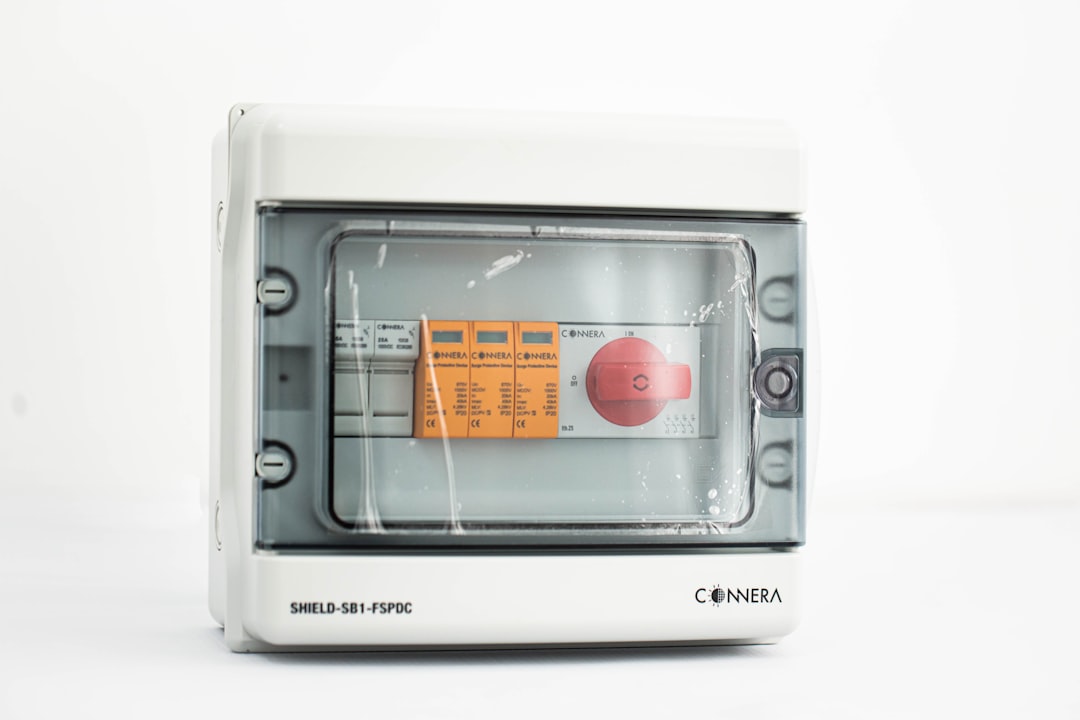
What Exactly Is a PLC SCADA System, and Why Does It Matter?
Before we dive into the “how,” let’s quickly align on the “what.” A PLC (Programmable Logic Controller) is essentially the brain of an automated machine or process. It reads inputs (sensors, switches, encoders), executes a user-defined logic program, and drives outputs (motors, valves, actuators) in real time. Think of it as a ruggedized industrial computer purpose-built for deterministic control.
SCADA (Supervisory Control and Data Acquisition) sits one layer above. It collects data from one or multiple PLCs across a facility, visualizes it on operator screens (HMIs), logs historical trends, generates alarms, and sometimes sends commands back down to the field devices. Together, PLC + SCADA forms the backbone of modern industrial automation — from water treatment plants to semiconductor fabs.
According to a 2026 report by MarketsandMarkets, the global SCADA market is projected to reach $18.7 billion USD by end of 2026, growing at a CAGR of 6.8%. That growth is driven heavily by Industry 4.0 mandates, IIoT integration, and increasingly stringent regulatory requirements in food, pharma, and energy sectors.
Step 1: Define Your System Architecture — This Is Where Most Projects Go Wrong
I cannot overstate this enough: the number one reason PLC SCADA projects run over budget and over schedule is a poorly defined architecture at the outset. Before you purchase a single component, you need to answer these questions:
- How many I/O points do you need? (Digital inputs, digital outputs, analog inputs/outputs, pulse counters)
- What is your scan time requirement? Safety-critical loops may need sub-10ms; general process control often tolerates 50–100ms.
- What communication protocols will you use? Modbus RTU/TCP, PROFINET, EtherNet/IP, DNP3, OPC-UA?
- Is redundancy required? Redundant PLCs, redundant networks, hot-standby SCADA servers?
- What are the cybersecurity requirements? IEC 62443 compliance? Air-gapped network? VPN access for remote monitoring?
- What’s the historian strategy? On-premise SQL, cloud-based (Azure, AWS IoT), or hybrid?
- Future scalability? Will you add more production lines in 2–3 years?
I typically recommend creating a Functional Design Specification (FDS) document before anything else. This becomes your contract with yourself — and with the client — about exactly what the system will and won’t do.
Step 2: Choosing the Right PLC Hardware
This is where brand wars get heated in the engineering community. Here’s my honest breakdown of the major players in 2026:
- Siemens S7-1500 series: Industry gold standard for large, complex systems. Excellent TIA Portal development environment. Strong cybersecurity features built in. Premium price point — expect $3,000–$8,000+ per CPU depending on specs.
- Allen-Bradley (Rockwell Automation) ControlLogix / CompactLogix: Dominant in North American markets. Studio 5000 is a mature, well-documented IDE. EtherNet/IP-native. Very common in automotive and packaging applications.
- Mitsubishi MELSEC iQ-R series: Strong in Asian markets, excellent high-speed I/O, competitive pricing.
- Schneider Electric Modicon M580: Great for energy-intensive industries, strong Ethernet Powerlink and DNP3 support.
- CODESYS-based PLCs (e.g., Beckhoff, Wago, Phoenix Contact): Open-standard IEC 61131-3 programming, ideal for edge computing scenarios and software-defined automation.
For a mid-scale project (200–500 I/O points), a Siemens S7-1500 or Allen-Bradley CompactLogix typically hits the sweet spot of performance, supportability, and total cost of ownership. For smaller projects or tight budgets, look at Siemens S7-1200 or Mitsubishi FX5U series.
War story: I once inherited a project where someone had spec’d a massively over-powered CPU for a 48 I/O point filling machine. They’d spent $6,200 on hardware that a $780 CompactLogix 5380 would’ve handled with room to spare. Always right-size your hardware.
Step 3: Selecting Your SCADA Software Platform
The SCADA software landscape has evolved dramatically. Cloud-native and hybrid architectures are now mainstream, and cybersecurity is no longer an afterthought. Key platforms in 2026 include:
- Ignition by Inductive Automation: Subscription or perpetual licensing, web-based HMI deployment, excellent OPC-UA support, strong community. Very popular for new greenfield projects.
- Wonderware (AVEVA System Platform): Enterprise-grade, strong historian, widely used in oil & gas and utilities.
- Siemens WinCC / WinCC OA: Tight integration with Siemens PLCs, scalable from single-station to multi-server enterprise.
- Factorytalk View (Rockwell): Natural pairing with ControlLogix systems, solid alarm management.
- GE iFIX / Cimplicity: Common in power generation and municipal water/wastewater.
- Open-source options (e.g., ScadaBR, OpenSCADA): Low cost, but be prepared for significant integration and support overhead.
For most projects I consult on now, Ignition has become my default recommendation for new builds. The unlimited licensing model (you pay for the server, not per client or per tag) is a game-changer for scalability, and the web-based Perspective module means operators can pull up real-time dashboards on tablets without any special client software.

Step 4: Network Infrastructure — The Nervous System Nobody Talks About Enough
A common mistake I see: engineers obsess over PLC selection and SCADA software but treat the network as an afterthought. This is a recipe for disaster. Your industrial network needs to be:
- Segmented: Separate OT (Operational Technology) networks from IT/corporate networks using a DMZ or industrial firewall (Cisco IE series, Hirschmann EAGLE, Fortinet FortiGate). This is now mandatory for IEC 62443 Level 2+ compliance.
- Managed switches: Use industrial-grade managed Ethernet switches (Phoenix Contact FL Switch, Siemens SCALANCE, or Moxa EDS series) with VLAN configuration, port mirroring for diagnostics, and QoS prioritization.
- Redundant paths: For critical applications, implement ring topology with MRP (Media Redundancy Protocol) or RSTP to achieve sub-200ms failover.
- Cable plant: Cat6A or fiber for backbone runs. Shield twisted pair (STP) in electrically noisy environments. Label everything — future-you will be grateful.
In 2026, with the rise of TSN (Time-Sensitive Networking) and 5G-based industrial wireless, we’re seeing more hybrid wired/wireless architectures, particularly for mobile assets like AGVs (Automated Guided Vehicles). Siemens and Rockwell both now offer PROFINET over TSN solutions that deliver deterministic communication with microsecond-level synchronization.
Step 5: PLC Programming — Best Practices from the Trenches
The IEC 61131-3 standard defines five PLC programming languages: Ladder Diagram (LD), Function Block Diagram (FBD), Structured Text (ST), Instruction List (IL), and Sequential Function Chart (SFC). Here’s how I typically use them:
- Ladder Diagram: Best for discrete logic, I/O interfacing, and legacy system migration. Easy for electricians to troubleshoot.
- Structured Text: Ideal for complex math, data processing, and string manipulation. If you can code in any C-like language, ST feels familiar.
- Sequential Function Chart: Perfect for machine sequencing — filling sequences, batch processes, startup/shutdown routines.
- Function Block Diagram: Great for PID loops, analog signal processing, and process control applications.
Best practices I swear by: Always use modular, reusable Function Blocks (FBs) rather than monolithic programs. Naming conventions matter — use ISA-5.1 instrument tag naming (e.g., FCV-101 for Flow Control Valve 101). Comment your code liberally. And use a version control system — even Git with a flat file export works if your IDE doesn’t have built-in versioning.
Step 6: HMI Design and Alarm Philosophy
An HMI (Human-Machine Interface) is where operators actually interact with your system. The ISA-101 standard for HMI design and the EEMUA 191 alarm management guidelines are your bibles here. Key principles:
- Use a muted, gray-based color scheme for normal state — save bright colors (red, yellow) for alarm conditions only.
- Design for situational awareness, not just data display. An operator should be able to assess system health in under 5 seconds.
- Alarm rationalization: Target fewer than 1 alarm per 10 minutes during normal operations. More than that causes alarm flooding and operators start ignoring them.
- Always provide alarm help text — what does this alarm mean, what’s the consequence, what’s the corrective action?
- Navigation hierarchy: Plant overview → Area → Unit → Device. Never more than 3 clicks to reach any detail screen.
Real-World Case Studies: What’s Actually Working in 2026
Let me share two compelling examples from the field:
Case Study 1 — Water Treatment Plant in Singapore: Singapore’s PUB (Public Utilities Board) has been deploying Schneider Electric EcoStruxure SCADA solutions across its NEWater facilities. Their architecture uses redundant Modicon M580 PLCs communicating over PROFINET, with centralized SCADA hosted on hybrid cloud (on-premise historian + Azure cloud dashboards for management reporting). They achieved a 23% reduction in energy consumption by enabling real-time pump scheduling optimization through SCADA-driven analytics. Reference: Schneider Electric case study library (se.com/us/en/work/case-studies).
Case Study 2 — Automotive Parts Manufacturer in Germany: A Tier 1 supplier deployed Siemens TIA Portal + WinCC across 14 production lines, integrating MES (Manufacturing Execution System) via OPC-UA. The key win was real-time OEE (Overall Equipment Effectiveness) tracking — they went from manually calculated weekly OEE reports to live dashboards updating every 30 seconds. OEE improved from 67% to 81% within 8 months of go-live, primarily because downtime causes were now visible and actionable in real time.
For further reading, the Inductive Automation website (inductiveautomation.com) has an excellent resource library, and the PLCopen organization (plcopen.org) maintains excellent standards documentation for IEC 61131-3 programming best practices.
Cybersecurity: The Issue You Can No Longer Ignore
In 2026, OT cybersecurity is not optional. The number of reported cyberattacks on industrial control systems increased by 47% from 2023 to 2025 according to Dragos’s 2025 OT Cybersecurity Year in Review. Key measures for your PLC SCADA system:
- Implement defense-in-depth using the Purdue Model or ISA/IEC 62443 zones and conduits framework.
- Enforce role-based access control (RBAC) — operators, engineers, and administrators should have different permission levels.
- Patch management: Keep SCADA servers and HMI workstations updated. Use an OT-specific patch management tool (e.g., Claroty, Nozomi Networks) to assess patch risk before deployment.
- Disable USB ports on HMI workstations where not operationally necessary.
- Enable audit logging on all SCADA servers — who logged in, what they changed, when.
- Consider an OT-specific network monitoring solution (Dragos, Claroty, or Microsoft Defender for IoT) for anomaly detection.
Commissioning and FAT/SAT — Don’t Skip These Steps
Factory Acceptance Testing (FAT) happens at the integrator’s facility before equipment ships. Site Acceptance Testing (SAT) happens after installation at the plant. Both are critical checkpoints. During FAT, simulate as many real-world conditions as possible — what happens when a sensor fails? When a drive faults? When comms to a remote I/O drop out? Your alarm and interlock logic should be validated against your Cause & Effect matrix before a single piece of equipment is powered up at site.
I also always recommend running a HAZOP (Hazard and Operability Study) for process-critical systems before FAT. Having a P&ID walkthrough with process engineers, safety engineers, and the control system team in the same room catches more issues than any amount of solo testing.
Budget Reality Check for a Typical PLC SCADA Project
- Small system (< 100 I/O): $15,000 – $40,000 USD total (hardware + software + integration)
- Medium system (100–500 I/O): $50,000 – $200,000 USD
- Large system (500+ I/O, multi-PLC, enterprise SCADA): $200,000 – $1M+
- Annual maintenance & licensing: Budget 15–20% of initial project cost per year for software updates, support contracts, and spare parts holding.
These figures assume you’re working with an experienced systems integrator. DIY integration can reduce upfront cost by 30–40%, but only if your internal team has genuine PLC/SCADA expertise and bandwidth. Cutting corners on integration labor is the number one source of costly rework I’ve seen.
Alternatives If Full PLC SCADA Is Overkill for Your Situation
Not every application needs a full-blown SCADA system. If you’re running a small operation with fewer than 20 I/O points and limited budget, consider these realistic alternatives:
- All-in-one PAC (Programmable Automation Controller) with built-in HMI: Unitronics Vision/Samba series, Click PLC with C-more touchscreen — these integrate PLC + HMI in one compact unit at $800–$2,000.
- Edge computing + cloud SCADA: Use a Raspberry Pi or industrial IPC with Node-RED and MQTT to push data to a cloud-based SCADA like AWS IoT SiteWise or Azure IoT Hub. Very cost-effective for remote monitoring of simple processes.
- Vendor-provided BMS/DCS: For HVAC or building automation, a dedicated Building Management System (BMS) like Johnson Controls Metasys or Honeywell Enterprise Buildings Integrator may be a better fit than a generic SCADA.
The right tool for the right job — always evaluate your actual requirements before committing to a platform.
Editor’s Comment : After spending years commissioning PLC SCADA systems across food processing, water treatment, and manufacturing, the advice I keep coming back to is this — invest in your architecture and your standards documentation early, and the rest of the project flows dramatically smoother. The engineers who spend two weeks on a proper FDS and I/O list before touching hardware are the ones who go live on time. The ones who skip straight to “wiring and coding” are the ones I get panicked calls from at midnight. Start structured, document everything, and treat cybersecurity as a first-class citizen — not a checkbox at the end. Happy building.
📚 관련된 다른 글도 읽어 보세요
- Best Full-Stack Frameworks to Use in 2026: A Developer’s Honest Guide to Choosing the Right One
- Edge Computing in Web Development: Real-World Use Cases Reshaping the Internet in 2026
- 지멘스 vs 앨런브래들리 PLC 비교 리뷰 2026 – 현장 엔지니어가 알아야 할 진짜 차이점
태그: PLC SCADA system, industrial automation 2026, SCADA software, PLC programming, industrial control systems, IEC 61131-3, OT cybersecurity
Leave a Reply