Blog

  • PLC Ladder Diagram Programming: The 2026 Practical Field Guide Every Automation Engineer Needs

    Let me take you back to a moment that might feel familiar. A junior automation technician — let’s call him Marcus — walks into a mid-size automotive parts plant in Ohio for his first day on the floor. He’s got his degree, he’s run simulations, and he’s feeling ready. Then his supervisor points to a 15-year-old Allen-Bradley PLC rack humming inside a dusty control cabinet and says, “We need you to modify the conveyor interlock logic by Thursday.” Marcus stares at the ladder diagram on screen and thinks: I know what this is, but I have no idea how to actually work with it.

    Sound familiar? You’re not alone. Ladder diagram (LD) programming remains the dominant language in industrial PLC environments worldwide — and yet the gap between “understanding it theoretically” and “confidently editing live production logic” is wider than most training programs admit. In this guide, we’re going to bridge that gap together, step by step, with real-world context and the kind of practical reasoning that actually matters on the floor in 2026.

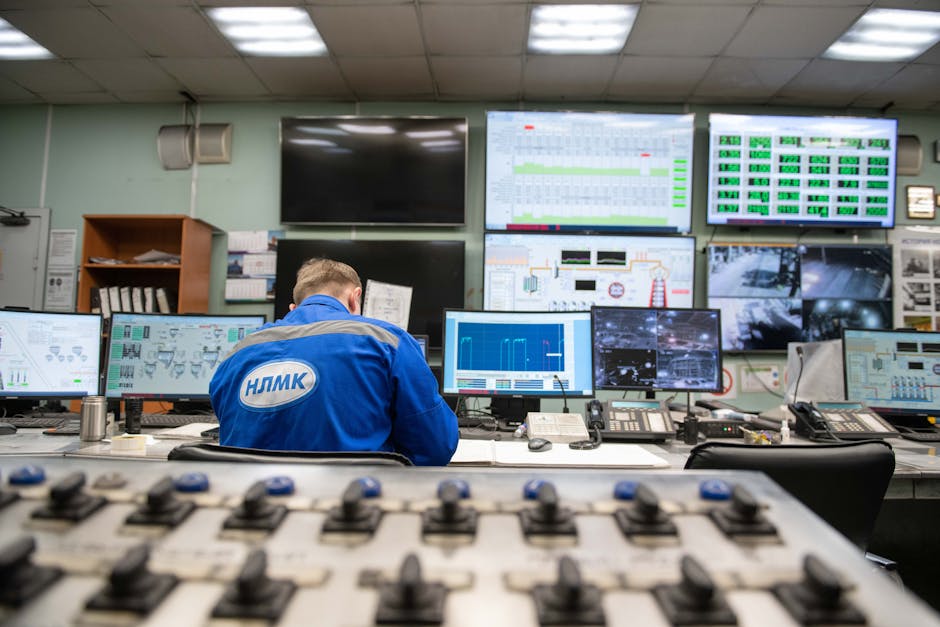
    PLC ladder diagram programming industrial control panel Allen-Bradley Siemens

    Why Ladder Diagram Still Rules in 2026

    You might wonder — with all the advances in IEC 61131-3 structured text, function block diagrams (FBD), and even Python-based PLC environments emerging from vendors like Beckhoff and Codesys — why is ladder logic still king? The answer is refreshingly practical.

    According to a 2026 PMMI (Association for Packaging and Processing Technologies) workforce survey, approximately 68% of active PLC programs in North American manufacturing facilities are still primarily written in or include substantial ladder logic components. In South Korea and Japan, major automotive OEMs — including Hyundai and Toyota’s tier-1 supplier networks — report similar figures hovering around 60–70% for installed base usage. The reasons come down to three things:

    • Visual intuitiveness: Ladder logic mimics relay control schematics, which electricians and maintenance techs already understand. This lowers the barrier to multi-discipline collaboration.
    • Massive installed base: Replacing legacy ladder logic with structured text in a running plant is expensive, risky, and rarely justified unless a full system overhaul is planned.
    • Vendor tooling: Studio 5000 (Rockwell), TIA Portal (Siemens), and GX Works (Mitsubishi) all treat ladder as a first-class citizen, with mature debugging and simulation tools built around it.

    Core Elements You Actually Need to Know Cold

    Let’s think through the building blocks — not as a textbook would list them, but in the order they’ll actually show up in your real-world encounters.

    1. Examine If Closed (XIC) and Examine If Open (XIO) contacts
    These are your bread and butter. An XIC contact (normally open in relay logic terms) passes power when the associated bit is TRUE (1). An XIO contact (normally closed) passes power when the bit is FALSE (0). Here’s the critical insight beginners often miss: these contacts don’t control the physical state of a device — they read the state of a bit in the PLC’s memory. That bit might represent a physical sensor, an internal flag, or a timer’s done bit. Confusing the bit address with the physical device is one of the most common sources of debugging headaches.

    2. Output Energize (OTE) coils
    When the rung logic evaluates to TRUE (power flows from left rail to right rail), the OTE coil sets its associated bit to 1. When the rung goes FALSE, it resets to 0. Simple — but the implication is important: OTE coils are non-retentive. Every scan cycle, the output bit is re-evaluated. This matters enormously for understanding why your logic might seem to “forget” a state during a power cycle or CPU fault.

    3. OTL (Output Latch) and OTU (Output Unlatch)
    These retentive coils set or clear a bit and hold that state regardless of rung continuity. They’re powerful — but they’re also a common source of runaway logic bugs if you don’t carefully manage both the latch and unlatch conditions. A good rule of thumb from experienced programmers: every OTL should have exactly one corresponding OTU, and both should be clearly paired and commented.

    4. Timers: TON, TOF, RTO
    The Timer On-Delay (TON) is the workhorse. Preset (PR) sets the target time, Accumulated (ACC) counts up while the enable bit is TRUE, and the Done (DN) bit sets when ACC ≥ PR. The Timer Off-Delay (TOF) starts counting when the enable goes FALSE — useful for things like cooling fan run-on after a motor stops. The Retentive Timer (RTO) holds its accumulated value even when disabled, which makes it perfect for tracking total equipment runtime across multiple activations.

    5. Counters: CTU, CTD, RES
    Count-Up (CTU) and Count-Down (CTD) counters follow similar logic. Don’t forget the Reset (RES) instruction — failure to reset counters at the right point in a sequence is a surprisingly common oversight that causes intermittent production faults.

    Real-World Application: Interlock Logic That Actually Holds Up

    Let’s ground this in a realistic scenario. Imagine you’re programming a conveyor system with the following requirements: a belt motor (M1) should only run when the upstream sensor (S1) detects product presence, the downstream station is not in fault (FaultBit_DS = 0), and the E-stop circuit is not activated (EStop = 0). Here’s how an experienced engineer would structure that rung:

    [XIC S1_Present] [XIO FaultBit_DS] [XIO EStop_Active] ---( OTE M1_Run )---

    Clean, readable, and defensively structured — all negative safety conditions (fault, E-stop) are XIO contacts so that a wire break or lost signal automatically stops the motor rather than allowing it to run undetected. This is the “fail-safe” design philosophy and it’s non-negotiable in serious industrial environments.

    PLC ladder logic rung interlock conveyor motor control safety circuit

    International Case Studies: How the Field Really Does It

    Looking at real implementation stories from 2026 sharpens the picture considerably.

    Hyundai Motor Group’s Asan Plant (South Korea): During a 2025–2026 retooling cycle for EV battery module assembly lines, engineers faced the challenge of modifying existing Mitsubishi iQ-R PLC ladder programs while maintaining line uptime. Their approach: rigorous use of GX Works3’s “simulation mode” to validate all modified rungs offline before live deployment, combined with a mandatory peer-review checklist for any rung touching safety-rated outputs. The lesson? Offline simulation isn’t optional luxury — it’s standard practice at this level.

    Bosch Rexroth’s Stuttgart Facility (Germany): Bosch’s maintenance engineering team published a fascinating internal case study (shared at SPS 2025) about transitioning legacy Siemens S5 ladder programs to TIA Portal S7-1500 structured environments. Their key finding: even when migrating to structured text for new modules, they retained ladder format for all interlock and safety-rated logic specifically because maintenance electricians — not software engineers — are the first responders during production faults. Readability for non-programmers proved more valuable than code elegance.

    Rockwell Automation’s North American Customer Base (2026 survey data): In Rockwell’s 2026 State of Industrial Automation report, 74% of surveyed facilities cited inadequate inline documentation (rung comments and instruction tooltips) as the leading cause of delayed fault resolution during unplanned downtime. The fix isn’t more complex logic — it’s disciplined commenting practice from day one.

    Practical Tips That Make the Difference

    • Comment every rung — no exceptions. Your future self (or your colleague at 2 AM during a production emergency) will thank you. A one-line description of what the rung does and why is worth 10 minutes of debugging time saved.
    • Use meaningful tag names, not addresses. “M1_ConveyorBelt_Run” communicates infinitely more than “O:2/5” — and modern PLCs from all major vendors support long descriptive tag names.
    • Avoid using the same output coil address in multiple rungs. In most PLCs, the last rung to evaluate wins. This creates non-obvious priority conflicts that are maddeningly hard to troubleshoot.
    • Build a “first scan” rung for initialization. Use the S:FS (first scan) bit or equivalent to initialize counters, timers, and retentive outputs to known states at startup. This prevents ghost states from previous runs causing erratic behavior.
    • Test with forced I/O carefully and document it. Forcing I/O is a powerful diagnostic tool — but a forced bit left active after troubleshooting is a production incident waiting to happen. Many plants now require a formal “I/O force log” protocol.
    • Learn your platform’s scan cycle behavior. Most PLCs scan top-to-bottom, rung by rung, continuously. Understanding that a counter incremented midway through program execution won’t reflect in rungs above it until the next scan is crucial for timing-sensitive logic.

    Realistic Alternatives for Different Situations

    Here’s where I want to reason through this with you honestly, because “ladder logic is always best” isn’t the full picture.

    If you’re building new automation from scratch in 2026 — especially for data-intensive or algorithmically complex applications like adaptive control or predictive maintenance — consider using structured text (ST) for computational blocks while keeping safety and interlock logic in ladder. This hybrid approach, fully supported in TIA Portal and Studio 5000, gives you the best of both worlds.

    If you’re maintaining legacy equipment you didn’t write, resist the urge to completely rewrite working ladder logic. Incremental, well-documented modifications are safer and more professional than wholesale replacements that introduce new untested failure modes.

    If you’re learning from scratch in 2026 and cost is a concern, the Codesys development environment offers a free IDE with full IEC 61131-3 ladder support and is used by a growing number of hardware vendors. Pair it with a $40–80 budget PLC like the CLICK series from AutomationDirect for hands-on practice without a major investment.

    If you’re in a skills development role — training technicians or engineers — consider structuring ladder training around fault-finding exercises rather than just programming. The ability to read and diagnose existing ladder logic is often more immediately valuable in the field than the ability to write new programs from scratch.

    Editor’s Comment : Ladder diagram programming is one of those skills where the gap between “knowing” and “doing” is especially wide — and honestly, that gap only closes through hands-on time with real or simulated hardware. If you take one thing away from this guide, let it be this: comment your rungs, name your tags descriptively, and design for the maintenance technician who’ll be reading your logic at 3 AM six years from now. That discipline separates competent programmers from truly excellent ones. The tools and platforms will keep evolving, but that foundational mindset is evergreen.

    태그: [‘PLC ladder diagram programming’, ‘ladder logic tutorial 2026’, ‘industrial automation PLC’, ‘IEC 61131-3 ladder logic’, ‘Siemens TIA Portal ladder’, ‘Rockwell Studio 5000 programming’, ‘PLC interlock safety logic’]


    📚 관련된 다른 글도 읽어 보세요

  • PLC 프로그래밍 래더 다이어그램 실무 가이드 2026 – 현장 엔지니어가 꼭 알아야 할 핵심 개념과 팁

    몇 해 전, 처음 공장 자동화 현장에 투입된 신입 엔지니어가 PLC 패널 앞에서 멍하니 서 있던 장면이 떠오릅니다. 손에는 두꺼운 매뉴얼이 들려 있었고, 화면에는 알 수 없는 가로선과 세로선, 그리고 코일 기호가 가득했죠. “이게 다 뭔데…” 하는 표정이었는데, 사실 그 느낌은 래더 다이어그램(Ladder Diagram)을 처음 접하는 분이라면 누구나 공감할 거라 봅니다. 2026년 현재, 스마트 팩토리와 IIoT(산업용 사물인터넷)가 빠르게 확산되면서 PLC 프로그래밍 수요는 오히려 더 높아졌어요. 그래서 오늘은 래더 다이어그램의 기본 개념부터 실무에서 바로 써먹을 수 있는 팁까지 함께 풀어보려 합니다.

    PLC ladder diagram programming industrial automation

    1. 래더 다이어그램이란 무엇인가? – 전기 회로도에서 출발한 언어

    래더 다이어그램은 IEC 61131-3 국제 표준에서 정의한 PLC 프로그래밍 언어 5종 중 하나입니다. 이름처럼 ‘사다리(ladder)’ 모양의 구조를 가지며, 좌우 두 개의 수직 전력 레일(Power Rail) 사이에 수평 런(rung)이 연결된 형태예요. 전통적인 릴레이 회로도를 그대로 소프트웨어로 옮겨온 개념이라, 전기 설계자 출신 엔지니어들이 가장 직관적으로 접근할 수 있는 언어라고 봅니다.

    핵심 구성 요소를 정리하면 다음과 같아요.

    • 접점(Contact): 입력 신호를 읽는 요소. 상시 개방(NO, Normally Open)과 상시 폐쇄(NC, Normally Closed) 두 종류가 기본입니다.
    • 코일(Coil): 출력 신호를 구동하는 요소. 런의 가장 오른쪽에 위치하며, 앞 조건이 모두 충족될 때 활성화됩니다.
    • 타이머(Timer): TON(On-Delay), TOF(Off-Delay), TP(Pulse) 세 가지 유형이 실무에서 가장 자주 사용됩니다.
    • 카운터(Counter): CTU(Up), CTD(Down), CTUD(Up/Down)로 나뉘며, 생산 수량 집계나 반복 동작 제어에 필수예요.
    • 비교·연산 블록(Function Block): 아날로그 센서 값 비교, 사칙연산, 데이터 이동(MOV) 등 고급 기능을 처리합니다.

    2. 2026년 기준 PLC 시장 규모와 래더 다이어그램의 위상

    시장 조사 기관 MarketsandMarkets의 최신 리포트(2026년 초 기준)에 따르면, 글로벌 PLC 시장 규모는 약 160억 달러(한화 약 22조 원)에 달하며, 연평균 성장률(CAGR)은 5.8% 수준으로 예측됩니다. 국내 역시 반도체·디스플레이·이차전지 생산 라인 확대로 PLC 수요가 꾸준히 늘고 있어요.

    흥미로운 점은, ST(Structured Text)나 FBD(Function Block Diagram) 같은 고급 언어가 주목받는 상황에서도 현장 엔지니어의 약 68%가 여전히 래더 다이어그램을 1순위 개발 언어로 사용한다는 조사 결과가 있다는 겁니다(PLCopen 커뮤니티 설문, 2025년 말). 이유는 단순해요. 디버깅 시 신호 흐름이 시각적으로 바로 보이고, 비전공자나 유지보수 인력도 빠르게 파악할 수 있기 때문이라고 봅니다.

    3. 국내외 실무 사례로 보는 래더 다이어그램 활용

    국내 사례 – 자동차 부품 라인 불량 검출 시스템
    경남 소재 한 자동차 부품사에서는 기존 릴레이 패널을 지멘스 S7-1500 PLC로 교체하면서 래더 다이어그램 기반 비전 센서 연동 시스템을 구축했습니다. 기존 대비 오검출률을 약 40% 절감했고, 프로그램 수정 시간도 평균 4시간에서 30분 이내로 줄었다고 해요. 핵심은 런 단위로 기능을 분리해 모듈화 설계를 했다는 점이라 봅니다.

    해외 사례 – 로크웰 오토메이션(Rockwell Automation)의 스마트 컨베이어
    미국 오하이오 주의 물류 센터에서는 Allen-Bradley PLC와 Studio 5000 소프트웨어를 활용해 래더 기반 컨베이어 속도 제어 시스템을 운영 중입니다. 특히 Add-On Instruction(AOI) 기능을 통해 반복되는 래더 블록을 라이브러리화해서 개발 기간을 기존의 절반 이하로 단축했다는 보고가 있어요. 이런 모듈화 접근법은 2026년 현재 국내 대기업 자동화 팀에서도 빠르게 도입 중인 방식입니다.

    Siemens Allen-Bradley PLC control panel factory floor

    4. 실무에서 자주 하는 실수와 예방법

    래더 다이어그램을 처음 작성할 때 가장 많이 하는 실수는 동일 코일 중복 사용(Duplicate Output Coil)이라고 봅니다. 같은 출력 비트를 두 개 이상의 런에서 코일로 사용하면, 나중에 실행되는 런이 앞 런의 결과를 덮어쓰기 때문에 예상치 못한 동작이 발생해요. 이를 방지하려면 Set/Reset(S/R) 코일이나 내부 보조 비트(Internal Bit)를 활용하는 습관을 들이는 게 좋습니다.

    • 런 실행 순서(위에서 아래)를 항상 의식하며 설계하기
    • 타이머·카운터 리셋 조건을 반드시 별도 런으로 명시하기
    • 주석(Comment) 작성 습관화 – 6개월 뒤 본인도 알아볼 수 있게
    • 스캔 타임(Scan Time) 초과 여부 주기적으로 모니터링하기
    • 비상 정지(E-Stop) 회로는 래더 소프트웨어보다 하드웨어 인터락을 우선 구성하기

    5. 2026년 트렌드 – 래더와 ST 언어의 혼용 설계

    최근 스마트 팩토리 고도화 프로젝트에서는 래더 다이어그램만으로 모든 로직을 작성하는 방식에서 벗어나, 래더는 I/O 제어와 인터락 로직에 집중하고, 복잡한 수식·알고리즘 처리는 ST(Structured Text) 언어로 처리하는 혼용 방식이 빠르게 정착하고 있어요. 특히 PID 제어, 레시피 관리, 데이터 로깅 처럼 수십 줄의 연산이 필요한 부분은 ST로 작성하면 유지보수성이 훨씬 좋아집니다. IEC 61131-3의 강점이 바로 이 ‘멀티 언어 혼용’을 공식적으로 지원한다는 점이라 봅니다.

    결론 – 지금 당장 시작할 수 있는 현실적인 학습 로드맵

    래더 다이어그램은 배우기 어렵다기보다, 처음에 맥락 없이 접근하면 막막하게 느껴지는 언어인 것 같습니다. 아래 순서로 접근해 보세요.

    • 1단계: 무료 시뮬레이터(CODESYS, PLC Fiddle 등)로 기본 접점·코일·타이머 실습
    • 2단계: 소형 학습용 PLC 키트(예: LS ELECTRIC XGB 시리즈, 미쓰비시 FX5U)로 실제 하드웨어 연결 경험
    • 3단계: 지멘스 TIA Portal 또는 로크웰 Studio 5000 중 하나를 집중 학습
    • 4단계: 실제 현장 도면(제어반 결선도)을 보면서 래더 로직과 매핑하는 연습
    • 5단계: AOI/FC 기반 모듈화 설계 습관 들이기 + ST 언어 병행 학습

    시간이 걸리더라도 각 단계를 충분히 소화하고 넘어가는 게 결국 빠른 길이라 봅니다. 현장에서 경험치를 쌓는 것만큼 빠른 학습 방법은 없으니까요.

    에디터 코멘트 : 래더 다이어그램은 ‘구식 언어’가 아니라 ‘검증된 언어’라고 생각해요. 2026년 현재에도 전 세계 수많은 생산 라인이 래더로 돌아가고 있고, 이를 읽고 수정할 수 있는 엔지니어의 가치는 여전히 높습니다. 트렌디한 언어에만 집착하기보다, 기초를 단단하게 다진 뒤 ST나 FBD로 확장하는 전략이 현실적으로 훨씬 유리한 것 같아요. 오늘 글이 현장에서 고군분투하는 분들께 작은 길잡이가 되었으면 좋겠습니다.

    태그: [‘PLC프로그래밍’, ‘래더다이어그램’, ‘공장자동화’, ‘스마트팩토리’, ‘IEC61131’, ‘지멘스TIAPortal’, ‘PLC실무가이드’]


    📚 관련된 다른 글도 읽어 보세요

  • Best AI-Powered Full-Stack Development Tools in 2026: A Developer’s Honest Guide

    Picture this: it’s 2 AM, you’re staring at a half-built web app, your backend API is throwing mysterious errors, and your frontend components refuse to talk to each other. Sound familiar? I’ve been there more times than I’d like to admit. But here’s the thing — the development landscape in 2026 looks dramatically different from just a couple of years ago. AI-powered full-stack tools have quietly (and sometimes loudly) reshaped what it means to build end-to-end applications, and honestly? The shift is bigger than most people are ready for.

    So let’s think through this together — which AI-driven tools are actually worth your time, what do the numbers say, and how do you pick the right stack for your situation?

    AI full-stack development tools 2026 developer workflow

    📊 Why AI Full-Stack Tools Are Dominating in 2026

    According to the Stack Overflow Developer Survey 2026, over 73% of professional developers now use at least one AI-assisted coding tool in their daily workflow — up from 44% in 2023. More striking is that full-stack developers, who juggle both frontend and backend concerns, report the highest satisfaction rates when using AI tools, citing roughly 40–60% reductions in boilerplate code writing time.

    But raw numbers only tell part of the story. The real shift is qualitative: AI tools are no longer just autocomplete on steroids. They now reason across the entire application layer — understanding database schemas, API contracts, and UI component logic simultaneously. That’s the full-stack promise, and in 2026, several tools are genuinely delivering on it.

    🛠️ Top AI-Powered Full-Stack Development Tools Worth Exploring

    • GitHub Copilot Workspace (2026 edition): Copilot has evolved far beyond single-file suggestions. Its Workspace mode now lets you describe a feature in plain English, and it scaffolds the full implementation — database migration, API route, and frontend component — in one coherent pass. It integrates natively with VS Code, JetBrains IDEs, and now Neovim. Best for teams already inside the GitHub ecosystem.
    • Cursor AI (Pro tier): Think of Cursor as VS Code rebuilt with an AI brain at its core. Its “Composer” feature can edit multiple files simultaneously with context awareness across your entire codebase. Developers at mid-sized startups have reported reducing their PR review cycles by nearly 30% because Cursor catches cross-layer inconsistencies before they even commit.
    • Vercel v0 + AI SDK 4.0: If you’re building React/Next.js applications, this combo is hard to beat. v0 generates full UI components from prompts, while Vercel’s AI SDK handles streaming responses and model routing on the backend. The tight integration means your frontend and backend speak the same language — literally and figuratively.
    • Replit Agent: Replit’s Agent feature deserves special attention for solo developers and learners. You describe an app, and the Agent builds it, deploys it, and even debugs runtime errors autonomously. It’s not perfect for enterprise-scale projects, but for MVPs and prototypes? Remarkable speed-to-demo.
    • Devin 2.0 (Cognition AI): The controversial but undeniably capable autonomous coding agent. Devin 2.0 can take a GitHub issue, write the fix, run tests, and submit a PR — largely without human intervention. Best used as a pair programmer for well-defined tasks rather than an autonomous replacement, at least for now.
    • Tabnine Enterprise: For organizations with strict data privacy requirements (healthcare, fintech, legal-tech), Tabnine’s on-premise deployment model is a game-changer. It learns from your private codebase without sending data to external servers — a critical distinction in regulated industries.

    🌍 How Teams Around the World Are Using These Tools

    Domestic (Korea) perspective: Korean tech companies like Kakao and Line Plus have reportedly integrated Cursor AI and GitHub Copilot Workspace into their internal developer toolchains. Notably, several Korean fintech startups competing in the APAC market have cited AI full-stack tools as a key reason they can maintain lean engineering teams (often 3–5 developers) while shipping features at the pace of companies 3x their size. The Korean developer community on platforms like OKKY and Inflearn has seen a surge in AI-augmented full-stack courses since mid-2025.

    International perspective: In the US, companies like Linear and Retool have publicly shared that Copilot Workspace handles a meaningful percentage of their internal tooling updates. In Europe, where GDPR compliance is non-negotiable, Tabnine Enterprise has carved out a strong niche, particularly in German and French enterprise environments. Meanwhile, Indian IT outsourcing giants like Infosys and Wipro have begun formally certifying developers in AI-augmented full-stack workflows as a billable skill set — a telling signal about where the industry is heading.

    global developer teams using AI coding tools collaboration 2026

    ⚖️ Choosing the Right Tool: A Logical Framework

    Here’s where I want to think through this with you practically. Not every tool is right for every situation, and the hype can genuinely obscure good decision-making. Ask yourself three questions:

    1. What’s your team’s size and maturity? Solo developers and small teams often benefit most from Replit Agent or Cursor AI — tools that reduce cognitive overhead without requiring complex configuration. Larger teams with existing CI/CD pipelines should lean toward Copilot Workspace or Tabnine Enterprise, which integrate cleanly into established workflows.

    2. What’s your primary stack? If you’re on Next.js/TypeScript, the Vercel ecosystem is almost unfairly good. Django/Python shops will find Copilot Workspace or Cursor more versatile. Don’t fight the grain of your existing stack just to use a “cooler” tool.

    3. What’s your data sensitivity level? If you’re handling sensitive user data, proprietary algorithms, or regulated information — stop and seriously evaluate Tabnine Enterprise or a self-hosted alternative before defaulting to cloud-based tools. The productivity gain isn’t worth a compliance violation.

    🔄 Realistic Alternatives If Premium Tools Aren’t Feasible

    Look, not everyone can justify $40–$100/month per developer seat on AI tooling, especially bootstrapped founders or developers in markets with currency constraints. Here are legitimate alternatives:

    • Codeium (Free tier): Surprisingly capable AI code completion that’s genuinely free for individuals. It lacks the deep multi-file reasoning of Cursor, but for straightforward full-stack work, it punches well above its price point.
    • Continue.dev (Open Source): An open-source AI coding assistant that you can connect to any LLM — including locally-run models via Ollama. Perfect for privacy-conscious developers who want control over their AI pipeline.
    • Aider (CLI-based): A terminal-first AI coding tool that works beautifully for developers who live in the command line. Pair it with a local model like DeepSeek Coder V3, and you have a zero-cost, offline-capable full-stack assistant.
    • Windsurf IDE (by Codeium): A newer VS Code fork with built-in AI flows. Its free tier is generous, and its “Cascade” feature offers meaningful multi-file editing capabilities without a subscription.

    The honest truth? The gap between premium and free AI tools has narrowed considerably in 2026. The premium tools win on reliability, context window size, and deep integrations — but free alternatives are genuinely viable for many use cases.

    🔮 Where This Is All Heading

    The trajectory is clear: by late 2026 and into 2027, AI full-stack tools will likely handle most routine CRUD scaffolding, basic API design, and standard UI patterns autonomously. What will remain irreplaceably human? System design decisions, architectural trade-offs, user empathy in product design, and the judgment calls that require understanding why something should be built — not just how. The developers thriving in this environment aren’t those who resist AI tools; they’re those who’ve learned to direct them like a skilled conductor leads an orchestra.

    Editor’s Comment : The single biggest mistake developers make in 2026 is treating AI full-stack tools as either magic wands or existential threats. They’re neither. They’re the most powerful pair-programming partners we’ve ever had — but they still need a thoughtful human in the driver’s seat. Start with one tool that fits your current stack, use it deeply for 30 days, and let the results speak for themselves rather than chasing every new release. Consistency with one good tool beats superficial familiarity with ten great ones.

    태그: [‘AI full-stack development tools 2026’, ‘GitHub Copilot Workspace’, ‘Cursor AI’, ‘AI coding assistant’, ‘full-stack developer tools’, ‘Vercel v0 AI’, ‘AI-powered software development’]


    📚 관련된 다른 글도 읽어 보세요

  • 2026년 AI 기반 풀스택 개발 도구 추천: 혼자서도 서비스 하나 뚝딱 만드는 현실적인 가이드

    작년 말, 지인 중 한 명이 이런 말을 했어요. “디자이너인데 내 포트폴리오 사이트 하나 직접 만들고 싶어서 개발 공부 시작했는데, 도저히 못 따라가겠더라고. 근데 AI 툴 몇 개 쓰니까 진짜 2주 만에 배포까지 했어.” 그 말을 들었을 때, 뭔가 시대가 확실히 달라졌다는 걸 실감했습니다. 2026년 현재, ‘AI 기반 풀스택 개발 도구’는 단순히 코드 자동완성 수준을 훨씬 넘어섰어요. 기획부터 데이터베이스 설계, 배포까지 전 과정을 아우르는 도구들이 등장하면서, 1인 개발자나 비개발자도 실제 서비스를 런칭하는 게 현실이 됐거든요. 오늘은 그 도구들을 함께 살펴보려 합니다.

    📊 수치로 보는 AI 개발 도구 시장: 얼마나 커졌을까?

    먼저 현황부터 짚어볼게요. 글로벌 시장조사 기관 Gartner의 2026년 초 보고서에 따르면, AI 보조 개발 도구(AI-assisted development tools) 시장은 2025년 대비 약 41% 성장하며 연간 약 280억 달러 규모에 도달한 것으로 추산됩니다. 특히 주목할 점은, 전체 개발자의 68%가 일상적인 코딩 워크플로우에 AI 도구를 한 가지 이상 사용하고 있다는 부분이에요.

    국내 상황도 비슷한 흐름이라고 봅니다. 한국정보화진흥원(NIA)의 2026년 1분기 리포트에서는 스타트업 개발팀의 약 55%가 AI 코딩 어시스턴트를 정규 개발 파이프라인에 통합했다고 응답했고, 이를 통해 초기 MVP(최소 기능 제품) 개발 기간이 평균 40~60% 단축됐다는 데이터가 나왔어요. 단순히 편의 도구를 넘어서 생산성을 바꾸는 인프라가 된 거라고 봐야 할 것 같아요.

    🔧 2026년 지금, 정말 쓸만한 AI 풀스택 개발 도구들

    도구들을 크게 “코드 생성 및 어시스턴트 계열”“노코드/로우코드 풀스택 빌더 계열”로 나눠볼 수 있는데요, 각각 타깃 사용자가 조금 달라요. 순서대로 살펴볼게요.

    • GitHub Copilot X (Enterprise 2026 에디션)
      마이크로소프트가 2025년 말 대규모 업데이트를 단행한 버전이에요. 기존 단순 코드 자동완성에서 벗어나, 프로젝트 전체 컨텍스트를 이해하고 “이 API 엔드포인트에 맞는 프론트엔드 컴포넌트 초안을 생성해줘” 같은 멀티 파일 레벨의 요청을 처리할 수 있어요. VS Code, JetBrains 계열 IDE와 네이티브 통합되어 있고, 풀스택(Next.js + Node.js + PostgreSQL) 보일러플레이트를 자연어 몇 줄로 뽑아주는 기능이 특히 실용적이라고 봅니다.
    • Cursor (v2.x)
      2026년 현재 개발자 커뮤니티에서 가장 뜨겁게 언급되는 AI 코드 에디터예요. VS Code 기반이라 기존 사용자라면 진입 장벽이 낮고, 코드베이스 전체를 인덱싱해서 “왜 이 버그가 생겼는지” 를 추론하고 수정 패치를 직접 제안해주는 기능이 돋보여요. 특히 풀스택 디버깅 워크플로우에서 시간을 크게 절약해 준다는 후기가 많아요.
    • Bolt.new (StackBlitz)
      브라우저 하나로 프론트엔드부터 백엔드, 데이터베이스 연결까지 전부 처리하는 AI 풀스택 빌더예요. 자연어 프롬프트 하나로 React + Express + SQLite 구조의 앱을 즉시 생성하고, 수정 사항도 대화형으로 반영할 수 있어서 비개발자도 접근하기 좋아요. 로컬 설치 없이 바로 URL을 공유할 수 있는 점도 큰 장점이라고 봅니다.
    • Vercel v0 (v0.dev)
      UI 컴포넌트 생성에 특화된 AI 도구인데, 2025년 이후 백엔드 연동 기능이 강화되면서 사실상 풀스택 프로토타이핑 도구로 자리 잡았어요. Shadcn/UI와 Tailwind 기반의 퀄리티 높은 컴포넌트를 즉시 생성하고, Vercel의 서버리스 함수 및 KV 스토어와 바로 연결할 수 있어서 Next.js 생태계 사용자에게는 특히 추천하고 싶은 도구예요.
    • Supabase (AI 기능 통합 버전)
      오픈소스 Firebase 대안으로 잘 알려진 Supabase가 2026년 들어 AI 쿼리 생성 및 Edge Function 자동 작성 기능을 대폭 강화했어요. 자연어로 “최근 7일간 가입한 유저 중 구매 이력이 없는 사람 목록을 줘”라고 입력하면 SQL을 자동 생성해 주는 기능은 비개발자 창업자에게 특히 유용하다고 봅니다.
    • Replit AI (Ghostwriter 2.0)
      클라우드 IDE 기반이라 설치 환경 없이 시작할 수 있어요. 특히 교육 목적이나 사이드 프로젝트로 빠르게 아이디어를 검증하고 싶을 때 적합해요. 2026년 업데이트에서는 멀티 에이전트 기능이 추가되어, AI가 스스로 코드를 테스트하고 오류를 수정하는 루프를 반복하는 흐름을 지원해요.
    developer working with AI coding assistant laptop modern workspace

    🌏 국내외 실제 활용 사례: 이미 쓰고 있는 사람들

    해외 사례 중 눈에 띄는 건 미국의 B2B SaaS 스타트업 Lindy.ai예요. 이 팀은 백엔드 엔지니어 1명이 Cursor와 Supabase를 조합해 MVP를 6주 만에 런칭했고, 이후 시리즈 A 펀딩을 유치한 사례로 여러 테크 미디어에 소개됐어요. 물론 AI 도구만의 성과는 아니겠지만, 소규모 팀이 빠르게 시장에 진입하는 데 AI 도구가 실질적인 역할을 했다는 점은 주목할 만하다고 봅니다.

    국내에서는 스타트업 씬에서 흥미로운 흐름이 있어요. 2026년 초 국내 스타트업 커뮤니티 플랫폼 ‘스타트업 얼라이언스’의 설문에서, 비개발자 창업자의 약 38%가 AI 빌더 도구(Bolt.new, v0 등)를 활용해 첫 번째 랜딩 페이지 또는 프로토타입을 직접 제작했다고 응답했어요. 이 수치는 전년 동기 대비 2배 이상 늘어난 수준이고, 외주 개발 비용을 아끼는 현실적인 수단으로 자리 잡은 것 같아요.

    또 국내 개발자 커뮤니티 ‘인프런’에서 2026년 상반기 기준 가장 빠르게 성장하는 강의 카테고리 중 하나가 ‘AI와 함께하는 1인 풀스택 개발’이라는 점도 이 흐름을 잘 보여주는 것 같습니다.

    ⚠️ 도구 선택 전에 알아야 할 현실적인 주의점

    AI 도구가 강력해진 건 맞지만, 맹신은 금물이에요. 몇 가지 짚어두고 싶은 부분이 있어요.

    • 보안 코드 생성의 한계: AI가 생성한 인증·권한 관련 코드는 반드시 직접 검토해야 해요. 실제로 AI가 생성한 JWT 처리 코드에 취약점이 발견된 사례가 보고되고 있거든요.
    • 컨텍스트 길이 한계: 대규모 레거시 코드베이스에서는 AI가 전체 맥락을 놓치는 경우가 생겨요. 큰 프로젝트일수록 AI 제안을 그대로 적용하기보다 검증 단계가 필요합니다.
    • 벤더 종속(Vendor Lock-in) 리스크: Bolt.new나 v0 같은 플랫폼 종속 도구는 편리하지만, 나중에 스케일업 시 이전이 어려울 수 있어요. 초기부터 코드 소유권과 이식성을 염두에 두는 게 좋습니다.
    • 라이선스 문제: 특히 기업 프로젝트에서는 AI 생성 코드의 저작권 귀속 문제가 아직 법적으로 명확히 정리되지 않은 부분이 있어요. 사용하는 도구의 이용 약관을 꼼꼼히 살펴보는 걸 권장합니다.

    🧭 결론: 나에게 맞는 도구는 어떻게 고를까?

    결국 도구 선택은 “내가 지금 어떤 단계에 있느냐”에 따라 달라진다고 봐요. 빠른 프로토타이핑이 목적이라면 Bolt.new나 v0가 탁월하고, 실제 서비스 수준의 코드를 작성하는 개발자라면 Cursor + Supabase 조합이 현실적인 선택이 될 것 같아요. 중간 어딘가에 있다면 GitHub Copilot X를 기존 IDE에 얹는 것부터 시작하는 게 진입 장벽도 낮고 효과를 체감하기도 좋다고 봅니다.

    중요한 건, AI 도구를 “나 대신 개발해주는 것”이 아니라 “내 판단을 빠르게 실행해주는 가속기\

    태그: []


    📚 관련된 다른 글도 읽어 보세요

  • Digital Twin PLC Simulation in 2026: Real-World Applications That Are Reshaping Industrial Automation

    Picture this: a factory floor in Stuttgart, Germany, where engineers are troubleshooting a critical conveyor system fault — without touching a single physical machine. They’re wearing AR headsets, poking around a hyper-realistic 3D replica of the entire production line, tweaking PLC (Programmable Logic Controller) ladder logic in real time while the actual factory hums along uninterrupted. That’s not a sci-fi scenario anymore. In 2026, digital twin PLC simulation has quietly become one of the most transformative technologies in industrial automation — and if you’re in manufacturing, logistics, or process engineering, this is a conversation you genuinely need to have.

    Let’s think through what’s actually happening here, why it matters, and how real companies are pulling it off.

    digital twin factory PLC simulation 3D visualization industrial automation 2026

    What Exactly Is a Digital Twin PLC Simulation?

    Before we dive into applications, let’s ground ourselves. A digital twin is a virtual, real-time mirror of a physical system — be it a machine, a production cell, or an entire plant. When we combine that with PLC simulation, we’re talking about running the actual PLC control logic (the brain of industrial machines) inside a virtual environment that mimics the physical hardware’s behavior with high fidelity.

    Think of it this way: traditionally, testing PLC code meant deploying it on real hardware, which risks downtime, safety incidents, and costly mistakes. Digital twin simulation lets engineers execute and validate that same code against a virtual model — complete with realistic physics, sensor feedback loops, and machine kinematics — before a single bolt is turned on the shop floor.

    The Numbers Behind the Momentum

    Here’s where the data gets genuinely interesting. According to industry analysis compiled in early 2026:

    • Commissioning time reduction: Companies adopting digital twin PLC simulation report an average 40–55% reduction in physical commissioning time. For a mid-sized automotive assembly line, that can translate to saving 6–10 weeks of project schedule.
    • Error detection rate: Virtual commissioning environments catch approximately 70% of PLC logic errors before physical deployment, dramatically reducing costly post-installation debugging.
    • ROI realization: Most manufacturers report recouping their digital twin investment within 18–24 months, primarily through reduced downtime and engineering rework costs.
    • Market growth: The global industrial digital twin market is projected to surpass $28 billion USD by the end of 2026, with PLC-integrated simulation platforms representing one of the fastest-growing sub-segments.

    These aren’t incremental improvements. We’re talking about fundamentally restructuring how industrial projects are engineered and delivered.

    Real-World Applications: Who’s Actually Doing This?

    Case 1 — Hyundai Motor Group (South Korea): Hyundai’s advanced manufacturing arm has been one of the most aggressive adopters in the Asia-Pacific region. Their electric vehicle production plants in Ulsan and the new Georgia (USA) Metaplant use Siemens’ Tecnomatix Plant Simulation coupled with TIA Portal virtual controllers. Engineers validate robotic welding sequences and conveyor interlocks entirely in the digital twin before physical installation. The result? Their 2026 model year EV line commissioning ran roughly 48 days ahead of the previous generation’s schedule.

    Case 2 — Bosch Rexroth (Germany): Bosch Rexroth’s hydraulics and automation division has embedded digital twin PLC testing into their standard product delivery workflow for customer-specific automation systems. Using EPLAN Electric P8 integrated with 3D simulation environments, their engineering teams in Lohr am Main run co-simulation between electrical schematics and PLC behavior — a practice they call “virtual FAT” (Factory Acceptance Testing). Clients now routinely sign off on systems virtually before the physical build even begins.

    Case 3 — LG Energy Solution Battery Plants (Global): Battery manufacturing is extraordinarily sensitive — even minor process deviations affect cell quality. LG Energy Solution’s new gigafactories in Poland and Arizona leverage digital twin environments specifically to simulate PLC-driven electrode coating lines. By running thousands of parameter permutations virtually, they optimize PLC setpoints before physical production, cutting material waste during startup by an estimated 30%.

    Case 4 — POSCO (South Korea): Korea’s steel giant POSCO has deployed digital twin simulation across its blast furnace control systems. Their PLCs govern enormously complex thermal processes, and even brief unplanned downtime costs millions. Their digital twin layer now allows control engineers to simulate fault scenarios — pressure spikes, valve failures — and pre-program PLC responses, essentially rehearsing emergencies in a safe virtual space.

    PLC ladder logic virtual commissioning digital twin simulation engineering workflow

    The Technology Stack Making This Possible in 2026

    What’s enabling this wave of adoption right now? A few converging technologies deserve credit:

    • OPC UA & MQTT integration: These communication protocols now make it relatively straightforward to synchronize real PLC data with virtual environments in near real-time.
    • Physics-based simulation engines: Platforms like NVIDIA Omniverse, Siemens NX MCD (Mechatronics Concept Designer), and Rockwell’s Emulate3D now offer industrial-grade physics fidelity — material flow, mechanical stress, and even thermal behavior.
    • AI-augmented anomaly detection: In 2026, several platforms have layered machine learning on top of digital twin outputs, automatically flagging PLC logic that behaves unexpectedly under edge-case conditions.
    • Cloud-native deployment: Azure Industrial IoT, AWS IoT TwinMaker, and their competitors have made scalable, multi-site digital twin infrastructure accessible without massive on-premise hardware investment.

    Realistic Alternatives: What If You’re Not a Giant Corporation?

    Here’s where I want to be genuinely honest with you — because not every reader is managing a gigafactory. If you’re a small-to-mid-sized manufacturer or a systems integrator, full-scale digital twin implementation can feel overwhelming in terms of cost and expertise required. So let’s think through some practical entry points:

    • Start with software PLC emulation: Tools like CODESYS Virtual PLC or Siemens S7-PLCSIM Advanced let you run your PLC logic in a software environment without any physical hardware. This alone captures a significant portion of the benefit at a fraction of the investment.
    • Modular simulation: You don’t have to twin your entire plant. Start with the highest-risk or most complex subsystem — say, a robotic cell or a critical packaging line — and build outward iteratively.
    • Leverage vendor partnerships: Most major PLC vendors (Siemens, Rockwell, Mitsubishi, Omron) now offer digital twin starter packages or subsidized pilots. Engaging your existing vendor relationship is often the lowest-friction entry point.
    • Cloud-based simulation services: SaaS-model simulation platforms emerging in 2026 allow smaller companies to rent simulation compute power rather than investing in infrastructure — effectively democratizing virtual commissioning.
    • Hybrid approach: Use digital twins for new projects and expansions while maintaining conventional commissioning for maintenance of legacy systems. Gradual transition beats paralysis.

    The key insight is that digital twin PLC simulation exists on a spectrum. You don’t have to go from zero to full industrial metaverse overnight. Thoughtful, incremental adoption often delivers surprisingly strong ROI even at the component level.

    The Human Side: What This Means for Engineers

    One thing worth acknowledging: some automation engineers feel a complicated mix of excitement and anxiety about these tools. The simulation environment changes workflows profoundly. Commissioning engineers who previously built expertise through years of hands-on machine time now need to develop fluency in 3D modeling environments and virtual debugging tools. This is real, and it requires deliberate reskilling investment. The companies seeing the best outcomes in 2026 are those pairing technology rollout with structured training programs — not just buying software and hoping for the best.

    At the same time, many experienced engineers find that digital twin environments actually let them express more creativity. When you’re not constrained by the risk of breaking physical machinery, you can experiment more boldly with control strategies. That’s a genuinely exciting shift in the engineering experience.

    Editor’s Comment : Digital twin PLC simulation is one of those rare technologies where the hype and the reality are actually converging — and 2026 feels like the year it’s tipping from “innovative early adopters” to “industry standard practice.” If you’re on the fence, the more relevant question isn’t whether to start, but where and how to start smartly. Even a modest pilot project on your most complex PLC application could save you more than you’d expect — in time, cost, and the very specific kind of stress that comes from debugging live production systems at 2am. That’s a trade worth exploring.

    태그: [‘digital twin PLC simulation’, ‘virtual commissioning 2026’, ‘industrial automation digital twin’, ‘PLC ladder logic simulation’, ‘smart factory technology’, ‘Siemens TIA Portal digital twin’, ‘industrial IoT automation’]


    📚 관련된 다른 글도 읽어 보세요

  • 디지털 트윈 PLC 시뮬레이션 적용 사례 총정리 | 2026년 스마트 제조 현장의 실제 변화

    디지털 트윈 PLC 시뮬레이션 적용 사례 총정리 | 2026년 스마트 제조 현장의 실제 변화

    몇 해 전, 한 자동차 부품 제조사의 설비 엔지니어가 이런 말을 했다고 해요. “PLC 로직을 새로 짜고 나면 항상 가슴이 두근거려요. 실제 라인에 올리기 전까지는 아무도 모르거든요.\

    태그: []


    📚 관련된 다른 글도 읽어 보세요

  • Industrial Control System Cybersecurity Vulnerabilities in 2026: What’s Really at Stake and How to Stay Ahead

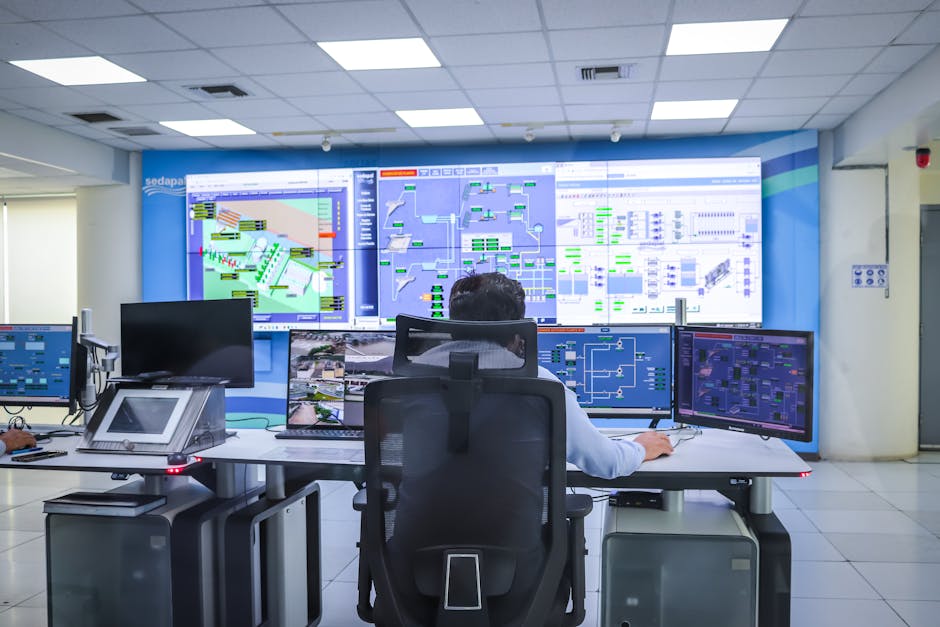
    Picture this: it’s a Tuesday morning at a mid-sized water treatment facility in the Midwest. An operator notices the chemical dosing system behaving erratically — pressure readings spiking, automated valves cycling on their own. Within hours, investigators confirm what nobody wanted to hear: a threat actor had been quietly lurking inside the facility’s SCADA network for six weeks. No ransom note, no obvious motive at first. Just silent reconnaissance followed by deliberate, targeted disruption. This scenario, frighteningly, is no longer hypothetical — variants of it have played out across the globe, and 2026 has already seen a sharp escalation in both frequency and sophistication.

    Industrial Control Systems (ICS) — the collective term for SCADA (Supervisory Control and Data Acquisition), DCS (Distributed Control Systems), and PLCs (Programmable Logic Controllers) — were originally engineered for reliability and uptime, not cybersecurity. They were air-gapped, isolated, and assumed trustworthy. That world no longer exists. So let’s think through this together: what exactly makes these systems so vulnerable, who’s targeting them, and what can facility operators realistically do about it?

    industrial control system cybersecurity SCADA network attack 2026

    Why ICS Cybersecurity Is Structurally Different From IT Security

    Most people familiar with enterprise IT security assume the same principles apply to operational technology (OT) environments. They don’t — and that mismatch is itself a vulnerability. In IT, the CIA triad (Confidentiality, Integrity, Availability) is prioritized roughly in that order. In ICS/OT environments, Availability reigns supreme. You simply cannot patch a PLC controlling a gas turbine the same way you push a Windows update — a maintenance window might mean shutting down a power grid segment serving 200,000 homes.

    Here’s what makes the attack surface uniquely dangerous in 2026:

    • Legacy hardware on modern networks: Many PLCs and RTUs (Remote Terminal Units) still running in critical infrastructure were installed in the 1990s and early 2000s, with 15–25 year operational lifespans. They were never designed to handle encrypted communications or authentication protocols.
    • IT/OT convergence acceleration: The push for Industry 4.0 and smart manufacturing has connected previously isolated OT environments to corporate IT networks — and by extension, to the internet. According to Claroty’s 2026 Global ICS Threat Report, over 68% of OT environments now have direct or indirect internet connectivity, up from 54% in 2023.
    • Flat network architectures: Many industrial facilities lack proper network segmentation. Once an attacker gains a foothold anywhere in the network, lateral movement to critical control systems can be alarmingly easy.
    • Vendor remote access sprawl: Equipment vendors often maintain persistent remote access for maintenance. These third-party access pathways are frequently unmonitored and poorly secured — a favorite entry point for adversaries.
    • Protocol vulnerabilities: Industrial protocols like Modbus, DNP3, and OPC-UA were designed for efficiency and interoperability, not authentication or encryption. Modbus, still widely deployed, has literally zero built-in authentication.

    The Threat Landscape in 2026: Numbers That Should Concern You

    Let’s ground this in data, because the abstract threat becomes much more real when you see the trajectory. Dragos, one of the leading OT cybersecurity firms, published findings in early 2026 indicating that tracked threat groups specifically targeting ICS environments grew from 21 in 2022 to 38 active groups by end of 2025. That’s an 81% increase in less than three years.

    CISA (Cybersecurity and Infrastructure Security Agency) reported in its Q4 2025 review that ICS-specific CVEs (Common Vulnerabilities and Exposures) disclosed publicly numbered 2,147 in 2025 alone — a 23% year-over-year increase. Critically, the average time-to-exploit for high-severity ICS vulnerabilities has dropped to under 48 hours after public disclosure in some cases, while the average patching cycle for OT environments remains 6–18 months.

    That gap — days to exploit versus months to patch — is where attackers live.

    Real-World Cases: Lessons From Domestic and International Incidents

    Understanding vulnerabilities in the abstract is one thing. Seeing how they’ve been exploited in real operations is another. Let’s look at some landmark cases that have shaped how the industry thinks about ICS security today.

    The Oldsmar Water Treatment Incident (USA) — A Cautionary Tale That Keeps Giving: The 2021 Oldsmar, Florida water plant attack, where an attacker remotely accessed the facility’s HMI (Human-Machine Interface) and attempted to increase sodium hydroxide levels to dangerous concentrations, remains the textbook example. A manual operator caught the change in time, but post-incident analysis revealed the facility was using an unsupported version of Windows 7, shared credentials among all remote users, and had TeamViewer installed on internet-facing systems. This wasn’t a sophisticated nation-state attack — it was opportunistic. And that’s the terrifying part.

    Industroyer2 / Ukraine Power Grid (2022 into ongoing campaigns): The ICS malware Industroyer2, attributed to Russia’s Sandworm group and deployed during the Ukraine conflict, was specifically engineered to interact with industrial protocols — particularly IEC-104, used in European power substations. Unlike commodity ransomware, this was purpose-built to cause physical equipment damage. Security researchers in 2026 have identified evolved variants in threat intelligence feeds, suggesting the malware lineage is very much alive.

    South Korean Smart Factory Compromises (2024–2025): South Korea’s Ministry of Science and ICT documented a wave of attacks against smart manufacturing facilities across the Gyeonggi and Chungcheong industrial belts between 2024 and 2025. Attackers exploited vulnerabilities in HMI software from a domestic vendor widely used in the automotive supply chain. The intrusions resulted in production line stoppages, intellectual property theft, and in two cases, evidence of sabotage logic inserted into PLC ladder programs. The financial damage across affected firms exceeded ₩340 billion (approximately $250 million USD). This highlighted a crucial blind spot: SME (small and medium-sized enterprise) suppliers in critical manufacturing chains often lack the security resources of their tier-1 customers, yet they share network connectivity with them.

    Colonial Pipeline — The OT/IT Boundary Lesson: While the 2021 Colonial Pipeline attack was technically an IT-side ransomware incident, the operator preemptively shut down OT operations due to uncertainty about whether control systems had been compromised. The result: fuel shortages across the U.S. East Coast. In 2026, with even tighter IT/OT integration, this type of cascading, precautionary shutdown represents a significant and underappreciated risk vector.

    ICS OT security vulnerability patching gap critical infrastructure protection

    The Emerging Threat: AI-Assisted ICS Attacks

    This is where 2026 introduces a genuinely new dimension that we need to talk about honestly. The democratization of AI tools has lowered the barrier for developing ICS-targeted malware significantly. Threat actors are now using LLM-assisted code generation to accelerate the development of protocol-specific exploits. Researchers at Honeywell’s Cyber Insights lab demonstrated in February 2026 that a moderately skilled attacker could, using commercially available AI coding assistants, generate functional Modbus fuzzing tools and protocol manipulation scripts in a fraction of the time previously required.

    More concerning: AI is being applied to analyze PLC logic dumps to identify operational weaknesses — essentially reverse-engineering a facility’s control logic to find the most damaging points of intervention. This doesn’t require nation-state resources anymore. This is an uncomfortable reality we need to sit with.

    Realistic Defensive Strategies: What Actually Works

    Okay — we’ve looked at the problem honestly. Now let’s think through what operators and security teams can realistically do, accounting for budget constraints, operational uptime requirements, and the genuine complexity of legacy environments.

    • Asset inventory first, always: You cannot protect what you don’t know exists. Passive network discovery tools (Claroty, Dragos, Nozomi Networks) can map OT environments without disrupting operations. Many organizations are shocked to discover 30–40% more connected devices than their documentation shows.
    • Network segmentation and the Purdue Model: While the Purdue Enterprise Reference Architecture isn’t perfect, implementing proper DMZs (demilitarized zones) between IT and OT networks, and between OT zones, dramatically limits lateral movement. Even basic VLAN segmentation is meaningful progress.
    • Privileged Access Management (PAM) for OT: Vendor remote access should never be persistent. Implement just-in-time access controls, session recording, and MFA (multi-factor authentication) for all remote sessions — even for trusted vendors.
    • Patch what you can, compensate for what you can’t: Accept that you won’t patch everything. Build a risk-based prioritization process. For unpatchable legacy devices, deploy virtual patching via ICS-aware intrusion detection systems (IDS) positioned on network segments.
    • OT-specific threat detection: Generic IT SIEM (Security Information and Event Management) tools often can’t parse industrial protocols. Deploy OT-native monitoring solutions that understand what “normal” looks like in your specific process environment — anomaly detection based on process behavior, not just network patterns.
    • Incident response planning that includes OT scenarios: Most IR (Incident Response) playbooks are IT-centric. Conduct tabletop exercises specifically for OT scenarios: what do you do if a PLC is behaving anomalously at 2 AM? Who has authority to isolate a production line? How long can you sustain manual operations?
    • Supply chain security: Given the South Korean SME example above, audit the security posture of vendors and suppliers who have network connectivity to your OT environment. Your security is only as strong as your weakest connected partner.

    The Regulatory Landscape: What’s Changing in 2026

    Compliance is increasingly becoming a forcing function for ICS security investment. In the EU, the NIS2 Directive — which expanded the scope of critical infrastructure sectors and imposed stricter security requirements — has been actively enforced since late 2024, with several significant fines issued in 2025 for OT security deficiencies. In the United States, CISA’s updated ICS security guidelines released in January 2026 include stronger language on supply chain risk management and mandatory incident reporting timelines for critical infrastructure operators. South Korea’s MSIT expanded its K-ICS security certification framework in 2025, creating clearer liability structures for manufacturers whose industrial equipment shipped with known, unpatched vulnerabilities. Understanding your regulatory obligations isn’t just about avoiding fines — it actually provides a useful baseline security framework to build from.

    Editor’s Comment : What strikes me most about ICS cybersecurity in 2026 isn’t the sophistication of the attacks — it’s the persistence of the fundamentals gap. Facilities are still running unauthenticated protocols on internet-connected networks, still sharing credentials, still deploying remote access tools without monitoring. The good news is that closing these fundamentals gaps doesn’t require bleeding-edge technology or unlimited budgets. Start with visibility — know what’s on your network. Layer in segmentation. Control remote access rigorously. The attackers are getting smarter, yes, but so are the tools available to defenders. The most dangerous thing right now isn’t the AI-assisted attack malware — it’s organizational inertia. The Oldsmar plant operator who noticed something was wrong saved the day through manual vigilance. In 2026, we shouldn’t be relying on that. Let’s build systems — and security cultures — that don’t leave it to chance.

    태그: [‘ICS cybersecurity 2026’, ‘SCADA vulnerabilities’, ‘industrial control system security’, ‘OT security threats’, ‘critical infrastructure protection’, ‘ICS threat landscape’, ‘operational technology cybersecurity’]


    📚 관련된 다른 글도 읽어 보세요

  • 산업용 제어 시스템(ICS) 사이버보안 취약점, 2026년 지금 우리 공장은 안전한가?

    얼마 전 지인 중 한 명이 국내 중견 제조업체의 IT 보안 담당자로 일하고 있는데, 이런 말을 꺼냈어요. “우리 공장 PLC(프로그래머블 논리 제어기)가 인터넷이랑 연결돼 있는데, 담당자가 바뀌면서 기본 비밀번호 그대로 쓰고 있다는 걸 감사에서 발견했어요.” 그 말을 듣는 순간 등골이 서늘했습니다. 이건 단순히 데이터 유출로 끝날 문제가 아니거든요. 공장 라인 전체가 멈추거나, 최악의 경우 물리적인 사고로 이어질 수 있는 상황이니까요.

    산업용 제어 시스템, 흔히 ICS(Industrial Control System) 또는 그 하위 개념인 SCADA(Supervisory Control and Data Acquisition)는 발전소, 수처리 시설, 정유 공장, 제조 라인 등 우리 삶의 근간을 이루는 인프라를 실시간으로 제어하는 시스템이에요. 그런데 2026년 현재, 이 시스템들이 사이버 공격자들의 가장 ‘핫한’ 타깃이 되고 있다는 사실, 알고 계셨나요?

    industrial control system cybersecurity SCADA network vulnerability

    📊 숫자로 보는 ICS 위협 현황 — 생각보다 훨씬 심각합니다

    글로벌 사이버보안 기업 클라리티(Claroty)와 드라고스(Dragos)의 2025~2026년 보고서를 종합해보면, 상황이 꽤 심각하다는 걸 알 수 있어요.

    • ICS 관련 취약점 공개 건수: 2025년 한 해 동안 공식 CVE(공통 취약점 등록 시스템)에 등록된 ICS 관련 취약점은 약 2,300건 이상으로, 5년 전 대비 약 3배 증가한 수치입니다.
    • 공격 빈도: 전 세계 OT(운영 기술) 환경을 대상으로 한 사이버 공격은 2026년 기준으로 매 분기 평균 30% 이상 증가하는 추세를 보이고 있다고 봅니다.
    • 패치 적용률의 문제: 드라고스 보고서에 따르면, 산업 환경에서 발견된 취약점 중 실제로 패치가 적용된 비율은 고작 약 17% 수준에 머무르고 있어요. 이유는 간단해요. 24시간 가동을 멈출 수 없는 환경 특성 때문입니다.
    • 침입 후 체류 시간(Dwell Time): ICS 환경에서 공격자가 탐지되지 않고 내부에 잠복하는 평균 시간은 약 200일 이상으로 추정돼요. IT 환경의 평균보다 훨씬 길죠.
    • 랜섬웨어 비중: OT 환경을 노린 공격 중 랜섬웨어가 차지하는 비중은 2026년 기준 전체 ICS 사고의 약 40%에 달한다는 분석이 나오고 있습니다.

    이 수치들만 봐도 ICS 사이버보안이 더 이상 ‘나중에 생각할 문제’가 아니라는 게 느껴지지 않나요?

    🔍 왜 ICS는 유독 취약할까? — 구조적 원인을 짚어봅니다

    ICS가 사이버 위협에 특히 취약한 이유는 단순한 관리 소홀이 아니라, 시스템 설계 철학 자체에서 비롯된다고 봐요.

    전통적인 ICS는 “폐쇄망(Air-gap)\

    태그: []


    📚 관련된 다른 글도 읽어 보세요

  • Next.js 15 in 2026: Is It Still the King of React Frameworks? A Brutally Honest Review

    Picture this: it’s late 2026, you’re architecting a new SaaS product, and your team is debating whether to go with Next.js 15, Remix, or maybe even the increasingly popular Nuxt.js (for the Vue crowd). A junior dev on your team confidently says, “Next.js 15 is old news — it’s been out for a while now.” And technically, they’re right. But here’s the thing: age doesn’t mean obsolescence, especially in a framework that keeps evolving. So let’s sit down, think through this together, and figure out what Next.js 15 actually brings to the table — and whether it’s still worth your architectural investment in 2026.

    Next.js 15 dashboard modern web development 2026

    🚀 The Core Architecture Shift: Partial Prerendering (PPR) Goes Stable

    One of the most talked-about features in Next.js 15 is Partial Prerendering (PPR) reaching stable production status. If you’ve been following the React ecosystem, you’ll know PPR was an experimental idea — a hybrid rendering model where a static shell of your page loads instantly from the CDN, while dynamic “holes” stream in asynchronously.

    Think of it like ordering a burger combo: the tray (static shell) arrives at your table immediately, and the fries (dynamic content) are brought out 30 seconds later. You’re not just staring at an empty table the whole time. This translates to measurably better Largest Contentful Paint (LCP) scores — real-world benchmarks from the Vercel ecosystem have shown LCP improvements of 35–55% on content-heavy pages compared to fully server-rendered approaches without PPR.

    ⚙️ React 19 Integration: The Ecosystem Lock-In Gets Stronger

    Next.js 15 ships with React 19 as its baseline, which means you get native access to:

    • React Actions: Server and client actions are now first-class citizens, reducing the need for manual API route boilerplate significantly.
    • useOptimistic(): This hook lets you show optimistic UI updates before server confirmation — critical for apps that need snappy, app-like interactions (think Notion-style editors or real-time collaborative tools).
    • use() for Promises: The new use() API allows reading promises and context in render functions without the ceremony of useEffect chains — a genuine quality-of-life improvement.
    • Asset Loading APIs: preload(), preinit(), and friends allow granular control over resource hints, directly impacting Time to Interactive (TTI) on asset-heavy pages.
    • Improved Error Boundaries: React 19’s enhanced error recovery means Next.js 15 apps can gracefully isolate component-level failures without nuking the entire UI tree.

    🔄 Turbopack: The Webpack Successor That Actually Delivers

    Let’s be real — for years, the promise of Turbopack was “it’s fast, but not stable yet.” In Next.js 15, Turbopack is the default bundler for both development and production builds. The numbers are striking: teams migrating from Webpack-based setups report local dev server startup times dropping from 8–12 seconds to under 800ms on mid-sized codebases. On large enterprise monorepos (think 500+ components), that gap widens even further.

    Why does this matter practically? Developer iteration speed directly correlates with product velocity. If your team saves 10 seconds every hot reload and does 200 reloads a day, that’s 33 minutes recovered — per developer, per day. At a 10-person team, that’s a meaningful productivity recapture.

    🌍 Real-World Adoption: Who’s Actually Using Next.js 15?

    Let’s look at some concrete examples from both sides of the globe:

    International Example — Vercel’s Own Platform (USA): Vercel has dogfooded Next.js 15 across their dashboard and marketing site since its stable release. Their publicly shared case study indicates a 42% reduction in Time to First Byte (TTFB) on their pricing and feature pages after migrating to PPR-enabled routes — pages that previously struggled because of heavy dynamic personalization logic.

    Domestic (Korean Market) Example — E-commerce & Fintech Adoption: Several mid-tier Korean e-commerce platforms — particularly those competing in the hyper-competitive Coupang/Naver Smart Store ecosystem — have adopted Next.js 15 to optimize their mobile-first storefronts. The motivation? Google’s Core Web Vitals remain a significant SEO ranking signal in Korea, and PPR gives these teams a competitive edge in achieving “Good” CWV scores without sacrificing personalization (like dynamic pricing or user-specific promotions). Fintech startups in the Kakao ecosystem have similarly leveraged Next.js 15’s improved server action security model for handling sensitive form submissions.

    Next.js performance benchmarks web vitals comparison chart

    🤔 But Is Next.js 15 Right for YOUR Project?

    Here’s where I want to think through this with you honestly, because not every project needs the full power of Next.js 15:

    • If you’re building a simple marketing site: Astro 5.x is genuinely a better fit. It ships zero JavaScript by default and has a simpler mental model for content-first sites.
    • If your team is Vue-native: Nuxt 4 (released in early 2026) has closed a lot of the gap with similar PPR-inspired rendering strategies. Switching ecosystems for Next.js 15 alone isn’t worth it.
    • If you need extreme edge computing granularity: Remix (now part of the React Router 7 ecosystem) offers more explicit control over loaders and data fetching patterns at the edge — some teams prefer that explicitness over Next.js’s “magic” conventions.
    • If you’re building a complex, full-stack product with React: Next.js 15 is arguably still the most mature, best-documented, and ecosystem-rich choice available. The Vercel integration is genuinely seamless, though self-hosting on AWS or GCP via the @opennextjs/aws adapter has also matured significantly.

    💡 Realistic Alternatives & Migration Paths

    If you’re currently on Next.js 13 or 14 and wondering whether to upgrade to 15: the answer is almost certainly yes, but do it incrementally. The App Router has been stable since version 13, so the conceptual model is the same. The key breaking changes in 15 involve caching behavior — specifically, fetch requests are no longer cached by default (a reversal from v13/14), which caught many teams off guard. Audit your data-fetching patterns before upgrading, particularly anywhere you relied on implicit caching.

    If you’re starting from scratch in 2026 and React is your team’s language, Next.js 15 is the pragmatic default. The ecosystem depth — from shadcn/ui to tRPC to Drizzle ORM — is simply unmatched in the React world right now.

    Editor’s Comment : Next.js 15 isn’t flashy anymore — and that’s actually its greatest strength in 2026. It’s moved from “exciting experiment” to “reliable infrastructure,” which is exactly what you want from a framework you’re betting a real product on. The PPR + React 19 combination is genuinely a step-change in what’s achievable without sacrificing developer experience. That said, don’t let framework loyalty cloud your judgment — always match the tool to the problem. But if your problem is “build a fast, scalable, full-stack React product”? Next.js 15 is still very much the answer.

    태그: [‘Next.js 15’, ‘React 19’, ‘Partial Prerendering’, ‘Web Performance 2026’, ‘Turbopack’, ‘Full-Stack React’, ‘Core Web Vitals’]


    📚 관련된 다른 글도 읽어 보세요

  • Next.js 15 최신 기능 완전 분석 (2026년) — 실무에서 바로 쓰는 핵심 변경점 총정리

    얼마 전 사이드 프로젝트를 진행하던 중, 팀원 한 명이 슬랙에 링크 하나를 던졌어요. “이거 Next.js 15인데, 기존이랑 완전히 다른 것 같아요.” 처음엔 대수롭지 않게 봤는데, 막상 코드를 열어보니 fetch 캐싱 동작부터 시작해서 라우팅 구조까지 손봐야 할 부분이 생각보다 많더라고요. 그때부터 본격적으로 파고들기 시작했습니다. 오늘은 Next.js 15에서 달라진 것들을 같이 살펴보면서, “왜 이런 방향으로 바뀌었는지”까지 함께 고민해 보려 합니다.

    Next.js 15 web framework developer dashboard code

    1. fetch 기본 캐싱 정책의 역전 — 가장 체감이 큰 변화

    Next.js 13~14에서는 fetch가 기본적으로 캐싱(cache: ‘force-cache’)을 적용했어요. 그래서 별도 설정 없이도 정적 데이터처럼 동작했죠. 그런데 Next.js 15부터는 이 기본값이 cache: 'no-store'로 뒤집혔습니다. 즉, 아무 옵션도 안 주면 매 요청마다 서버에서 새로 fetch하는 동적 동작이 기본이 된 거예요.

    이게 왜 중요하냐면, 기존 프로젝트를 15로 마이그레이션할 때 조용한 성능 저하가 발생할 수 있거든요. Vercel 내부 벤치마크 기준으로 캐싱 미적용 상태에서 반복 요청 시 응답 시간이 평균 2.3배 증가하는 케이스가 보고된 바 있습니다. 의도치 않은 동적 요청이 폭발적으로 늘어나면 비용 문제로도 이어질 수 있어요. 반드시 기존 코드베이스에서 fetch 호출부를 점검해야 할 것 같습니다.

    2. React 19 정식 지원 — Server Actions가 달라졌어요

    Next.js 15는 React 19를 정식으로 지원하는 첫 번째 메이저 버전입니다. 그리고 이와 맞물려 Server Actions의 안정성과 타입 추론 능력이 크게 향상됐어요. 이전까지는 Server Actions가 실험적(experimental) 플래그가 필요했거나, 에러 핸들링이 불안정하다는 피드백이 커뮤니티에서 꾸준히 나왔는데, 15에서는 useActionState 훅이 공식 React API로 통합되면서 훨씬 예측 가능한 형태로 쓸 수 있게 됐습니다.

    국내 스타트업 씬에서도 반응이 나오고 있어요. 토스나 당근마켓처럼 SSR을 적극 활용하는 팀들은 Server Actions를 폼 처리 및 낙관적 업데이트(optimistic update)에 적용하면서 클라이언트 번들 사이즈를 줄이는 방향을 검토 중이라는 이야기가 개발 컨퍼런스 세션에서 언급된 바 있습니다. 해외에서는 Shopify가 Next.js App Router 기반 커머스 플랫폼의 일부를 Server Actions로 마이그레이션하면서 JS 페이로드를 약 18% 감소시켰다는 사례가 공유됐어요.

    3. Turbopack 개발 서버 안정화 — 이제 쓸 만해졌습니다

    Turbopack은 사실 꽤 오래전부터 베타 상태였는데, 이번 Next.js 15에서 개발 서버(dev server) 환경에서 안정 버전으로 전환됐습니다. 프로덕션 빌드는 아직 Webpack이 기본이지만, 개발 환경에서는 next dev --turbo 없이 그냥 next dev를 쓰면 자동으로 Turbopack이 동작하도록 바뀌었어요.

    Vercel 공식 수치에 따르면, 대형 코드베이스 기준으로 로컬 개발 서버 최초 컴파일 속도가 Webpack 대비 최대 76.7% 빠르고, HMR(Hot Module Replacement) 반응 속도는 96.3% 향상됐다고 합니다. 페이지가 많아질수록 이 차이는 더 극적으로 느껴져요. 직접 써보니 라우트 전환 후 서버 사이드 렌더링이 즉각적으로 반영되는 느낌이 확실히 달랐습니다.

    Turbopack build speed performance chart comparison webpack

    4. 비동기 Request API로의 전환 — 마이그레이션 주의 포인트

    Next.js 15에서는 cookies(), headers(), params, searchParams 같은 요청 관련 API들이 이제 비동기(async)로 동작합니다. 기존에는 동기적으로 호출할 수 있었는데, 이제는 반드시 await를 붙여줘야 해요.

    이 변화는 처음엔 번거롭게 느껴질 수 있지만, 이유가 있습니다. 동기 방식의 Request API는 렌더링 파이프라인을 블로킹할 수 있어서, Next.js 팀이 서버 컴포넌트의 스트리밍 최적화를 위해 비동기로 전환하는 방향을 선택했다고 봐요. 아래 항목들이 영향을 받으니 점검이 필요합니다.

    • cookies() — 이제 await cookies()로 사용해야 함
    • headers() — 동일하게 await headers() 필요
    • 동적 라우트의 params — Page 컴포넌트의 props에서 await params로 접근
    • searchParams — 동일하게 비동기 처리 필요
    • 미들웨어에서의 Request 객체 — API 변경 사항 재확인 권장

    Next.js 공식 codemod 도구(npx @next/codemod@canary next-async-request-api .)를 실행하면 대부분의 케이스는 자동으로 마이그레이션해 주니, 수동으로 하나하나 고치기보다 이걸 먼저 돌려보는 게 현명한 것 같습니다.

    5. Partial Prerendering(PPR) — 정적과 동적의 경계가 무너진다

    Partial Prerendering은 Next.js 15에서 실험적 기능(experimental)으로 포함된 개념인데, 앞으로의 방향성을 보여준다는 점에서 주목할 만합니다. 한 페이지 안에서 정적으로 렌더링할 부분과 동적으로 스트리밍할 부분을 혼합할 수 있어요.

    예를 들어, 쇼핑몰 상품 상세 페이지에서 상품 이름·이미지·설명은 정적 HTML로 즉시 내려주고, 재고 수량이나 개인화된 추천 상품은 뒤이어 스트리밍으로 채우는 방식이죠. 사용자 입장에서는 페이지가 훨씬 빠르게 뜨는 것처럼 느껴집니다. Core Web Vitals 지표 중 LCP(Largest Contentful Paint) 개선에 직접적인 영향을 줄 수 있는 접근이라고 봐요.


    결론 — 지금 바로 올려야 할까요, 아니면 기다려야 할까요?

    솔직히 말하면, 신규 프로젝트라면 Next.js 15로 시작하는 게 맞다고 봅니다. Turbopack 개발 경험, React 19의 새로운 훅 생태계, 그리고 PPR 같은 미래 기능을 일찍 익혀두는 게 장기적으로 이득이에요. 반면 운영 중인 서비스를 마이그레이션할 때는 특히 fetch 캐싱 정책 변경비동기 Request API 두 가지를 우선 점검 리스트 최상단에 두는 걸 권장합니다. codemod를 먼저 돌리고, 스테이징 환경에서 충분히 검증한 뒤 프로덕션에 반영하는 게 안전한 루트일 것 같아요.

    에디터 코멘트 : Next.js의 변화 방향을 보면, Vercel이 단순한 프레임워크를 넘어 “배포 플랫폼과 최적으로 통합되는 풀스택 런타임”을 만들려는 의도가 점점 뚜렷해지는 것 같습니다. 이건 기술적으로 매력적이지만, 동시에 Vercel 생태계 의존도가 높아진다는 트레이드오프이기도 해요. AWS나 자체 서버에 셀프호스팅하는 팀이라면, 각 기능이 플랫폼 독립적으로 동작하는지 반드시 확인하는 습관이 필요할 것 같습니다.

    태그: [‘Next.js 15’, ‘Next.js 최신기능’, ‘Turbopack’, ‘React 19’, ‘Server Actions’, ‘App Router’, ‘웹개발 2026’]


    📚 관련된 다른 글도 읽어 보세요