Blog

  • Siemens vs Mitsubishi PLC: The Ultimate 2026 Comparison Review You Can’t Miss

    Picture this: you’re a manufacturing engineer sitting in a conference room in Stuttgart, Germany, and your counterpart from a Tokyo-based automation firm is pushing hard for Mitsubishi’s latest FX5U series. Meanwhile, your plant manager keeps circling back to Siemens’ S7-1500 because, well, the entire European supply chain already runs on it. Sound familiar? This exact tension plays out in factories, water treatment plants, and smart warehouses across the globe every single day in 2026 — and honestly, there’s no clear-cut winner. But there is a smarter choice for your situation. Let’s think through this together.

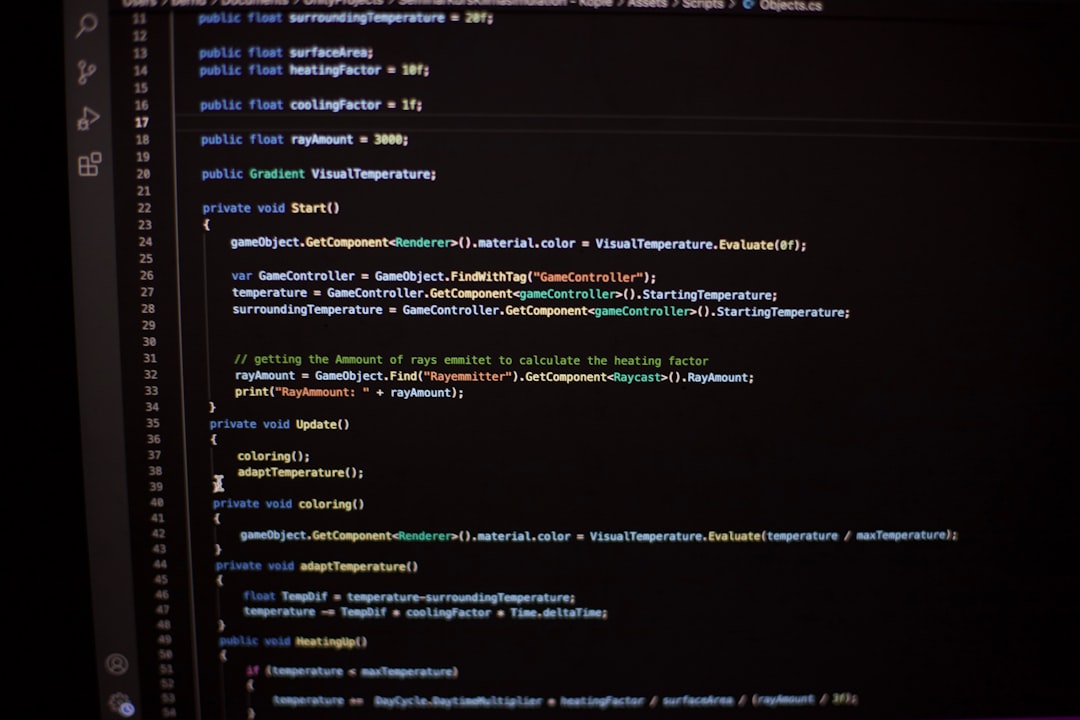
    Siemens S7-1500 vs Mitsubishi FX5U PLC industrial automation 2026

    What Exactly Is a PLC, and Why Does the Brand Matter?

    A Programmable Logic Controller (PLC) is essentially the brain of an industrial automation system — it reads sensor inputs, processes logic, and controls outputs like motors, valves, and conveyors. Think of it as the operating system of your factory floor. Choosing between Siemens and Mitsubishi isn’t just about hardware specs; it’s about ecosystem lock-in, support availability, programming language familiarity, and long-term cost of ownership. In 2026, both companies have aggressively updated their lineups with IIoT (Industrial Internet of Things) integration and edge computing capabilities, which makes the comparison even more nuanced than it was five years ago.

    Siemens PLC in 2026: The S7 Series Deep Dive

    Siemens’ flagship lineup remains the SIMATIC S7 series, with the S7-1500 and its newer S7-1500T (Technology) variants dominating mid-to-large scale applications. Here’s what the numbers look like in 2026:

    • Processing Speed: S7-1500 CPU 1516-3 PN/DP offers a bit cycle time of approximately 1 ns — blazing fast for complex motion and safety-integrated applications.
    • Memory: Up to 20 MB work memory on high-end CPUs, accommodating enormous program structures.
    • Communication Protocols: Native PROFINET, OPC UA, Modbus TCP, and newly expanded MQTT support for cloud-native environments in 2026.
    • Programming Software: TIA Portal V19 (released late 2025) now includes AI-assisted function block suggestions and integrated cybersecurity audit tools.
    • Safety Integration: Fail-safe (F) CPU variants are IEC 61508 SIL 3 certified, critical for pharmaceutical and chemical sectors.
    • Price Range: Entry-level S7-1200 starts around $400–$600 USD; S7-1500 mid-range CPUs run $2,000–$5,000 USD depending on I/O configuration.

    Siemens’ biggest competitive moat in 2026 is its TIA (Totally Integrated Automation) Portal — a unified engineering environment where you can configure drives, HMIs, PLCs, and safety systems in one software suite. For large enterprises running Siemens across the entire value chain, this integration dividend is enormous.

    Mitsubishi PLC in 2026: The MELSEC iQ-R and FX5 Series Breakdown

    Mitsubishi Electric’s automation division — branded under MELSEC — has had a genuinely impressive 2025–2026 run. Their dual-flagship strategy (iQ-R for large systems, FX5 for compact applications) gives them unusual market flexibility.

    • MELSEC iQ-R Series: Modular, high-performance CPUs with scan times as low as 0.98 ns for basic instructions — technically competitive with Siemens S7-1500.
    • FX5U/FX5UC (Compact): A powerhouse for small-to-medium setups; built-in Ethernet, 4-axis positioning, and data logging at a price point around $300–$700 USD.
    • GX Works3 Software: Updated in 2026 with structured text (ST) enhancements and tighter integration with Mitsubishi’s e-F@ctory IIoT platform.
    • Communication Protocols: CC-Link IE TSN (Time-Sensitive Networking) is Mitsubishi’s standout — offering deterministic communication at 1 Gbps, a significant edge for high-speed production lines.
    • Asian Market Supply Chain: Lead times for Mitsubishi hardware in Southeast Asia and East Asia are consistently 20–40% shorter than Siemens equivalents as of Q1 2026.
    • Servo Integration: Mitsubishi’s MR-J5 servo amplifiers pair almost telepathically with MELSEC PLCs via SSCNETIII/H — a closed-loop advantage that’s hard to replicate with third-party setups.

    Real-World Examples: Who’s Using What in 2026?

    Let’s ground this in actual deployment scenarios, because spec sheets only tell half the story.

    Volkswagen’s Body Assembly Line, Wolfsburg (Germany): Running a hybrid setup — Siemens S7-1500 for main conveyor logic and safety systems, with select Mitsubishi servo axes for door panel fitting robots. The plant engineers cited TIA Portal’s safety diagnostics as the reason Siemens anchors the architecture, while Mitsubishi’s servo precision justified its niche role.

    Samsung SDI Battery Pack Line, Cheonan (South Korea): Fully Mitsubishi MELSEC iQ-R based as of 2025 expansion. CC-Link IE TSN’s low-latency networking was the deciding factor for their high-speed cell stacking process, which runs at sub-millisecond cycle times. GX Works3’s structured text capability also aligned well with their Korean-speaking engineering team’s existing skill set.

    Nestlé Bottling Plant, Querétaro (Mexico): Siemens S7-1200 series handles the primary filling and capping logic. The plant manager noted that local Siemens distributor support and Spanish-language TIA Portal training resources were key factors — a reminder that ecosystem support is often more decisive than raw performance numbers.

    Mid-Sized Textile Machinery OEM, Osaka (Japan): Exclusively Mitsubishi FX5U-based machines being exported to Southeast Asian markets. The compact form factor, low price, and Mitsubishi’s dominant brand recognition among Thai and Vietnamese end-users made it the obvious call.

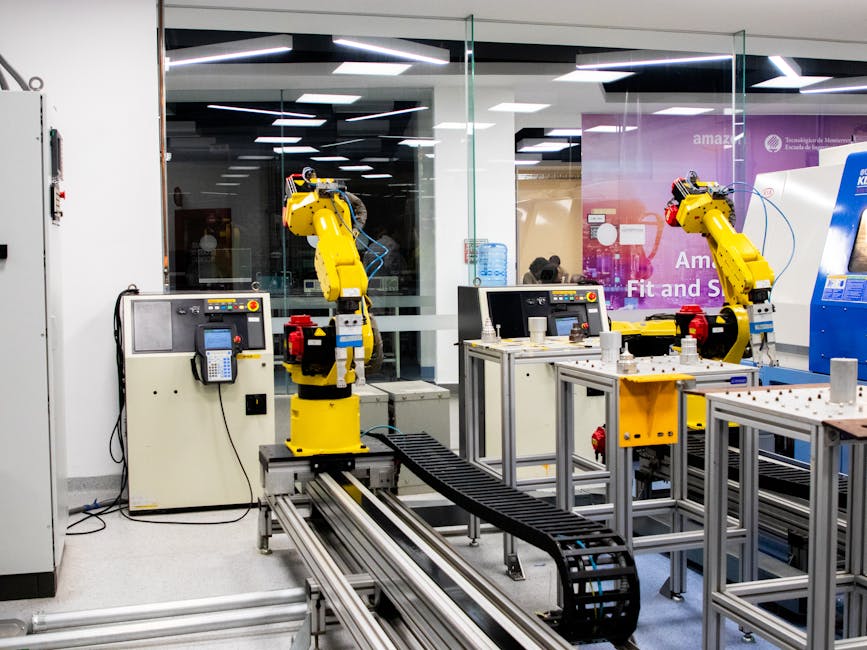
    industrial PLC programming factory automation engineer 2026

    Head-to-Head: Where Each Brand Wins

    Rather than declaring an overall champion (which would be intellectually dishonest), let’s map out where each genuinely excels:

    • Siemens Wins: Large-scale integrated plant automation, safety-critical applications (SIL 2/3), European regulatory environments, unified TIA Portal ecosystems, and scenarios where HMI + Drive + PLC from one vendor matters.
    • Mitsubishi Wins: Servo-heavy motion control, Asian markets with strong local distributor networks, compact machine building (OEM), high-speed networking via CC-Link IE TSN, and cost-sensitive mid-range deployments.
    • Roughly Tied: IIoT connectivity (both support OPC UA and MQTT in 2026), basic ladder logic programming, cybersecurity features (both now offer encrypted communication and role-based access), and overall hardware reliability (both have MTBF figures exceeding 100,000 hours).

    Realistic Alternatives Worth Considering in 2026

    Here’s something most comparison articles won’t tell you: depending on your application, neither Siemens nor Mitsubishi might be the smartest pick. Let’s be honest about that.

    • Allen-Bradley (Rockwell Automation): If you’re in North America and your entire maintenance team already knows Studio 5000, the Logix 5000 platform is deeply entrenched and practically irreplaceable for large automotive and food/beverage facilities.
    • Omron NX/NJ Series: Exceptional for synchronized motion control and machine safety (PLCopen compliant). Omron has been quietly gaining ground in pharmaceutical automation in 2026.
    • Beckhoff TwinCAT: If software-defined, PC-based control appeals to you — especially for edge computing and AI inference at the machine level — Beckhoff’s approach in 2026 is genuinely compelling and worth evaluating.
    • CODESYS-based Platforms: For small OEMs wanting vendor independence, CODESYS-compatible PLCs from vendors like Wago or Pilz offer IEC 61131-3 standardization without brand lock-in.

    The Decision Framework: How to Actually Choose

    Before you finalize anything, run through these questions honestly:

    • Where is your engineering team located, and what platforms do they already know? Retraining costs are real and often underestimated.
    • What’s your geographic market? Distributor support and spare parts availability in your region matter more than HQ specs.
    • Is servo motion control a primary or secondary function? If primary — Mitsubishi’s closed-loop servo ecosystem deserves serious weight.
    • Do you need safety-rated (SIL 2/3) integrated PLC functions? Siemens’ F-CPU track record and TÜV certifications are hard to beat.
    • What’s your 5-year total cost of ownership, not just unit price? Include licensing (TIA Portal licenses aren’t cheap), training, and support contracts.

    Editor’s Comment : After spending time with engineers on both sides of this debate — from a Mitsubishi-loyal OEM builder in Nagoya to a Siemens-certified integrator in Munich — my honest takeaway in 2026 is this: the “best” PLC is the one your team can program confidently at 2 AM during a production crisis. Both Siemens and Mitsubishi are genuinely excellent platforms with real-world proof points. Stop chasing spec supremacy and start mapping features to your actual operational context. The smartest automation engineers I know aren’t brand loyalists — they’re pragmatists who let the application drive the hardware decision. That mindset will serve you far better than any benchmark ever will.

    태그: [‘Siemens vs Mitsubishi PLC 2026’, ‘MELSEC iQ-R review’, ‘S7-1500 comparison’, ‘industrial automation PLC guide’, ‘PLC selection 2026’, ‘TIA Portal vs GX Works3’, ‘factory automation best PLC’]

    📚 관련된 다른 글도 읽어 보세요

  • 지멘스 vs 미쓰비시 PLC 비교 리뷰 2026 | 현장 엔지니어가 알아야 할 진짜 차이점

    몇 년 전, 중소 규모 자동화 설비를 도입하던 한 제조업체 엔지니어가 이런 말을 했다고 해요. “지멘스 S7-1500을 쓰자니 소프트웨어 라이선스 비용이 무섭고, 미쓰비시 MELSEC iQ-R을 쓰자니 국내 기술지원이 걱정된다”고요. 2026년 현재에도 이 고민은 현장에서 여전히 반복되고 있는 것 같습니다. PLC(프로그래머블 로직 컨트롤러) 시장에서 지멘스(Siemens)와 미쓰비시(Mitsubishi Electric)는 글로벌 양대 산맥으로 군림하고 있고, 어느 쪽을 선택하느냐는 단순히 ‘브랜드 선호’를 넘어 수년간의 유지보수 비용, 학습 곡선, 생태계 호환성에 직결되는 중요한 결정이라고 봅니다. 오늘은 두 브랜드를 항목별로 냉정하게 비교해 보겠습니다.

    Siemens S7-1500 vs Mitsubishi MELSEC iQ-R PLC industrial automation 2026

    ① 하드웨어 성능 및 처리 속도 비교

    2026년 기준 주력 라인업을 기준으로 비교하면, 지멘스의 S7-1500 시리즈(CPU 1516-3 PN/DP 기준)는 프로그램 처리 속도 약 1ns/비트 명령을 지원하며 대규모 I/O 확장에서 강점을 보입니다. 반면 미쓰비시의 MELSEC iQ-R 시리즈(R120CPU 기준)0.98ns/비트 명령으로 처리 속도 자체는 거의 동등한 수준이라고 볼 수 있어요.

    다만 성능 차이보다 중요한 건 실시간 통신 처리 방식입니다. 지멘스는 PROFINET 기반의 IRT(등시성 실시간) 통신을 통해 250µs 이하의 사이클 타임을 안정적으로 구현할 수 있고, 미쓰비시는 CC-Link IE TSN을 통해 31.25µs~1ms의 유연한 사이클 타임을 제공합니다. 반도체·배터리셀 공정처럼 극도로 정밀한 동기 제어가 필요한 환경이라면 두 선택지 모두 충분히 경쟁력이 있다고 봅니다.

    ② 소프트웨어 환경 및 학습 비용

    이 항목이 실제로 현장 엔지니어들이 가장 크게 체감하는 차이점인 것 같습니다.

    • 지멘스 TIA Portal(Totally Integrated Automation Portal): 단일 플랫폼에서 PLC, HMI, 드라이브, 안전 로직까지 통합 관리할 수 있어요. 기능이 방대한 만큼 초보자 진입 장벽이 높고, 정식 라이선스(STEP 7 Professional 기준) 비용이 연간 약 150만~250만 원 수준으로 중소기업에는 부담이 될 수 있습니다.
    • 미쓰비시 GX Works3: 국내 제조 현장에서 오랫동안 사용되어 온 친숙한 환경입니다. 래더(Ladder) 다이어그램 중심의 직관적인 UI 덕분에 학습 진입 장벽이 비교적 낮고, 소프트웨어 자체의 라이선스 구조도 상대적으로 단순한 편이에요.
    • IEC 61131-3 표준 준수: 두 플랫폼 모두 국제 표준을 준수하지만, 지멘스 TIA Portal은 SCL(Structured Control Language)과 FBD 활용도가 높고, GX Works3는 ST(Structured Text) 지원이 최근 크게 강화되었습니다.

    ③ 네트워크 생태계와 스마트 팩토리 연동

    2026년 스마트 팩토리 트렌드에서 PLC의 역할은 단순 시퀀스 제어를 넘어 엣지 컴퓨팅의 허브로 확장되고 있어요. 지멘스는 자사 클라우드 플랫폼 Siemens Industrial Operations X(IOX)와의 긴밀한 연동을 통해 OPC UA, MQTT 기반의 IIoT 아키텍처를 비교적 완결된 형태로 제공합니다. 미쓰비시 역시 MELSOFT MaiLabo와 e-F@ctory 개념을 통해 MES·ERP 연동 솔루션을 확장하고 있지만, 서드파티 시스템과의 연동 유연성은 지멘스가 다소 앞선다고 보는 시각이 많습니다.

    ④ 국내외 실제 적용 사례

    국내 사례를 보면, 현대자동차·기아 생산 라인에는 지멘스 S7 시리즈가 광범위하게 적용되어 있으며, 특히 용접 및 조립 공정의 정밀 동기 제어에 활용되고 있는 것으로 알려져 있어요. 반면 삼성SDI·LG에너지솔루션의 배터리 셀 공정 설비 일부는 미쓰비시 MELSEC iQ-R과 서보 시스템을 함께 묶어 패키지로 도입한 경우가 있습니다. 이는 미쓰비시의 PLC-서보 통합 제어(CC-Link IE TSN 기반)가 고속 멀티축 제어에서 발휘하는 강점 때문인 것 같습니다.

    해외 사례로는 독일 자동차 공급망에서 지멘스 PLC가 사실상 표준으로 자리 잡고 있으며, 일본 및 동남아시아 식음료·반도체 제조 라인에서는 미쓰비시가 높은 점유율을 유지하고 있습니다. 선택의 기준이 “기술력”만큼이나 “지역 생태계”에 의해 결정된다는 점을 무시할 수 없는 것 같아요.

    smart factory PLC network CC-Link PROFINET industrial IoT comparison

    ⑤ 가격 및 유지보수 비용 현실

    • 초기 도입 비용: 동급 성능 기준 하드웨어 자체의 가격은 두 브랜드 간 큰 차이가 없지만, 지멘스는 소프트웨어 라이선스와 기술 지원 계약 비용이 추가되는 구조입니다.
    • 유지보수 측면: 국내에서는 미쓰비시 PLC를 다룰 수 있는 기술 인력 풀이 넓게 형성되어 있어 소규모 업체에서 유리한 경향이 있어요.
    • 부품 수급: 지멘스는 글로벌 유통망이 탄탄하고 EOP(단종) 이후에도 대체 모델 마이그레이션 경로를 체계적으로 제공하는 편입니다.
    • 기술 지원 품질: 두 브랜드 모두 국내 공식 파트너 네트워크를 운영하지만, 지역마다 편차가 있으므로 계약 전 사전 확인이 중요하다고 봅니다.

    ⑥ 2026년 기준 선택 가이드 정리

    결국 “어떤 PLC가 더 좋은가”라는 질문보다는 “어떤 PLC가 우리 현장에 더 맞는가”라는 질문이 훨씬 현실적인 것 같습니다. 아래 기준을 참고해 보시면 좋을 것 같아요.

    • 🔵 지멘스 S7 시리즈 추천 상황: 유럽계 장비와의 통합, 대규모 복합 자동화 라인, TIA Portal 기반의 통합 엔지니어링 환경이 필요할 때, OPC UA·IIoT 연동이 핵심일 때
    • 🔴 미쓰비시 MELSEC 추천 상황: 고속 멀티축 서보 제어가 중심인 공정, 일본·동남아 계열 설비와의 호환이 필요할 때, 국내 중소 제조업체로 기술 인력 자급자족이 중요할 때

    에디터 코멘트 : 2026년 현재 PLC 선택은 단순한 하드웨어 스펙 경쟁이 아니라 소프트웨어 생태계, 인력 수급, 스마트 팩토리 로드맵을 종합적으로 고려해야 하는 전략적 결정인 것 같아요. 만약 지금 막 설비를 기획 중인 단계라면, 완성된 라인 구성보다 먼저 “5년 후 우리 공장의 데이터 흐름이 어떻게 될 것인가”를 그려보는 것이 훨씬 나은 출발점이 될 거라고 봅니다. 두 브랜드 모두 훌륭한 선택지이지만, 정답은 항상 현장 안에 있다는 사실을 잊지 마세요.

    태그: [‘지멘스PLC’, ‘미쓰비시PLC’, ‘PLC비교2026’, ‘스마트팩토리자동화’, ‘MELSEC iQ-R’, ‘S7-1500’, ‘산업자동화PLC’]


    📚 관련된 다른 글도 읽어 보세요

  • Bun vs Node.js Performance in 2026: Which Runtime Actually Wins for Your Project?

    Picture this: it’s late 2023, and a developer at a mid-sized fintech startup in Seoul is pulling their hair out because their Node.js API server is struggling under a surge of holiday-season traffic. A colleague casually drops the name Bun into the Slack channel. Fast-forward to 2026, and that same team has fully migrated — but was it worth it? Let’s dig into the numbers, the real-world stories, and the honest trade-offs together.

    Bun vs Node.js performance benchmark 2026 runtime comparison

    🔍 What Are We Actually Comparing?

    Before we jump into benchmarks, let’s get our bearings. Node.js is the battle-tested JavaScript runtime built on Google’s V8 engine — it’s been the backbone of server-side JavaScript since 2009. Bun, on the other hand, is a newer all-in-one JavaScript runtime built on the JavaScriptCore engine (the same one powering Safari). Bun isn’t just a runtime — it also bundles a package manager, a bundler, and a test runner into one tool, which is part of its appeal.

    By early 2026, Bun has reached version 1.2.x with significant stability improvements, while Node.js is firmly in its v22/v23 era. Both are genuinely production-ready, but their strengths diverge in interesting ways.

    📊 The Raw Performance Numbers (2026 Benchmarks)

    Let’s talk data. Based on aggregated benchmarks from sources like TechEmpower Framework Benchmarks (Round 23, late 2025) and community-driven testing on platforms like GitHub and jsperf.app, here’s a realistic picture:

    • HTTP Server Throughput: Bun’s native HTTP server handles roughly 2.5x–3x more requests per second than a plain Node.js http module setup in simple JSON response tests. In a typical “hello world” HTTP benchmark, Bun clocks around 180,000–200,000 req/s vs. Node.js at 65,000–80,000 req/s on equivalent hardware.
    • Startup Time: Bun starts in approximately 8–12ms, compared to Node.js’s 50–80ms. For serverless and edge functions, this difference is massive — cold starts drop noticeably.
    • File I/O Speed: Bun’s Bun.file() API consistently reads large files 30–40% faster than Node.js’s fs module, thanks to its low-level optimizations in Zig.
    • Package Installation (npm vs bun install): Bun’s package manager installs dependencies roughly 25x faster than npm and 5x faster than pnpm in cold cache conditions. On a project with 500 dependencies, that’s the difference between 45 seconds and under 2 seconds.
    • TypeScript Execution: Bun natively runs TypeScript without a compilation step, saving significant DX (developer experience) overhead. Node.js still requires ts-node or a build step unless you use the experimental --experimental-strip-types flag introduced in Node 22.

    That said, these headline numbers don’t tell the whole story — and this is where we need to think critically together.

    ⚠️ Where Node.js Still Holds Its Ground

    Raw speed isn’t everything. Here’s where Node.js remains the more pragmatic choice in 2026:

    • Ecosystem Maturity: Node.js has 17+ years of production battle-testing. Its npm ecosystem has over 2.5 million packages, and edge cases — from memory leak patterns to cluster module quirks — are extensively documented.
    • Enterprise Adoption & Support: Companies like Netflix, LinkedIn, and Uber have decade-long Node.js infrastructure. Migrating isn’t a weekend project; it’s a calculated business risk.
    • Bun Compatibility Gaps: As of early 2026, roughly 5–8% of npm packages still have compatibility issues with Bun, particularly native addons (those using Node-API/N-API bindings). If your stack relies on packages like canvas, certain database drivers, or legacy C++ addons, Bun may still trip you up.
    • Worker Threads & Clustering: Node.js’s mature multi-threading and clustering models are well-understood. Bun’s worker thread implementation, while improving, occasionally behaves differently in high-concurrency edge cases.

    🌏 Real-World Examples: Who’s Actually Switching?

    Let’s ground this in reality. Several notable cases have emerged by 2026:

    Jarvis Commerce (South Korea): This Seoul-based e-commerce middleware startup migrated their API gateway from Node.js to Bun in Q3 2025. They reported a 40% reduction in p95 latency under peak load (think flash sales), and their CI/CD pipeline build times dropped by 60% thanks to Bun’s faster install and test runner. Their caveat? The migration took 3 engineers about 6 weeks to complete safely.

    Vercel & Cloudflare Edge Functions: Both platforms have added or deepened Bun support by 2026. Vercel’s Edge Runtime now supports Bun-style APIs, and Cloudflare Workers have integrated Bun’s bundler toolchain for faster deployments. This signals a strong vote of confidence from major infrastructure players.

    Shopify’s Internal Tools Team: According to a 2025 engineering blog post, Shopify quietly adopted Bun for internal tooling scripts and build pipelines (not customer-facing services). Their devs cited the TypeScript-native execution and install speed as the primary wins.

    Startups on Railway & Render: Smaller teams deploying on platforms like Railway.app have enthusiastically adopted Bun for new projects, especially those building REST APIs or BFF (Backend-for-Frontend) layers. The lower cold-start latency and reduced memory footprint (Bun typically uses 15–25% less RAM than equivalent Node.js processes) make it attractive for cost-conscious deployments.

    JavaScript runtime ecosystem 2026 developer tools Bun Node startup performance

    🤔 So, Which Should You Actually Choose?

    Here’s the honest framework I’d use to think through this decision:

    • Choose Bun if: You’re starting a greenfield project in 2026, you care about DX (especially TypeScript-first workflows), your app is I/O-bound with many concurrent lightweight requests, or you’re building serverless/edge functions where cold starts matter.
    • Stick with Node.js if: You have an existing production codebase with heavy native addon dependencies, your team is deeply familiar with Node’s ecosystem, you’re in a regulated enterprise environment where stability documentation matters, or your app relies on packages with known Bun incompatibilities.
    • The Hybrid Approach: This is actually what many teams are doing in 2026 — using Bun for tooling, CI pipelines, and new microservices while keeping Node.js for legacy monoliths. This lets you capture Bun’s DX wins without betting the farm on a full migration.

    💡 A Realistic Migration Checklist

    If you’re considering a move, don’t just swap runtimes blindly. Here’s a sensible starting path:

    • Run bunx is-bun-compatible or manually audit your package.json dependencies for known incompatibilities.
    • Start with non-critical internal services or tooling scripts first.
    • Benchmark your specific workload — don’t rely solely on synthetic tests.
    • Monitor memory usage over time, not just at startup.
    • Keep a Node.js fallback plan documented for at least the first 3 months post-migration.

    The performance gap between Bun and Node.js is real and measurable in 2026 — but “faster” doesn’t automatically mean “better for your situation.” The smartest engineers I’ve seen aren’t the ones who chase the shiniest new runtime; they’re the ones who match the tool to the problem with clear-eyed pragmatism.

    Editor’s Comment : After tracking both runtimes closely through 2025 and into 2026, my honest take is this — Bun has earned its seat at the table. It’s no longer an enthusiast experiment; it’s a legitimate production choice for the right use cases. But Node.js isn’t going anywhere, and its stability is genuinely valuable. If I were starting a new API project today, I’d reach for Bun without much hesitation. If I were managing a 500k-line legacy codebase? I’d migrate the tooling first, watch carefully, and plan the rest incrementally. The runtime wars of 2026 don’t have one winner — they have two very capable contenders with different superpowers.

    태그: [‘Bun vs Node.js 2026’, ‘JavaScript runtime performance’, ‘Bun runtime benchmark’, ‘Node.js alternatives’, ‘server-side JavaScript 2026’, ‘Bun performance comparison’, ‘JavaScript backend development’]


    📚 관련된 다른 글도 읽어 보세요

  • Bun vs Node.js 성능 비교 2026: 진짜 빠른 건 어느 쪽일까?

    얼마 전 지인 개발자가 슬랙에 메시지를 하나 보내왔어요. “야, 나 지금 Bun으로 API 서버 바꿨는데 응답속도가 반 토막 났어.” 처음엔 과장이겠거니 했는데, 실제로 벤치마크 수치를 보내줬을 때 꽤 놀랐습니다. 2026년 현재, Bun은 단순한 ‘새로운 런타임’을 넘어 Node.js의 진지한 대안으로 자리 잡고 있는 것 같아요. 그렇다면 두 런타임, 정말 어느 쪽이 얼마나 빠를까요? 오늘은 수치와 사례를 직접 들여다보며 함께 정리해 보겠습니다.

    Bun vs Node.js performance benchmark chart 2026

    🔢 본론 1 — 수치로 보는 Bun vs Node.js 성능

    Bun은 JavaScriptCore(WebKit 엔진) 기반으로 설계된 런타임으로, Node.js가 사용하는 V8 엔진과는 출발점이 다릅니다. 2026년 초 기준으로 공개된 주요 벤치마크들을 종합해 보면 다음과 같은 경향이 보여요.

    • HTTP 처리 속도(초당 요청 수, RPS): Bun의 내장 HTTP 서버는 단순 Hello World 기준으로 Node.js 대비 약 2.5~3배 높은 RPS를 기록하는 경우가 많아요. Bun 공식 문서 기준 약 200,000 RPS 이상, Node.js(Express 기준)는 60,000~80,000 RPS 수준이라고 봅니다.
    • 스타트업 시간(Cold Start): Bun은 Node.js 대비 평균 약 4배 빠른 프로세스 시작 속도를 보여요. 서버리스 환경에서 이 차이는 체감이 꽤 큽니다.
    • 파일 I/O 속도: Bun의 네이티브 파일 API는 Node.js fs 모듈 대비 대용량 파일 읽기/쓰기에서 약 10~40% 더 빠른 성능을 보이는 경우가 있다고 봅니다. 다만 이 수치는 파일 크기와 OS 환경에 따라 편차가 있어요.
    • 패키지 설치 속도(bun install vs npm/pnpm): 의존성 설치 속도는 Bun의 가장 압도적인 부분 중 하나예요. npm 대비 20배 이상, pnpm 대비도 5~10배 빠른 설치 속도를 보여줍니다. 캐시가 없는 cold install 기준으로도 차이가 크게 납니다.
    • TypeScript 실행: Bun은 별도 트랜스파일 없이 TypeScript를 네이티브로 실행해요. ts-node나 tsx를 쓰는 Node.js 환경 대비 실행 오버헤드가 거의 없다는 점이 눈에 띕니다.

    물론 이 수치들은 ‘최적화된 Bun 코드’ 기준이라는 전제가 있어요. 실제 Express.js 같은 미들웨어 레이어를 걷어내고 Bun 네이티브 API를 쓸 때 극대화됩니다. 기존 Express 앱을 그냥 Bun으로 실행하면 성능 향상 폭이 훨씬 제한적일 수 있다는 점, 꼭 염두에 두셔야 해요.

    🌏 본론 2 — 국내외 실제 도입 사례

    2026년 현재, Bun을 프로덕션에 도입한 사례들이 조금씩 늘어나고 있는 추세입니다.

    해외에서는 스타트업 중심으로 Bun을 백엔드 API 서버나 빌드 툴 체인에 도입하는 사례가 보고되고 있어요. 특히 서버리스 함수(AWS Lambda, Cloudflare Workers 등) 환경에서 Bun의 빠른 콜드 스타트가 큰 이점으로 작용한다는 평가가 커뮤니티(Reddit, Dev.to 등)에서 자주 언급됩니다. Vercel과 Cloudflare가 Bun 런타임 지원을 공식화하면서 생태계 신뢰도가 한층 올라간 것도 사실이에요.

    국내에서는 아직 프로덕션 도입 사례가 공개적으로 많지는 않은 것 같아요. 다만 스타트업 개발 커뮤니티나 오픈카카오톡 방에서는 “로컬 개발 환경에서 Bun install만 써도 개발 속도가 확 달라진다”는 후기가 꽤 많이 올라오고 있습니다. 즉, 완전한 런타임 전환보다 ‘도구로서의 Bun’ 활용이 국내 도입의 현실적인 첫 단계라고 보는 시각이 인 것 같아요.

    JavaScript runtime ecosystem Bun Node.js comparison 2026 developer tools

    ⚖️ 결론 — 그래서 무엇을 선택해야 할까?

    성능 수치만 놓고 보면 Bun이 앞서는 영역이 분명히 있어요. 하지만 Node.js는 무시하기 어려운 강점이 있습니다. 15년 이상 쌓인 생태계, 방대한 npm 패키지 호환성, 검증된 프로덕션 안정성이 그것이에요. 2026년 현재 Bun의 Node.js 호환성은 많이 향상됐지만, 일부 네이티브 모듈이나 레거시 패키지에서는 여전히 호환 이슈가 발생하는 경우가 있다고 봅니다.

    현실적인 접근법을 정리하면 이렇게 볼 수 있어요.

    • 새 프로젝트 시작 시: Bun을 적극적으로 고려해볼 만합니다. 특히 TypeScript 기반 API 서버나 서버리스 함수라면요.
    • 기존 Node.js 프로젝트 마이그레이션: 성급하게 전환하기보다 패키지 매니저만 Bun으로 교체하는 점진적 접근이 안전합니다.
    • 대규모 트래픽 프로덕션 환경: 충분한 테스트와 모니터링 체계를 갖춘 뒤 도입하는 것이 라고 봅니다. 아직 Node.js만큼의 레퍼런스가 쌓이지 않았으니까요.
    • 팀 역량 고려: Bun 특유의 API(예: Bun.serve, Bun.file 등)에 대한 학습 곡선도 감안해야 해요.

    에디터 코멘트 : Bun이 빠른 건 사실이에요. 그런데 ‘빠르다’는 것만으로 기술을 선택하기엔 실제 개발 현장은 훨씬 복잡하잖아요. 저는 개인적으로 2026년 현재 Bun을 ‘성능의 미래’로는 보지만, ‘지금 당장의 기본값’으로 보기엔 조금 이른 감이 있다고 생각해요. 새 프로젝트 하나 정도를 Bun으로 시작해보며 직접 느껴보는 것, 그게 가장 솔직한 답이 아닐까 싶습니다. 어떤 런타임이 내 팀의 생산성을 높여주느냐가 결국 가장 중요한 기준이니까요.

    태그: [‘Bun’, ‘Node.js’, ‘Bun vs Node.js’, ‘자바스크립트 런타임’, ‘백엔드 성능 비교’, ‘2026 개발환경’, ‘TypeScript 런타임’]


    📚 관련된 다른 글도 읽어 보세요

  • How to Build a TypeScript Full-Stack Project in 2026: A Step-by-Step Guide for Real-World Developers

    A few years back, I remember staring at a codebase where the frontend was in React, the backend in Express, and somewhere in the middle — chaos. Types didn’t match, runtime errors slipped through code review, and onboarding new developers felt like handing someone a map written in three different languages. Sound familiar?

    Fast forward to 2026, and the TypeScript full-stack ecosystem has matured dramatically. Whether you’re a solo indie hacker or part of a growing engineering team, building a TypeScript-first full-stack project today is not just a best practice — it’s practically a competitive advantage. Let’s think through this together.

    TypeScript full-stack architecture diagram 2026

    Why TypeScript Full-Stack? The Data Speaks First

    Before we dive into the how, let’s quickly anchor ourselves in the why. According to the Stack Overflow Developer Survey results published in early 2026, TypeScript has maintained its position as one of the top 3 most-loved languages for four consecutive years. More importantly, teams using TypeScript across both frontend and backend report:

    • 30–40% reduction in runtime bugs caught during production
    • Faster onboarding — new devs ramp up ~25% quicker thanks to self-documenting type definitions
    • Better API contracts — shared types between client and server eliminate the classic “I thought the API returned a string” argument
    • Improved refactoring confidence — changing a data model cascades warnings across the entire codebase instantly

    These aren’t just feel-good statistics — they translate directly to reduced engineering costs and faster iteration cycles.

    Choosing Your Stack: The Modern TypeScript Full-Stack Landscape in 2026

    Let’s be practical. In 2026, the most battle-tested and developer-friendly TypeScript full-stack combinations look something like this:

    • Frontend: Next.js 15 (App Router) or Remix v3 — both natively TypeScript-friendly
    • Backend: Node.js with Fastify or Hono (lighter than Express, TypeScript-first design)
    • Database ORM: Prisma 6 or Drizzle ORM — both offer excellent TypeScript inference
    • API Layer: tRPC v11 (for monorepos) or OpenAPI + Zod for REST APIs
    • Monorepo Tooling: Turborepo or Nx — manages shared packages like @myapp/types and @myapp/utils
    • Deployment: Vercel, Railway, or Fly.io — all support TypeScript builds natively

    The key insight here? Shared types are your secret weapon. When your User interface lives in one package and is imported by both your React components and your Fastify routes, you’ve eliminated an entire category of bugs.

    Real-World Examples: Who’s Doing This Well?

    Let’s look at how real teams have structured this.

    Linear (San Francisco-based project management tool) is widely cited in the developer community for running a TypeScript monorepo that spans their Electron desktop app, web app, and backend services. Their investment in a shared type layer means a change to their Issue model is immediately visible across 200,000+ lines of code. The result? Remarkably fast feature releases with very few regressions.

    Toss (South Korea’s leading fintech platform) has publicly shared their architecture decisions at engineering conferences. Their frontend and backend teams co-own TypeScript schema definitions — particularly for financial transaction types where precision is non-negotiable. They’ve reported that enforcing strict TypeScript across the stack dramatically reduced their QA cycle time for API-related features.

    Closer to the indie developer world, projects like Plane (an open-source Linear alternative) and Cal.com serve as excellent GitHub reference architectures — both are TypeScript full-stack and open for anyone to study.

    TypeScript monorepo project structure code editor

    Building It: A Practical Starting Structure

    Here’s a simplified but production-realistic folder structure for a TypeScript full-stack monorepo using Turborepo:

    • apps/web — Next.js 15 frontend
    • apps/api — Fastify or Hono backend
    • packages/types — Shared TypeScript interfaces and Zod schemas
    • packages/db — Prisma client and database utilities
    • packages/config — Shared ESLint, TypeScript, and Prettier configs

    The packages/types folder is where the magic lives. Define your core domain models here — think UserDTO, ProductSchema, OrderStatus — and import them freely across apps. No more copy-paste type definitions that drift out of sync.

    For your API contract, consider tRPC if you control both sides (no external API consumers). It gives you end-to-end type safety with almost zero boilerplate. If you need a public REST API, use Zod for request/response validation and auto-generate OpenAPI docs from those schemas using tools like @anatine/zod-openapi.

    Common Pitfalls (And How to Avoid Them)

    • Skipping strict mode: Always start with "strict": true in your tsconfig.json. It feels painful at first — but it prevents the worst classes of bugs.
    • Any-typing your way out: Using any is like turning off your seatbelt. Use unknown instead and narrow types explicitly.
    • Not versioning your shared types: In larger teams, treat your packages/types package like a library — use semantic versioning to avoid breaking changes silently.
    • Over-engineering early: If you’re a solo developer or small team, a simple Next.js app with API routes and Prisma might be all you need before reaching for a full monorepo setup.

    Realistic Alternatives Based on Your Situation

    Not everyone needs the same architecture, and that’s perfectly fine. Let’s think through your situation honestly:

    • Solo developer / MVP stage: Start with a single Next.js 15 app using Server Actions and Prisma. Skip the monorepo entirely. You can always extract packages later when the complexity justifies it.
    • Small team (2–5 devs): A lightweight monorepo with Turborepo works beautifully. Focus on shared types and a simple tRPC layer before adding complexity.
    • Growing startup / enterprise: Invest in Nx for more granular build caching and dependency graphing. Consider generating TypeScript clients from OpenAPI specs if you have external API consumers.
    • Existing JavaScript codebase: Don’t try to migrate everything at once. TypeScript supports gradual adoption — start by adding .ts files alongside .js and use allowJs: true in your config.

    The right architecture is the one your team can actually maintain six months from now — not the most impressive one you can draw on a whiteboard today.

    Editor’s Comment : TypeScript full-stack development in 2026 has genuinely crossed the threshold from “nice to have” to “team standard.” But the most important thing I’ve seen working developers get wrong is over-indexing on tooling complexity too early. The shared type system is the real win — everything else is scaffolding. Start small, prove the pattern in your codebase, and scale the architecture only when the pain of not having it becomes undeniable. Your future self (and your teammates) will thank you.

    태그: [‘TypeScript full-stack 2026’, ‘TypeScript monorepo setup’, ‘tRPC Next.js tutorial’, ‘full-stack TypeScript architecture’, ‘Turborepo TypeScript project’, ‘TypeScript best practices’, ‘full-stack JavaScript 2026’]


    📚 관련된 다른 글도 읽어 보세요

  • 2026년 TypeScript 풀스택 프로젝트 구축법 완전 가이드 | 초보자도 따라 하는 실전 로드맵

    얼마 전, 한 지인이 이런 말을 했어요. “React랑 Node.js는 어느 정도 할 줄 아는데, 막상 프로젝트를 하나로 묶으려니 뭐부터 시작해야 할지 모르겠어.” 아마 이 글을 클릭하신 분들도 비슷한 상황이 아닐까 싶어요. 프론트엔드와 백엔드를 각각 배우는 건 그나마 수월한데, 이걸 TypeScript라는 하나의 언어로 일관되게 엮어서 프로덕션 수준의 풀스택 프로젝트를 만드는 건 또 다른 차원의 이야기거든요. 2026년 현재, TypeScript는 단순한 ‘트렌드’를 넘어 사실상 풀스택 개발의 표준 언어로 자리 잡았다고 봅니다. 오늘은 그 구체적인 구축법을 함께 차근차근 살펴볼게요.

    TypeScript fullstack project architecture diagram 2026

    📊 왜 지금 TypeScript 풀스택인가? — 숫자로 보는 현실

    감이 아니라 데이터로 이야기해볼게요. Stack Overflow의 개발자 설문(2025년 기준)에 따르면, TypeScript는 5년 연속으로 ‘가장 사랑받는 언어’ 상위권을 유지하고 있으며, 전체 응답자 중 약 57.3%가 TypeScript를 사용한다고 응답했어요. GitHub의 오픈소스 생태계에서도 TypeScript 기반 레포지터리의 비중은 2022년 대비 2026년 현재 약 2.4배 증가한 것으로 추정되고 있습니다.

    더 중요한 건 이게 단순히 프론트엔드에 국한된 이야기가 아니라는 점이에요. Node.js 런타임 위에서 TypeScript를 쓰는 백엔드 프로젝트, 그리고 BunDeno 2.x의 부상으로 TypeScript는 이제 서버사이드에서도 ‘1등 시민(First-class citizen)’으로 대우받고 있어요. 풀스택 개발자 채용 공고에서도 TypeScript를 필수 역량으로 요구하는 비율이 2023년 대비 약 41% 증가했다는 통계는 그냥 흘려듣기 어렵습니다.

    🏗️ 풀스택 TypeScript 프로젝트의 기본 아키텍처 이해하기

    본격적으로 구축에 들어가기 전에, 전체 구조를 머릿속에 그려두는 게 중요하다고 봐요. 흔히 쓰이는 구조는 모노레포(Monorepo) 방식인데요, 프론트엔드와 백엔드 코드를 하나의 저장소에서 관리하면서 공통 타입(Type)과 유틸리티 함수를 공유할 수 있다는 게 가장 큰 장점입니다.

    • 프론트엔드 레이어: Next.js 15 (App Router) + TypeScript — SSR/SSG를 유연하게 다룰 수 있고, React Server Components와의 궁합이 좋아요.
    • 백엔드 레이어: Express.js 또는 Fastify + TypeScript, 혹은 더 나아가 NestJS — NestJS는 Angular의 DI(의존성 주입) 패턴을 서버에 도입한 프레임워크로, 대규모 팀 프로젝트에서 특히 강점을 보입니다.
    • 공유 패키지: Zod 또는 TypeBox를 활용해 프론트-백 간 데이터 스키마를 공유하면, API 응답 타입이 어긋나는 문제를 원천 차단할 수 있어요.
    • 데이터베이스 레이어: Prisma ORM + PostgreSQL 조합이 현재 가장 많이 쓰인다고 봐요. Prisma는 자체적으로 TypeScript 타입을 자동 생성해주기 때문에 타입 안정성이 DB 레벨까지 내려가요.
    • 모노레포 관리 도구: Turborepo 또는 pnpm Workspaces — 빌드 캐싱과 의존성 관리를 효율적으로 처리해줍니다.
    • API 통신 계층: tRPC를 사용하면 REST나 GraphQL 없이도 프론트-백 간에 완전한 타입 안전성을 보장하는 API를 구성할 수 있어요. 2026년 현재 스타트업과 소규모 팀에서 채택률이 크게 늘고 있는 추세입니다.

    🌐 국내외 사례로 보는 TypeScript 풀스택의 실제 적용

    이론만으로는 와닿지 않죠. 실제 사례를 보면 훨씬 이해가 빠르더라고요.

    [해외 사례] Vercel & Linear — 협업 도구 Linear는 처음부터 TypeScript 풀스택으로 설계된 대표적인 사례예요. 프론트엔드는 React, 백엔드 API는 TypeScript 기반으로 운영되며, 공유 타입 덕분에 팀 규모가 커져도 타입 불일치로 인한 버그가 극히 드물다고 알려져 있어요. Vercel 역시 자사 플랫폼을 Next.js + TypeScript 풀스택으로 운영하며, 이를 통해 배포 파이프라인의 안정성을 높였다고 공개적으로 언급한 바 있습니다.

    [국내 사례] 토스(Toss) & 카카오 — 토스는 자사 기술 블로그를 통해 TypeScript 전면 도입 이후 런타임 오류가 약 30% 이상 감소했다는 경험을 공유한 바 있어요. 또한 카카오 내 여러 서비스 팀에서도 NestJS 기반의 TypeScript 백엔드를 운영하는 사례가 다수 보고되고 있습니다. 대규모 조직일수록 ‘타입이라는 계약서’가 팀 간 커뮤니케이션 비용을 줄여준다는 걸 몸으로 느끼는 것 같아요.

    TypeScript monorepo structure Next.js NestJS Prisma tRPC

    🛠️ 실전 구축 단계별 로드맵 — 어디서부터 시작할까?

    개념은 알겠는데 막막하다면, 다음 순서를 따라가 보는 걸 추천해요.

    • 1단계 — 환경 세팅: pnpm과 Turborepo로 모노레포 구조를 잡아요. apps/web, apps/api, packages/shared 디렉터리를 만들고 시작하면 깔끔합니다.
    • 2단계 — 공유 타입 정의: packages/shared에 Zod 스키마를 작성하고, 이를 프론트와 백 양쪽에서 import해서 사용해요. 이게 전체 타입 안전성의 핵심이라고 봅니다.
    • 3단계 — 백엔드 구성: NestJS 또는 Fastify로 API 서버를 구성하고, Prisma로 DB 스키마를 정의해요. prisma generate 한 번으로 TypeScript 타입이 자동 생성됩니다.
    • 4단계 — 프론트엔드 연결: Next.js App Router에서 서버 컴포넌트를 활용해 데이터를 패칭해요. tRPC를 사용한다면 이 단계에서 타입 추론이 API 레벨까지 내려오는 경험을 할 수 있어요.
    • 5단계 — 인증 레이어: NextAuth.js v5(Auth.js)를 사용하면 OAuth부터 JWT 세션 관리까지 TypeScript 친화적으로 처리할 수 있습니다.
    • 6단계 — CI/CD 파이프라인: GitHub Actions에서 tsc --noEmit으로 타입 체크를 자동화하면, PR 단계에서 타입 오류를 잡아낼 수 있어요. Vercel 또는 Railway로 배포하는 것도 좋은 선택이에요.

    ⚠️ 자주 빠지는 함정들 — 이것만은 피하세요

    TypeScript 풀스택을 처음 구축할 때 많은 분들이 비슷한 지점에서 막힌다고 봐요. any 타입을 남발하기 시작하면 그 순간부터 TypeScript를 쓰는 의미가 반감됩니다. ESLint의 @typescript-eslint/no-explicit-any 룰을 켜두는 걸 강력히 추천드려요. 또 모노레포 설정 초기에 tsconfig.json 베이스 파일을 제대로 잡아두지 않으면 나중에 레퍼런스 문제로 골치가 아파지거든요. 처음 30분을 투자해서 packages/tsconfig를 꼼꼼히 세팅해두는 게 나중의 몇 시간을 아끼는 길이라고 봅니다.


    에디터 코멘트 : TypeScript 풀스택은 ‘완벽하게 준비되면 시작해야지’라고 생각하는 순간 영원히 시작 못 하는 영역이기도 해요. 처음엔 tRPC 없이 REST API로 시작하고, Prisma 없이 간단한 SQLite로 시작해도 전혀 부끄럽지 않아요. 중요한 건 프론트와 백이 같은 TypeScript 언어로 대화하는 구조를 경험해보는 거라고 봅니다. 한 번 그 타입 안전성의 편안함을 맛보면, 다시는 JavaScript 순수 프로젝트로 돌아가기 어렵다는 말이 과장이 아닐 거예요. 작게 시작하되, 구조만큼은 처음부터 제대로 — 그게 2026년 TypeScript 풀스택을 대하는 가장 현실적인 태도가 아닐까 싶습니다.

    태그: [‘TypeScript풀스택’, ‘풀스택개발’, ‘TypeScript프로젝트’, ‘NextJS’, ‘NestJS’, ‘모노레포’, ‘tRPC’]


    📚 관련된 다른 글도 읽어 보세요

  • How to Build Smart Factory PLC Integration in 2026: A Practical Step-by-Step Guide

    Picture this: a mid-sized automotive parts manufacturer in the Midwest had been running three separate production lines, each controlled by a different brand of PLC — a Siemens S7 here, an Allen-Bradley ControlLogix there, and an aging Mitsubishi MELSEC holding the fort on line three. Every morning, a technician would manually pull data from each machine and punch numbers into a spreadsheet. Sound familiar? When they finally integrated all three PLCs into a unified smart factory platform, their downtime dropped by 34% in just six months. That’s not magic — that’s what a well-architected PLC integration strategy looks like in 2026.

    If you’re building or upgrading a smart factory and wondering how to actually connect your PLCs into a cohesive, data-driven ecosystem, let’s think through this together — from the protocol layer all the way up to the cloud dashboard.

    smart factory PLC integration control panel industrial automation

    What Is PLC Integration and Why Does It Matter in 2026?

    A Programmable Logic Controller (PLC) is essentially the brain of any automated machine on a factory floor. It reads sensor inputs, executes logic, and commands actuators — all in real-time. But a PLC by itself is a silo. Smart factory integration means pulling all those isolated PLCs into a shared communication architecture so that your MES (Manufacturing Execution System), SCADA, ERP, and even AI analytics platforms can see and respond to what’s happening on the floor — all at once.

    According to a 2026 MarketsandMarkets report, the global smart manufacturing market is projected to reach $658 billion by 2028, growing at a CAGR of 12.4%. The bottleneck in most factories isn’t ambition — it’s the messy, multi-vendor PLC landscape that nobody planned for when the factory was first built.

    Step 1 — Conduct a PLC Inventory and Protocol Audit

    Before you touch a single cable, you need a complete inventory. This sounds obvious, but you’d be surprised how many factories have PLCs that aren’t even officially documented. Walk the floor. Document every controller, its brand, model, firmware version, and the communication protocol it supports.

    • Siemens S7 Series: Uses Profinet, Profibus, and S7 communication protocol. Native OPC-UA support on newer S7-1500 models.
    • Rockwell Allen-Bradley: Uses EtherNet/IP and DeviceNet. Excellent integration with FactoryTalk and third-party OPC servers.
    • Mitsubishi MELSEC: Uses CC-Link and SLMP (Seamless Message Protocol). Requires a gateway for OPC-UA bridging in older models.
    • Omron NJ/NX Series: EtherNet/IP and OPC-UA native. Very developer-friendly for IIoT projects.
    • Schneider Electric Modicon: Modbus TCP/IP and EtherNet/IP. Widely used in energy-intensive industries.

    The goal of this audit is to identify your communication gap — the distance between what your PLCs natively speak and what your target integration platform understands.

    Step 2 — Choose Your Integration Architecture

    There are three primary architectures used in 2026 smart factory deployments, and your choice will determine cost, scalability, and maintenance complexity.

    A) Edge Gateway Architecture: This is the most popular approach right now. You deploy an industrial edge device (like a Moxa UC-8200, a Hilscher netIOT, or a Siemens SINEMA Remote Connect node) physically close to the PLCs. The edge device acts as a protocol translator — it speaks Modbus or EtherNet/IP to the PLC, and it speaks MQTT or OPC-UA to the cloud. This is ideal when you have mixed-brand PLCs because the gateway handles all the dirty translation work.

    B) Direct OPC-UA Integration: If your PLCs are newer (post-2020 firmware on most major brands), they likely support OPC-UA natively. In this case, your MES or SCADA can connect directly without a gateway. This reduces hardware overhead but requires network segmentation discipline — you don’t want your OT (Operational Technology) network accidentally exposed to your IT network.

    C) Hybrid Cloud-Edge Architecture: This is becoming the standard in 2026. Real-time control logic stays at the edge (low latency, high reliability), while historical data, AI model inference, and business dashboards live in the cloud. Platforms like AWS IoT Greengrass, Microsoft Azure IoT Edge, and Siemens Industrial Edge all support this model natively.

    Step 3 — Set Up Secure OT/IT Network Segmentation

    This is the step most small manufacturers skip — and it’s the one that gets them into trouble. Your PLC network (OT network) should never be on the same flat network as your office computers or ERP system. Use a DMZ (Demilitarized Zone) architecture with a dedicated industrial firewall — products like the Fortinet FortiGate Rugged or Cisco IR1100 are purpose-built for this.

    A 2026 Claroty cybersecurity report found that 71% of industrial cyberattacks in 2025 exploited flat OT/IT network configurations. Segmentation isn’t optional in 2026 — it’s table stakes.

    Step 4 — Deploy the Data Pipeline (MQTT + OPC-UA + Historian)

    Once your gateway or direct connection is live, you need a data pipeline. Here’s a stack that works reliably in 2026:

    • PLC → Edge Gateway: Modbus TCP, EtherNet/IP, or Profinet
    • Edge Gateway → Broker: MQTT (using brokers like EMQX or HiveMQ — both have industrial-grade clustering support)
    • Broker → Historian: InfluxDB or OSIsoft PI (now AVEVA PI) for time-series data storage
    • Historian → Dashboard: Grafana, Ignition by Inductive Automation, or your MES vendor’s native UI
    • Optional AI Layer: Python-based anomaly detection models deployed at the edge using ONNX runtime

    The key insight here is that MQTT’s lightweight publish-subscribe model is far better suited to factory environments than traditional polling-based protocols. A PLC can push a data point the moment a value changes, rather than waiting to be asked every 500ms.

    OPC-UA MQTT data pipeline smart factory architecture diagram

    Real-World Examples: Who’s Doing This Well?

    Hyundai Motor’s Ulsan Plant (South Korea): One of the most cited examples in 2026 industrial IoT literature, Hyundai’s Ulsan facility deployed a full edge-cloud hybrid architecture across 700+ PLCs from five different vendors. They used Kepware’s KEPServerEX as the OPC-UA aggregation layer and built custom dashboards in Ignition. The result: a 28% reduction in unplanned downtime and real-time quality traceability down to individual weld points.

    Bosch Rexroth’s Stuttgart Facility (Germany): Bosch Rexroth standardized on OPC-UA as the single integration protocol across all new PLC deployments starting in 2023, and by 2026 they’ve retrofitted 60% of legacy machines using OPC-UA proxy gateways. Their engineering teams report that new machine onboarding time dropped from 3 weeks to under 4 days.

    A U.S. Food & Beverage Mid-Market Case: A regional snack manufacturer with 12 packaging lines (all Allen-Bradley PLCs) used Rockwell’s FactoryTalk Optix platform to build a unified OEE (Overall Equipment Effectiveness) dashboard. By connecting PLC downtime codes directly to maintenance work orders in their ERP, they reduced mean-time-to-repair by 41% in the first year.

    Common Pitfalls to Avoid

    • Ignoring firmware versions: A PLC running 2015 firmware may have critical security vulnerabilities and limited protocol support. Budget for firmware updates in your project plan.
    • Overpolling: Querying a PLC every 10ms for non-critical data can saturate its communication buffer and cause control instability. Understand your PLC’s scan cycle and set polling rates accordingly.
    • No data governance plan: Who owns the data? How long is it retained? What happens when a machine is decommissioned? Define this before you go live, not after.
    • Assuming one gateway fits all: Different PLC brands have quirks. Test your gateway with a single PLC before rolling out to the entire floor.

    Realistic Alternatives If You’re Not Ready for Full Integration

    Not every factory has the budget or bandwidth for a full PLC integration project in one shot — and that’s completely okay. Here are some pragmatic starting points:

    Option 1 — Start with one line, one use case. Pick your highest-value or most problematic production line. Connect just those PLCs and focus on one KPI, like OEE or energy consumption. Prove the ROI, then expand.

    Option 2 — Use a no-code IIoT platform. Tools like Sepasoft MES, Tulip Operations Platform, or Litmus Edge offer drag-and-drop PLC connectivity without requiring deep networking expertise. They’re not as customizable as a full-stack build, but they get you from zero to dashboard in weeks, not months.

    Option 3 — Partner before you hire. In 2026, there’s a strong ecosystem of system integrators who specialize specifically in PLC-to-cloud connectivity. Firms like Grantek, Interstates, and DMC can deliver a scoped integration project with defined ROI milestones. This keeps your internal team focused on operations while experts handle the integration complexity.

    The bottom line? Smart factory PLC integration isn’t a single project — it’s an ongoing capability you build incrementally. Start where the pain is greatest, design for scalability, and keep security at the center of every decision.

    Editor’s Comment : The factories that win in 2026 aren’t the ones with the flashiest dashboards — they’re the ones that built a solid, secure data foundation from the PLC up. Don’t chase the trend; chase the outcome. If your PLC integration project can’t answer “how does this reduce downtime or improve quality,” go back to the drawing board before writing a single line of configuration.

    태그: [‘smart factory PLC integration’, ‘PLC OPC-UA setup’, ‘industrial IoT 2026’, ‘factory automation network’, ‘MQTT for manufacturing’, ‘smart manufacturing architecture’, ‘IIoT edge gateway’]


    📚 관련된 다른 글도 읽어 보세요

  • 스마트 팩토리 PLC 연동 구축 방법 완벽 가이드 (2026년 최신판)

    얼마 전, 중소 제조업체를 운영하는 지인이 이런 말을 했어요. “공장 자동화는 해야 할 것 같은데, PLC가 뭔지도 잘 모르겠고… 스마트 팩토리라는 말은 너무 거창하게 느껴져서 어디서부터 시작해야 할지 모르겠다”고요. 아마 이 글을 읽고 계신 분들 중에도 비슷한 고민을 하시는 분이 많을 것 같습니다. 스마트 팩토리의 핵심은 화려한 IT 기술이 아니라, 현장의 PLC(Programmable Logic Controller)를 얼마나 잘 연동하느냐에 달려 있다고 봐요. 오늘은 그 구체적인 방법을 함께 파헤쳐 보겠습니다.

    smart factory PLC automation production line

    ① PLC 연동이란 무엇인가 — 기초 개념부터 짚고 가기

    PLC는 공장 현장의 기계, 센서, 액추에이터 등을 제어하는 산업용 컴퓨터입니다. 쉽게 말해 “공장 바닥의 두뇌”라고 할 수 있어요. 스마트 팩토리 PLC 연동이란, 이 PLC가 수집하는 현장 데이터를 상위 시스템(MES, SCADA, ERP, 클라우드 등)과 실시간으로 주고받도록 통신 체계를 구축하는 것을 의미합니다.

    2026년 현재, 국내 제조업 스마트화 수준을 보면 한국스마트제조산업협회 기준으로 중소 제조기업의 약 41%가 여전히 PLC 단독 운영(폐쇄형 구조)에 머물러 있다고 봅니다. 반면, PLC를 상위 시스템과 연동한 기업은 생산 효율이 평균 23~35% 향상되고, 불량률은 최대 18%까지 감소하는 효과를 보이고 있어요. 이 수치가 연동의 필요성을 충분히 설명해 준다고 생각합니다.

    ② PLC 연동 구축의 핵심 단계 — 단계별 로드맵

    PLC 연동 구축은 크게 5단계로 나눌 수 있어요. 각 단계를 건너뛰면 나중에 훨씬 더 큰 비용과 시간이 들기 때문에, 순서를 지키는 게 중요하다고 봅니다.

    • 1단계 — 현장 PLC 인벤토리 조사: 현장에 설치된 PLC의 제조사(Siemens, Allen-Bradley, Mitsubishi, LS Electric 등), 모델명, 펌웨어 버전을 전수 조사합니다. 이 단계에서 통신 프로토콜(Modbus, PROFINET, EtherNet/IP, OPC-UA 등)을 확인하는 게 핵심이에요.
    • 2단계 — 통신 프로토콜 표준화: 서로 다른 제조사의 PLC가 혼재하는 경우, OPC-UA(OPC Unified Architecture)를 미들웨어로 활용하는 방식이 2026년 기준 사실상 산업 표준으로 자리 잡았습니다. OPC-UA는 플랫폼 독립적이고 보안성이 뛰어나다는 장점이 있어요.
    • 3단계 — 게이트웨이(Edge Device) 설치: PLC와 클라우드/서버 사이에 엣지 게이트웨이를 배치합니다. 이 장치가 프로토콜 변환, 데이터 전처리, 보안 필터링을 담당해요. 대표적인 솔루션으로는 Moxa, HMS Anybus, Kepware 등이 있습니다.
    • 4단계 — MES/SCADA 연계 및 데이터 파이프라인 구축: 수집된 데이터를 MES(생산실행시스템) 또는 SCADA(감시제어 데이터 수집)로 전달하는 파이프라인을 설계합니다. 데이터 수집 주기(폴링 인터벌)는 공정 특성에 따라 100ms~1초 범위로 설정하는 게 일반적이에요.
    • 5단계 — 사이버 보안 설계 및 검증: ICS(산업제어시스템) 보안은 간과하기 쉬운 부분인데, PLC 연동 이후 외부 네트워크와의 접점이 생기기 때문에 네트워크 분리(DMZ 구성), 접근 제어 리스트(ACL), 그리고 정기적인 취약점 점검이 필수입니다.

    ③ 국내외 실제 구축 사례 — 현장에서 배우는 교훈

    [국내 사례] 경남 소재 자동차 부품 중소기업 A사는 2025년 하반기부터 기존 Mitsubishi MELSEC 시리즈 PLC 12대를 OPC-UA 기반 게이트웨이로 연결하고, 자사 MES와 통합하는 작업을 진행했어요. 초기 구축 비용은 약 8,000만 원이었지만, 설비 가동률 모니터링 자동화만으로도 연간 약 2억 원의 비용 절감 효과를 보고한 바 있습니다. 특히 기존 PLC 교체 없이 게이트웨이 추가만으로 스마트화를 달성했다는 점이 인상적이에요.

    [해외 사례] 독일의 보쉬(Bosch) 공장은 Siemens S7 시리즈 PLC와 자사 클라우드 플랫폼인 Bosch IoT Suite를 연동한 대표적인 스마트 팩토리 사례로 꼽힙니다. 이 시스템은 PLC 데이터를 실시간으로 분석해 예측 정비(Predictive Maintenance)에 활용하며, 비계획 다운타임을 30% 이상 줄인 것으로 알려져 있어요. 핵심은 화려한 AI가 아니라, 신뢰할 수 있는 PLC 데이터 수집 기반이었다는 점입니다.

    OPC-UA gateway PLC network architecture diagram

    ④ 자주 발생하는 실패 유형과 현실적인 대응법

    현장에서 PLC 연동 프로젝트가 실패하는 이유는 기술보다 준비 부족에서 비롯되는 경우가 많다고 봐요. 대표적인 실패 패턴과 그 대응책을 정리해 봤습니다.

    • 레거시 PLC 호환성 문제: 10년 이상 된 구형 PLC는 OPC-UA를 직접 지원하지 않을 수 있어요. 이 경우 Modbus RTU-to-TCP 변환 장치나 시리얼 게이트웨이를 사이에 두는 방식으로 우회할 수 있습니다.
    • 네트워크 대역폭 과부하: 모든 PLC 태그를 무분별하게 수집하면 네트워크와 서버에 불필요한 부하가 걸려요. 실제로 필요한 데이터 태그만 선별하는 “태그 최적화” 작업이 선행되어야 합니다.
    • 현장 엔지니어와 IT팀 간의 소통 단절: PLC를 다루는 OT(Operational Technology) 엔지니어와 네트워크를 담당하는 IT팀이 서로 다른 언어를 쓰는 경우가 많아요. 프로젝트 초기부터 공통 문서 체계와 정기 회의를 설계하는 것이 중요합니다.

    에디터 코멘트 : 스마트 팩토리 PLC 연동은 거창한 디지털 트랜스포메이션 선언보다, “지금 현장에 있는 PLC가 어떤 데이터를 얼마나 신뢰성 있게 올려줄 수 있는가”라는 현실적인 질문에서 출발해야 한다고 봐요. 2026년 현재 중소기업을 위한 스마트 팩토리 지원 사업(스마트제조혁신센터, K-스마트등대공장 프로그램 등)이 상당히 활성화되어 있으니, 구축 비용 부담이 크다면 정부 지원 컨설팅을 먼저 활용해 보시는 것도 현명한 첫걸음이 될 것 같습니다. 기술보다 전략이 먼저입니다.

    태그: [‘스마트팩토리’, ‘PLC연동’, ‘OPC-UA’, ‘스마트제조’, ‘공장자동화’, ‘MES연계’, ‘산업IoT’]


    📚 관련된 다른 글도 읽어 보세요

  • How to Use AI Tools for Web Development in 2026: A Practical Guide That Actually Makes Sense

    Picture this: it’s late 2023, and a solo developer named Marcus is pulling an all-nighter trying to debug a stubborn CSS grid layout. Fast forward to today — March 2026 — and that same Marcus tells me he rarely works past 6 PM anymore. His secret? He didn’t hire more people. He just got smarter about the AI tools sitting right at his fingertips. That shift, from struggling alone to collaborating with AI, is exactly what we’re going to unpack today.

    Whether you’re a seasoned full-stack developer or someone who just learned what HTML stands for last week, the landscape of web development AI tools in 2026 has something genuinely useful for you. Let’s think through this together — no hype, just honest exploration.

    AI web development tools 2026 developer workspace futuristic

    📊 The 2026 AI Tool Landscape: Where We Actually Stand

    Let’s ground ourselves in some real numbers before we dive in. According to the Stack Overflow Developer Survey 2026, over 78% of professional developers now use AI-assisted coding tools as part of their daily workflow — up from roughly 44% in 2023. That’s not a trend anymore; that’s a fundamental shift in how the profession operates.

    More interestingly, the same survey found that developers who integrated AI tools effectively reported a 40–60% reduction in time spent on boilerplate code and a 35% faster debugging cycle. But here’s the nuance most articles skip over: the word effectively is doing a lot of heavy lifting there. Simply having access to GitHub Copilot or Cursor doesn’t automatically make you more productive — knowing how and when to use each tool is the real skill.

    🛠️ The Core AI Tools Every Web Developer Should Know in 2026

    The market has matured significantly. We’re no longer in the “every startup is an AI coding assistant” wild west of 2023–2024. The tools that survived and thrived did so because they solved real problems. Here’s how I’d categorize the major players:

    • Cursor (v3.x, 2026 edition): Now considered the de facto IDE for AI-native development. Its composer mode allows multi-file edits with full project context awareness. Best for: mid-to-senior developers who want agentic coding support without losing control of their codebase.
    • GitHub Copilot Workspace: Microsoft’s evolution beyond autocomplete. In 2026, it can take a GitHub issue, propose a full implementation plan, and execute code changes across repositories. Best for: teams already deep in the GitHub ecosystem.
    • v0 by Vercel: Still the reigning champion for UI prototyping. Describe a component in plain English and get production-ready React/Tailwind code in seconds. Best for: front-end developers and designers who want to validate ideas fast.
    • Devin 2.0 (Cognition AI): The fully autonomous AI software engineer has matured considerably. It’s not replacing developers, but it’s genuinely handling entire isolated tasks like writing unit tests, updating dependencies, or building internal tools. Best for: teams with well-documented codebases and clear task specifications.
    • Wix AI Studio & Framer AI: For non-coders and small business owners, these platforms now offer end-to-end website generation from a brief description. Best for: entrepreneurs and content creators who need a professional web presence without hiring a dev team.
    • Claude Code & ChatGPT Canvas: Conversational coding environments that shine when you need to understand code, not just generate it. Excellent for learning, architectural discussions, and code review explanations.

    🌍 Real-World Examples: How Developers & Companies Are Using These Tools

    South Korea — Naver’s Internal Dev Teams: Naver (Korea’s dominant search and tech giant) publicly shared in early 2026 that their front-end teams have integrated Cursor with a custom internal model fine-tuned on their proprietary design system. The result? Onboarding time for new front-end developers dropped from 3 weeks to under 1 week, because the AI already knows their component library and coding conventions.

    United States — Shopify’s Merchant Tools: Shopify has embedded AI code generation directly into its theme customization flow. Merchants with zero coding experience can now describe modifications in plain language (“make the product page have a sticky add-to-cart button on mobile”) and the AI generates and previews the Liquid template changes. This reportedly reduced support tickets related to theme customization by 52% in Q4 2025.

    Europe — Berlin-Based Startup Studio Meta.Works: This startup studio in Germany builds multiple MVPs per quarter using a workflow where v0 handles initial UI scaffolding, Cursor handles back-end logic, and Devin 2.0 handles repetitive tasks like writing API documentation and test suites. Their founding team of 4 is shipping at the pace of a traditional team of 12.

    web developer using AI coding assistant multiple screens productivity 2026

    🧠 The Strategic Framework: When to Use Which Tool

    Here’s the thinking that separates developers who get frustrated with AI tools from those who love them: match the tool to the task type. I like to think of it in three zones:

    • Zone 1 — Generation Tasks (low context needed): UI components, boilerplate code, test scaffolding, README files. → Use v0, Copilot, or Claude Code with a clear prompt.
    • Zone 2 — Reasoning Tasks (high context needed): Debugging complex issues, architecture decisions, performance optimization. → Use Cursor’s composer mode with full codebase context, or have a deep dialogue in Claude/ChatGPT Canvas.
    • Zone 3 — Autonomous Tasks (well-scoped & documented): Dependency updates, writing integration tests for a specific module, generating API docs. → This is where Devin 2.0 or GitHub Copilot Workspace shines.

    The biggest mistake people make is throwing a Zone 2 problem at a Zone 1 tool and then concluding “AI doesn’t really work.” That’s like using a hammer to tighten a screw and blaming the hammer.

    ⚠️ The Honest Downsides You Should Know

    Let’s be real for a moment — these tools aren’t magic. A few things to genuinely watch out for in 2026:

    • Context window hallucinations: Even the best models confidently generate incorrect logic when the codebase context is too large or ambiguous. Always review AI-generated code, especially in security-sensitive areas.
    • Over-reliance risk for junior developers: There’s a growing concern in the industry (and some solid research from MIT’s CSAIL, early 2026) that developers who skip foundational learning in favor of AI generation show significant gaps in debugging ability when AI suggestions fail. Use AI as an accelerator, not a replacement for fundamentals.
    • Cost at scale: Many of these tools have tiered pricing that becomes significant for larger teams. Run the numbers before committing — a team of 20 using Cursor Pro + Copilot + Devin can easily exceed $2,000/month in tool costs.
    • Vendor lock-in with generated UI: Code generated by platform-specific tools (like Wix AI Studio) often doesn’t port cleanly to other environments. Know what you’re signing up for.

    🔄 Realistic Alternatives: If Premium AI Tools Aren’t in Your Budget

    Not everyone is working at a funded startup or a large tech company, and that’s completely valid. Here are some genuinely effective lower-cost alternatives:

    • Free tier of GitHub Copilot (available for individual developers) covers a solid amount of daily autocomplete — enough for hobby and freelance projects.
    • Ollama + open-source models (like DeepSeek-Coder or Qwen2.5-Coder) run locally on your machine. Zero subscription cost, good privacy, and surprisingly capable for code completion and explanation tasks. Requires a decent GPU (16GB VRAM minimum for the best models).
    • Continue.dev — an open-source alternative to Copilot that integrates with VS Code and JetBrains, letting you connect your own local or API-based models. Highly configurable.
    • ChatGPT Free / Claude Free tiers — for conversational code help and architecture discussions, these free tiers are genuinely useful if you structure your prompts well.

    The core idea is this: start with what you can access today, build the habit of AI-assisted thinking, and scale your tooling as your needs (and budget) grow.


    At the end of the day, the developers thriving in 2026 aren’t the ones with access to the most expensive AI subscriptions. They’re the ones who’ve developed a clear mental model of what AI is good at, what it isn’t, and how to stay in the driver’s seat of their own work. AI tools are a phenomenal co-pilot — but you still need to know where you’re going.

    Editor’s Comment : What excites me most about the 2026 AI tool ecosystem isn’t raw capability — it’s accessibility. The barrier to building functional, beautiful web experiences has never been lower. But I’d encourage every reader, especially newer developers, to resist the temptation to skip the fundamentals. The developers I see getting the most out of these tools are the ones who understand the code well enough to judge what the AI produces. Think of it like cooking with a talented sous-chef: if you don’t know what good food tastes like, you can’t direct the kitchen. Keep learning, keep experimenting, and don’t be afraid to mix premium tools with open-source gems — the best workflow is the one that fits your actual life.

    태그: [‘AI web development tools 2026’, ‘GitHub Copilot 2026’, ‘Cursor IDE AI’, ‘web development productivity’, ‘AI coding assistant’, ‘v0 Vercel UI generation’, ‘developer workflow automation’]


    📚 관련된 다른 글도 읽어 보세요

  • 2026년 웹 개발자라면 반드시 알아야 할 AI 도구 활용법 완벽 가이드

    얼마 전, 프리랜서 웹 개발자로 일하는 친구가 이런 말을 했어요. “요즘은 혼자서도 중소기업 수준의 프로젝트를 거뜬히 소화해. 예전엔 상상도 못 했던 일인데.” 그 비결을 물었더니 돌아온 답은 단순했습니다. AI 도구를 ‘보조 수단’이 아닌 ‘팀원’처럼 활용하기 시작했다는 거예요.

    2026년 현재, 웹 개발 생태계는 불과 2~3년 전과는 완전히 다른 모습입니다. AI가 단순 코드 자동완성 수준을 넘어, 아키텍처 설계부터 디버깅, 심지어 UX 리뷰까지 관여하는 시대가 됐어요. 그런데 여기서 중요한 질문 하나. 여러분은 이 도구들을 제대로 ‘활용’하고 있나요, 아니면 그냥 ‘사용’만 하고 있나요? 두 가지는 생각보다 훨씬 큰 차이를 만들어냅니다.

    오늘은 2026년 기준으로 실제로 현장에서 검증된 AI 도구들과, 그것을 어떻게 써야 개발 생산성이 진짜로 올라가는지 함께 살펴보려 합니다.

    web developer AI tools coding workspace 2026

    📊 숫자로 보는 2026년 웹 개발 AI 도구 시장

    먼저 현황부터 짚어보는 게 좋을 것 같아요. 막연하게 “AI가 대세다”라고 하기보다, 실제 수치를 보면 왜 지금 이 흐름을 무시하면 안 되는지가 명확해지거든요.

    • 📈 생산성 향상 수치: Stack Overflow의 2026년 개발자 설문조사에 따르면, AI 코딩 도구를 적극 활용하는 개발자는 그렇지 않은 개발자 대비 평균 37% 더 빠른 개발 속도를 보고했습니다.
    • 💰 시장 규모: AI 기반 개발 툴 시장은 2026년 기준 약 280억 달러(한화 약 38조 원) 규모로 성장했으며, 연평균 성장률(CAGR)은 약 31%에 달한다고 봅니다.
    • 🧑‍💻 도입률: 국내 IT 기업 중 직원 50인 이상 규모에서 AI 개발 도구를 팀 단위로 도입한 비율이 2026년 상반기 기준 68%를 넘어선 것으로 추정되고 있어요.
    • 버그 감소율: GitHub Copilot의 최신 내부 리포트에 따르면 AI 코드 리뷰를 병행했을 때 프로덕션 단계의 버그 발생률이 평균 22% 감소했다는 데이터가 있습니다.

    이 수치들이 말해주는 건 단 하나예요. AI 도구는 이제 ‘있으면 좋은 것’이 아니라 경쟁력 유지를 위한 기본 인프라가 됐다는 겁니다.

    🌐 국내외 현장에서 실제로 쓰이는 AI 도구 사례

    이론보다 실제 사례가 훨씬 설득력 있죠. 국내외에서 어떻게 활용되고 있는지 살펴볼게요.

    🇺🇸 해외 사례 — Shopify의 AI 페어 프로그래밍
    글로벌 이커머스 플랫폼 Shopify는 2025년 말부터 사내 모든 엔지니어링 팀에 AI 페어 프로그래밍 의무화 정책을 도입했습니다. 단순히 GitHub Copilot을 설치해 두는 게 아니라, 코드 리뷰 단계에서 AI 피드백을 반드시 첨부하도록 프로세스를 구조화했어요. 결과적으로 코드 리뷰 사이클이 평균 40% 단축됐고, 시니어 개발자들이 반복 검토 업무 대신 아키텍처 설계에 더 많은 시간을 쓸 수 있게 됐다고 합니다.

    🇰🇷 국내 사례 — 스타트업 팀의 ‘AI 풀스택 전략’
    서울 기반의 한 핀테크 스타트업은 2026년 초 프론트엔드 개발자 2명, 백엔드 개발자 1명, 그리고 AI 도구 세트만으로 기존 5인 팀이 6개월 걸리던 MVP를 11주 만에 출시했어요. 이들이 활용한 조합은 Cursor(코드 에디터) + Claude 3.7(로직 설계 및 리뷰) + v0.dev(UI 컴포넌트 생성) + Vercel AI SDK(백엔드 연동) 였습니다. 핵심은 각 도구의 ‘역할 분담’을 명확히 했다는 점이에요.

    🛠️ 2026년 필수 웹 개발 AI 도구 TOP 5 — 역할별 정리

    무작정 이것저것 써보는 것보다, 어떤 단계에 어떤 도구가 적합한지 파악하는 게 훨씬 효율적인 것 같습니다. 개발 워크플로우 단계별로 정리해봤어요.

    • 1. Cursor (코드 에디터 + AI 통합)
      VS Code 기반으로 만들어진 AI 네이티브 에디터예요. 단순 자동완성이 아니라, 코드베이스 전체 맥락을 이해하고 “이 함수가 저쪽 모듈과 충돌할 수 있다”는 식의 맥락적 제안을 해줍니다. 2026년 기준 가장 널리 쓰이는 AI 코드 에디터 중 하나라고 봐요.
    • 2. GitHub Copilot X (코드 자동완성 + PR 리뷰)
      이미 많이들 아시겠지만, 2026년 버전은 Pull Request 자동 요약, 테스트 코드 자동 생성, 보안 취약점 스캔까지 기능이 크게 확장됐습니다. 팀 단위 협업에서 특히 강점을 발휘해요.
    • 3. v0.dev by Vercel (UI 컴포넌트 생성)
      자연어 프롬프트를 입력하면 React + Tailwind CSS 기반의 실제 사용 가능한 컴포넌트를 즉시 생성해줘요. 디자인 시안이 없어도 “로그인 폼, 미니멀, 다크모드”라고 입력하면 바로 코드가 나옵니다. 프로토타이핑 속도가 비교할 수 없을 만큼 빨라져요.
    • 4. Claude 3.7 / GPT-5 (로직 설계 및 아키텍처 논의)
      복잡한 비즈니스 로직을 구현하기 전에 AI와 먼저 ‘대화’하며 설계를 검토하는 방식이 많이 퍼졌어요. “이 결제 플로우에서 엣지 케이스가 뭐가 있을까?” 같은 질문에 상당히 유용한 인사이트를 줍니다.
    • 5. Warp AI Terminal (터미널 + AI 명령어 보조)
      CLI 환경에서 작업하는 개발자라면 필수라고 할 수 있어요. 명령어가 생각나지 않거나, 복잡한 쉘 스크립트를 작성해야 할 때 자연어로 설명하면 알아서 명령어를 만들어줍니다. DevOps 작업 효율이 눈에 띄게 올라가는 도구예요.
    AI coding tools comparison dashboard productivity chart

    ⚠️ AI 도구 활용, 이것만은 주의하세요

    AI 도구가 만능이라고 착각하면 오히려 역효과가 날 수 있어요. 실제 현장에서 발생하는 함정들도 짚어보는 게 좋을 것 같습니다.

    • 할루시네이션(Hallucination) 문제: AI가 존재하지 않는 라이브러리나 API를 자신 있게 제안하는 경우가 여전히 있습니다. 생성된 코드는 반드시 검증하는 습관이 필요해요.
    • 보안 코드 유출 위험: 클라우드 기반 AI 도구에 민감한 API 키나 내부 비즈니스 로직을 그대로 붙여넣는 건 보안상 위험할 수 있습니다. 사내 보안 정책 확인이 선행돼야 해요.
    • 기술 부채 누적: AI가 생성한 코드를 이해하지 못한 채 그냥 붙여넣기만 반복하면, 장기적으로 유지보수가 힘든 코드베이스가 만들어집니다. AI는 ‘이해를 돕는 파트너’로 써야 해요.

    💡 실전에서 바로 써먹을 수 있는 AI 활용 워크플로우

    이론보다 실제로 어떻게 흐름을 짜는지가 더 중요하다고 봐요. 제가 추천하는 하루 개발 루틴을 간단하게 정리해볼게요.

    • 🌅 기획/설계 단계: Claude나 GPT-5와 대화하며 기능 요구사항을 정리하고 잠재적 문제점 사전 탐색
    • 🎨 UI 구현 단계: v0.dev로 초기 컴포넌트 생성 → Cursor에서 세부 커스터마이징
    • ⚙️ 로직 구현 단계: Cursor의 맥락 기반 제안 활용, 막히는 부분은 AI에게 ‘왜 이렇게 되는지’ 설명 요청
    • 🔍 리뷰/테스트 단계: GitHub Copilot X로 테스트 코드 자동 생성 + PR 리뷰 요청
    • 🚀 배포 단계: Warp AI Terminal로 배포 스크립트 작성 및 오류 대응

    이 흐름을 처음부터 완벽하게 구축하려 하기보다, 본인이 가장 시간을 많이 쓰는 단계 하나에만 먼저 AI를 도입해보는 걸 추천해요. 변화는 작게 시작할수록 오래 지속되더라고요.


    에디터 코멘트 : 솔직히 말하면, AI 도구를 처음 쓸 때는 “이게 정말 내 코드를 이해하는 건가?\

    태그: []


    📚 관련된 다른 글도 읽어 보세요