Picture this: it’s 11 PM, you’re staring at a half-finished React component on one screen and a Node.js API that refuses to cooperate on the other. A year ago, that meant a long night of Stack Overflow rabbit holes. Today? A growing number of full-stack developers are closing their laptops by 9 PM — and shipping better code than ever. The secret isn’t longer hours. It’s knowing which AI tools to use, when to use them, and — crucially — when to trust your own instincts over the autocomplete suggestion.
Let’s think through this together, because the landscape of AI-assisted full-stack development in 2026 is both exciting and surprisingly nuanced.
The State of AI-Assisted Development: What the Numbers Tell Us
According to the 2026 Stack Overflow Developer Survey (released in February 2026), 78% of professional full-stack developers now use at least one AI coding assistant in their daily workflow — up from 55% just two years prior. More interestingly, developers who use AI tools strategically (rather than passively accepting every suggestion) report a 40–60% reduction in boilerplate writing time and a 25% faster debugging cycle.
But here’s what the headline numbers don’t tell you: productivity gains are highly uneven. Developers who treat AI as a pair programmer outperform those who treat it as a code vending machine by a significant margin. That distinction is the whole ballgame.
The Core AI Toolkit for Full-Stack Work in 2026
Let’s break down the categories that actually matter for end-to-end development:
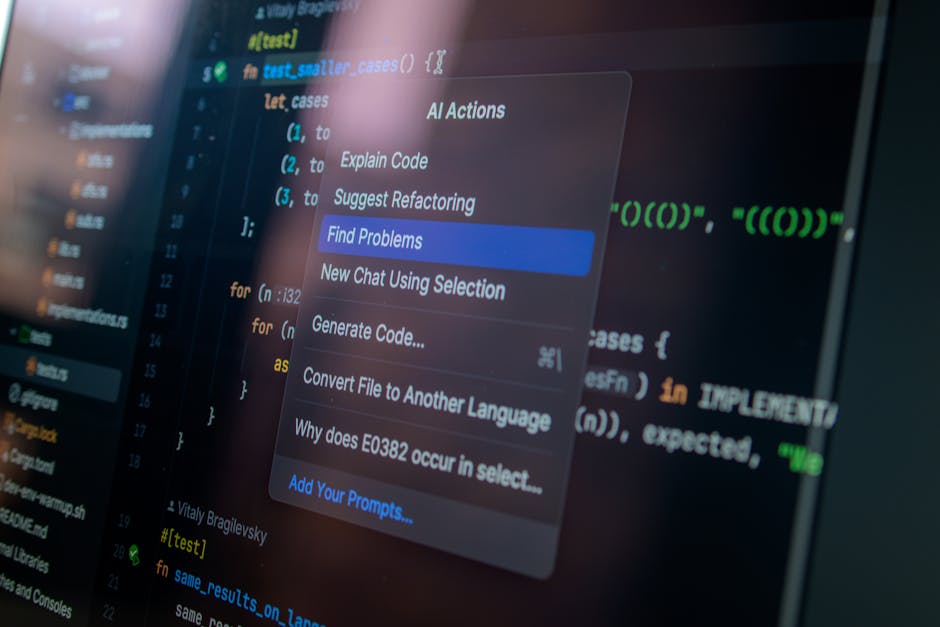
- Code Generation & Completion — GitHub Copilot (v4) & Cursor AI: In 2026, Copilot’s latest version has dramatically improved its understanding of multi-file context. It can now reason across your entire project repository, not just the open file. Cursor AI goes a step further with its “Composer” feature, letting you describe a feature in plain English and watching it scaffold components, routes, and even database schemas simultaneously. Best use case: repetitive CRUD operations, boilerplate API endpoints, and unit test generation.
- Debugging & Code Review — CodeRabbit & Sourcegraph Cody: These tools are game-changers for the backend side of full-stack work. CodeRabbit performs automated PR reviews that catch not just syntax errors but logical inconsistencies and potential security vulnerabilities. Sourcegraph Cody shines when you’re working in a large legacy codebase — ask it “why does this function behave differently in production?” and it traces dependencies across thousands of files.
- Database & API Design — Aider with GPT-4.5 & Supabase AI Assistant: Designing schemas and writing migration files used to be tedious. The Supabase AI Assistant now generates optimized PostgreSQL schemas from a simple description of your data model, including indexes and RLS (Row-Level Security) policies. Aider, running in your terminal, lets you refactor database interaction layers across multiple files in a single command.
- Frontend Component Generation — v0 by Vercel & Locofy AI: For the UI layer, v0 has matured significantly. In 2026, it generates production-ready Tailwind + React components that are actually accessible (WCAG 2.2 compliant by default). Locofy bridges the design-to-code gap, converting Figma designs into clean Next.js or React Native code with impressive fidelity.
- DevOps & Deployment Automation — GitHub Actions AI & Railway Copilot: Full-stack doesn’t end at the application layer. GitHub Actions AI now writes CI/CD pipeline configurations from a description of your deployment requirements. Railway’s Copilot auto-detects your stack and suggests infrastructure configurations, dramatically reducing the “it works on my machine” nightmare.
Real-World Examples: From Seoul to San Francisco
Kakao Pay Engineering Team (South Korea): In early 2026, Kakao Pay’s engineering blog detailed how their team integrated Cursor AI and CodeRabbit into their full-stack fintech workflow. The result? Their sprint velocity increased by 35%, while critical bug escapes to production dropped by 28%. Their key insight was assigning AI tools to specific phases: Cursor for feature development, CodeRabbit for pre-merge review, and human reviewers for architecture decisions only. They explicitly avoided letting AI touch security-sensitive authentication flows without mandatory human sign-off.
Linear (San Francisco, USA): The project management tool Linear — beloved by developers for its speed — shared in their 2026 engineering retrospective that their small team of 12 full-stack engineers uses v0 and GitHub Copilot v4 to maintain a codebase that would typically require 30+ engineers. Their philosophy: “AI handles the what, engineers own the why.” Every AI-generated component goes through a human review focused on user experience decisions, not just correctness.
A Solo Developer Case (Germany): Berlin-based indie developer Mia Hoffmann documented her journey building a SaaS product solo in 2026 using a full AI-assisted stack. Using Cursor + Supabase AI + Railway Copilot, she shipped a functional MVP in 6 weeks — a project she estimated would have taken 5–6 months two years ago. Her honest caveat: “I spent a week fixing subtle bugs introduced by AI-generated SQL queries. The AI was confidently wrong, and I nearly shipped it.”
Where AI Tools Still Fall Short (And What to Do About It)
Let’s be honest here, because this is where the “use AI for everything” hype starts to crack. As of 2026, AI tools consistently struggle with:
- Complex business logic: When your application’s rules involve multi-step conditional flows tied to real-world legal or financial requirements, AI-generated logic often misses edge cases. Always write these by hand and let AI generate the tests for them instead.
- Performance optimization at scale: AI can write working code, but “working” and “performant under 100k concurrent users” are very different things. Database query optimization and caching strategies still require experienced human judgment.
- Security-critical implementations: OAuth flows, encryption handling, and payment processing should never be fully AI-generated without expert review. The Kakao Pay example above is a model worth following here.
- Greenfield architectural decisions: Deciding between a monolith vs. microservices, choosing your state management approach, or designing your API contract — these are decisions where AI provides useful input but should never make the final call.
A Practical Workflow to Adopt Starting Today
Rather than a “use all the tools” approach, here’s a tiered strategy that makes logical sense based on your experience level:
- If you’re a junior developer: Start with GitHub Copilot for code completion and Cursor for learning. Use AI suggestions as a starting point, then read every line it generates. This is the fastest way to level up — you’re essentially pair-programming with a senior developer who never gets tired.
- If you’re a mid-level developer: Add CodeRabbit to your PR workflow and experiment with v0 for frontend scaffolding. Focus on using AI to eliminate the tasks you find repetitive, so you can invest more cognitive energy in architecture and user experience.
- If you’re a senior/lead developer: Your highest-value use of AI tools is in speeding up your team, not just yourself. Implement CodeRabbit at the team level, create standardized AI prompt templates for common tasks, and — critically — establish clear guidelines for which code categories require mandatory human review.
Conclusion: The Realistic Path Forward
Here’s the honest truth about AI tools for full-stack development in 2026: they are transformative, but only for developers who approach them with intention. The most productive teams aren’t the ones using the most AI tools — they’re the ones who’ve thoughtfully mapped specific tools to specific problems and maintained human ownership of decisions that matter most.
If you’re just starting to integrate AI into your full-stack workflow, don’t try to adopt everything at once. Pick one tool — Cursor AI is a great starting point — and spend two weeks understanding what it does well and where it frustrates you. That friction is valuable data. It’ll tell you exactly where to invest your learning energy next.
And if you’re already deep in the AI-assisted workflow? The next frontier isn’t finding more tools. It’s developing the judgment to know when to put the tools down.
Editor’s Comment : The developers thriving in 2026 aren’t the ones who’ve outsourced their thinking to AI — they’re the ones who’ve used AI to amplify it. The best full-stack tool you own is still the one between your ears. Everything else is just a very smart autocomplete.
태그: [‘full-stack development AI tools 2026’, ‘GitHub Copilot full-stack’, ‘Cursor AI development workflow’, ‘AI coding assistant productivity’, ‘full-stack developer tools’, ‘AI-assisted software development’, ‘web development automation 2026’]
Leave a Reply