Category: Uncategorized

  • How to Use AI Tools for Full-Stack Development in 2026: A Practical Guide That Actually Works

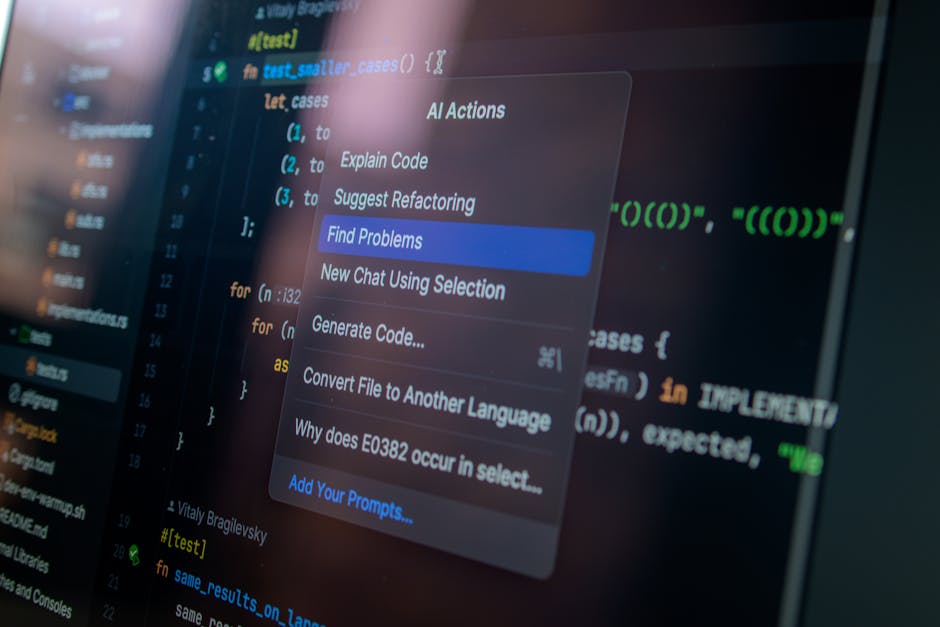
    Picture this: it’s 2 AM, you’re staring at a tangled mess of React components, a Node.js backend throwing mysterious 500 errors, and a PostgreSQL query that’s somehow scanning the entire table instead of using your index. Two years ago, you’d be drowning in Stack Overflow tabs and praying to the documentation gods. But in 2026? You’ve got something genuinely remarkable sitting right beside you in your IDE — and knowing how to use it makes all the difference between a tool that saves you hours and one that just wastes your time.

    Full-stack development has always been the art of juggling too many things at once. Frontend, backend, databases, DevOps, security — it’s a lot. The AI tooling landscape in 2026 has matured dramatically, and I want to walk you through not just what tools exist, but how to think about integrating them into your actual workflow without losing your own engineering instincts along the way.

    full stack developer AI coding tools workspace 2026

    The AI-Augmented Full-Stack Landscape in 2026: Where We Actually Stand

    Let’s get grounded with some real numbers first. According to Stack Overflow’s 2026 Developer Survey, over 78% of professional developers now report using AI coding assistants on a daily basis — up from roughly 44% in 2023. More telling is this: developers using AI tools strategically (meaning they critically evaluate outputs rather than blindly accepting them) report a 40-55% reduction in boilerplate coding time, while those who use AI passively actually report more debugging time due to unreviewed generated code introducing subtle bugs.

    That gap is the crux of everything we’re about to discuss. The tool isn’t the differentiator — your interaction strategy is.

    The major players shaping full-stack AI assistance in 2026 include:

    • GitHub Copilot Workspace (2026 edition): Now features full project-context awareness, meaning it can reason across your entire repository — not just the file you’re currently editing. It understands your component hierarchy, API contracts, and even your testing patterns.
    • Cursor IDE with Claude-integrated agents: Cursor has become the go-to environment for many full-stack developers, offering multi-file edits, inline debugging explanations, and the ability to spin up working proof-of-concept code from architectural descriptions.
    • Vercel’s AI SDK + v0: For frontend-heavy developers, v0 has evolved into a serious rapid prototyping tool that now generates production-quality component code with accessibility compliance baked in.
    • Amazon CodeWhisperer Pro: Especially relevant for teams working within AWS ecosystems — it integrates tightly with infrastructure-as-code templates and Lambda function patterns.
    • Tabnine Enterprise: The privacy-first option many enterprise teams in Korea, Germany, and Japan have gravitated toward, as it can be self-hosted on internal servers.

    How to Actually Use These Tools Across the Full Stack

    Here’s where most tutorials let you down — they show you what a tool can do, not how to wire it into real decisions. Let’s break it down by layer.

    Frontend Development: Use AI for component scaffolding and CSS logic, but own your state management decisions. When working with React or Next.js 15, try prompting with context: instead of “create a user profile card,” say “create a user profile card component for a SaaS dashboard that shows subscription tier, last login, and avatar — using Tailwind CSS, and it needs to be accessible with ARIA labels.” Specificity is the unlock. AI handles the structural tedium; you handle the UX reasoning.

    Backend & API Design: This is where I’d argue AI assistance has the highest ROI in 2026. Generating Express.js or Fastify route handlers, writing Prisma schema migrations, and setting up middleware chains are all prime candidates for AI-assisted drafting. However — and I can’t stress this enough — always review authentication middleware and any code touching user data manually. AI-generated auth logic can be subtly flawed in ways that only appear under edge-case attack vectors.

    Database Work: Query optimization suggestions from AI tools have gotten genuinely impressive. Paste a slow query into Cursor or Copilot Chat with your schema context and ask it to explain the execution plan and suggest index strategies. This used to require a senior DBA — now it’s a starting point for your own analysis.

    DevOps & CI/CD: AI excels at generating GitHub Actions workflows, Dockerfile configurations, and Kubernetes YAML. These are notoriously tedious to write from scratch and highly pattern-based — exactly what AI handles well.

    Real-World Examples: How Teams Around the World Are Doing It

    Let’s look at how actual development teams are structuring this in 2026.

    South Korea — Kakao’s internal tooling teams: Several Kakao engineering blog posts from early 2026 describe their “AI pair programming” protocol, where developers use Copilot Workspace for initial feature drafts, then conduct mandatory peer review with a checklist specifically targeting AI-introduced patterns (such as missing error boundary handling and non-localized date formatting — particularly critical for Korean-language interfaces).

    Germany — A Berlin-based fintech startup: Because of GDPR and banking regulation requirements, this team uses Tabnine Enterprise deployed on-premises. Their approach? They’ve built custom prompt templates stored in their internal wiki that encode their domain-specific compliance requirements. Every AI query for payment-related code automatically includes context about PSD2 compliance. Smart, systematic, and replicable.

    United States — Indie hackers and solo full-stack builders: The 2026 indie hacker movement has exploded partly because of AI tooling. Developers are shipping full SaaS products solo in 4-8 weeks that would have taken a small team 6 months before. The common thread among successful ones: they use AI aggressively for boilerplate (auth systems, billing integration, email templates) and invest their own thinking time in the product logic and user experience differentiation.

    AI assisted coding full stack development workflow diagram

    The Traps to Avoid (Learned the Hard Way)

    No honest guide skips this part. Here are the failure modes I see most often:

    • Context collapse: Asking AI to generate code without providing your existing architecture context. The result is technically correct but architecturally incompatible code that costs more time to refactor than if you’d written it yourself.
    • Over-trusting security-sensitive outputs: JWT implementation, password hashing, OAuth flows — always cross-reference AI suggestions against the official library documentation and OWASP guidelines.
    • Skill atrophy: If you stop understanding the code you’re shipping, debugging becomes a nightmare. Use AI to accelerate work you understand, not to replace understanding itself.
    • Prompt laziness: Vague prompts yield vague code. Invest 60 seconds in crafting a specific, contextual prompt and you’ll save 20 minutes of cleanup afterward.

    Realistic Alternatives Based on Your Situation

    Not every developer is in the same place, so let’s tailor this:

    If you’re a junior developer: Be intentional about using AI as a teacher, not just a code generator. Ask it to explain why it made certain choices. Use the explanations to build your mental models, then try rewriting solutions yourself. Your long-term career depends on understanding, not just outputting.

    If you’re a solo founder: Lean hard into AI for everything non-differentiating. Auth, payments, email — generate it, review it, ship it. Save your cognitive energy for the parts of your product that are unique to your users’ problems.

    If you’re on an enterprise team with compliance requirements: Evaluate self-hosted or privacy-first options like Tabnine Enterprise before defaulting to cloud-based tools. Build internal prompt libraries that encode your compliance context so the whole team benefits consistently.

    If you’re skeptical and not yet using AI tools: Totally valid, and I’d encourage you to run a controlled experiment. Pick one low-stakes feature, use Copilot or Cursor for the whole implementation, and measure your actual time vs. your estimate. The data from your own experience will tell you more than any article can.

    The full-stack development world in 2026 isn’t about whether to use AI — it’s about developing the judgment to use it wisely. The developers thriving right now aren’t the ones who automate the most; they’re the ones who’ve figured out exactly where automation serves them and where their own thinking is irreplaceable. That balance is the real skill worth developing this year.

    Editor’s Comment : The single best investment you can make in 2026 isn’t learning any particular AI tool — it’s developing your critical evaluation reflex. Every time AI generates code for you, ask: “Do I understand this well enough to debug it at 2 AM?” If the answer is no, that’s your cue to dig deeper before shipping. Tools change every few months; that habit will serve you for decades.

    태그: [‘full stack development 2026’, ‘AI coding tools’, ‘GitHub Copilot’, ‘Cursor IDE’, ‘developer productivity’, ‘AI pair programming’, ‘web development workflow’]

  • 풀스택 개발 AI 도구 활용법 2026: 혼자서도 서비스를 만드는 시대가 왔다

    지난해 말, 한 스타트업 창업자를 인터뷰한 적이 있어요. 개발자 한 명도 없이 MVP(최소 기능 제품)를 3주 만에 런칭했다는 이야기를 듣고 처음엔 반신반의했는데, 실제로 서비스를 보니 꽤 완성도 있는 웹 앱이었습니다. 비결을 묻자 돌아온 답은 간단했어요. “AI 도구 몇 개 잘 조합했을 뿐인데요.”

    2026년 현재, 풀스택 개발 환경은 불과 2~3년 전과 비교해 정말 많이 달라졌다고 봅니다. AI 코딩 어시스턴트가 단순한 자동완성 수준을 훨씬 넘어서, 기획 → 설계 → 구현 → 배포 전 과정에 걸쳐 실질적인 파트너 역할을 하고 있거든요. 오늘은 2026년 기준으로 실제로 써볼 만한 풀스택 AI 도구들을 함께 살펴보고, 어떻게 조합해서 쓰면 효과적인지 고민해 보려 합니다.

    fullstack developer AI tools workspace 2026 laptop code

    📊 숫자로 보는 AI 개발 도구 시장 현황 (2026)

    먼저 현재 시장이 어느 정도 수준인지 짚고 넘어가는 게 좋을 것 같아요.

    • 글로벌 AI 코딩 어시스턴트 시장 규모는 2026년 기준 약 67억 달러(한화 약 9조 원)에 달한다는 분석이 나오고 있습니다. 2023년 대비 약 4.5배 성장한 수치예요.
    • GitHub 공식 리포트에 따르면, AI 코파일럿 계열 도구를 사용하는 개발자는 그렇지 않은 개발자보다 코드 작성 속도가 평균 55% 빠르다고 합니다.
    • 국내 개발자 커뮤니티 ‘생활코딩’의 설문(2025년 하반기 기준)에서는 응답자의 78%가 “AI 도구 없이는 지금 업무 속도를 유지하기 어렵다”고 답했어요.
    • 특히 1인 개발자나 소규모 팀(1~5인)에서의 AI 도구 도입률이 91%에 육박한다는 점이 눈에 띕니다. 대기업보다 오히려 소규모 팀이 AI를 더 적극적으로 활용하고 있는 셈이에요.

    이 수치들이 말해주는 건 하나라고 봅니다. AI 도구는 이제 ‘쓰면 좋은 것’이 아니라 ‘안 쓰면 뒤처지는 것’이 되어가고 있다는 거예요.

    🛠️ 2026년 풀스택 개발에서 주목받는 AI 도구들

    도구를 단순 나열하기보다는, 개발 흐름에 따라 어느 단계에서 무엇을 쓰면 좋은지 맥락으로 이해하는 게 훨씬 도움이 된다고 생각해요.

    ① 기획·설계 단계 — 아이디어를 구조로 만들기

    Notion AI + Claude 3.7 조합이 이 단계에서 특히 효과적인 것 같습니다. Notion AI로 요구사항 문서(PRD)를 초안 작성하고, Claude에게 해당 문서를 넘겨서 DB 스키마나 API 엔드포인트 설계를 제안받는 방식이에요. 국내에서도 여러 스타트업이 이 방식을 채택하고 있고, 설계 시간이 기존 대비 40~60% 단축된다는 후기가 많습니다.

    여기서 팁 하나 드리자면, Claude나 GPT-4o에게 설계를 맡길 때 “비개발자 PM이 작성한 기획서”처럼 프롬프트를 구성하면 훨씬 실용적인 결과물이 나오더라고요. 너무 기술적인 언어로 물어보면 오히려 틀에 박힌 답변이 나올 때가 있어요.

    ② 프론트엔드 구현 — Cursor와 v0의 콤비

    2026년 현재 프론트엔드 개발에서 가장 많이 언급되는 조합은 단연 Cursor + Vercel v0라고 봅니다.

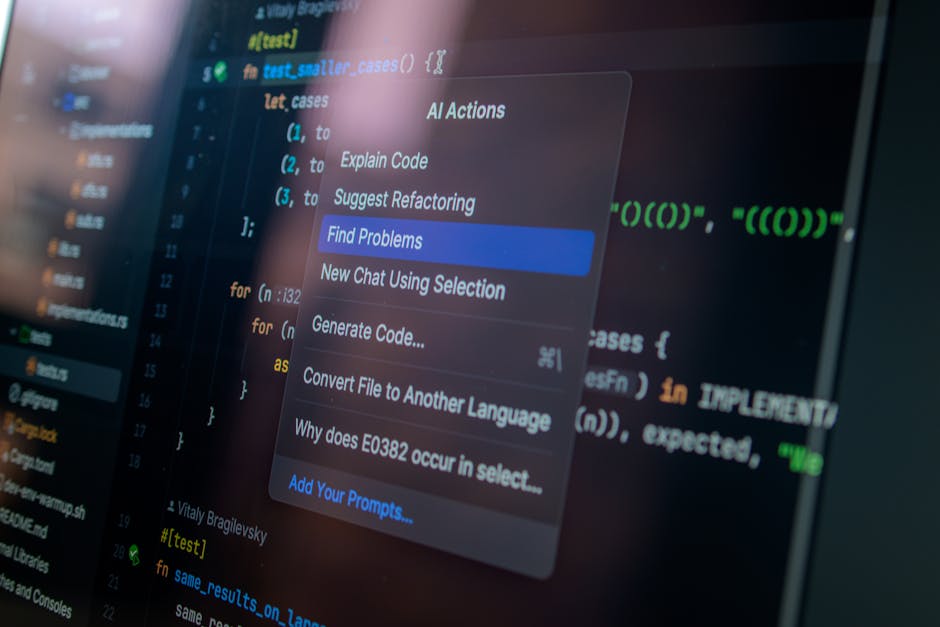
    • Cursor: VS Code 기반의 AI 통합 에디터로, 단순 코드 자동완성을 넘어 파일 간 맥락을 이해하고 리팩토링, 버그 수정, 테스트 코드 작성까지 해줍니다. 특히 ‘@파일명’ 으로 특정 파일을 AI 컨텍스트에 넣을 수 있어서 대형 프로젝트에서도 강점을 보여요.
    • v0 (by Vercel): 텍스트 프롬프트나 피그마 디자인을 넣으면 React + Tailwind 기반의 UI 컴포넌트를 생성해줍니다. 2026년 버전에서는 반응형 처리와 접근성(Accessibility) 수준이 많이 올라왔다는 평가가 많아요.

    실제로 국내 스타트업 ‘토스’의 개발 블로그에서도 내부 프로토타이핑에 v0를 활용한 사례를 공유한 바 있고, 해외에서는 인디 해커(Indie Hacker) 커뮤니티에서 v0로 랜딩 페이지를 30분 만에 만들었다는 후기가 넘쳐날 정도예요.

    ③ 백엔드·API 개발 — GitHub Copilot과 Supabase AI

    백엔드는 아직 AI가 완전히 대체하기엔 복잡성이 높은 영역이지만, 보조 도구로서의 효용은 정말 크다고 봅니다.

    • GitHub Copilot (2026 버전): 이제는 단순 코드 제안을 넘어, PR 리뷰 자동화, 보안 취약점 탐지, 심지어 커밋 메시지 작성까지 커버합니다. 특히 Node.js, FastAPI, Django 환경에서 반복적인 CRUD 로직 작성 시간을 획기적으로 줄여줘요.
    • Supabase AI Assistant: PostgreSQL 기반의 Supabase가 내장 AI를 통해 SQL 쿼리 작성, RLS(Row Level Security) 정책 설계를 도와줍니다. 비SQL 개발자들이 백엔드 DB를 다루는 진입장벽을 상당히 낮춰준 도구인 것 같아요.

    ④ 배포·운영 — Vercel AI Gateway와 Railway

    아무리 잘 만든 서비스도 배포가 복잡하면 결국 병목이 생기기 마련이에요. 2026년에는 VercelRailway가 AI 기반 자동 최적화 배포를 지원하면서, 인프라 지식이 부족한 개발자들도 프로덕션 수준의 배포 환경을 꾸릴 수 있게 되었습니다.

    AI fullstack development workflow diagram deployment pipeline

    🌍 국내외 실제 활용 사례

    해외 사례 — 솔로 개발자의 SaaS 성공기
    미국의 1인 개발자 Pieter Levels(레벨스.io)는 오래전부터 솔로 창업의 아이콘이었는데, 2026년 현재 그의 인터뷰에서 “AI 도구 덕분에 한 사람이 감당할 수 있는 프로젝트 수가 3배 이상 늘었다”고 언급했습니다. 실제로 그는 Cursor와 Claude를 메인 스택으로 쓰면서 월 수백만 달러의 ARR(연간 반복 수익)을 유지하고 있어요.

    국내 사례 — 비개발자 창업자의 MVP 런칭
    국내에서도 비슷한 흐름이 나타나고 있습니다. 서울 소재 한 에듀테크 스타트업은 기획자 출신 대표가 Cursor와 Supabase, v0를 조합해 첫 번째 MVP를 직접 개발했고, 이후 시드 투자를 유치한 사례가 있어요. 이 대표는 “Python 기초 정도만 알았는데, AI가 맥락을 잡아주니까 막히는 부분을 빠르게 돌파할 수 있었다”고 말했습니다.

    💡 실전 활용을 위한 워크플로우 제안

    도구를 하나씩 아는 것과 실제로 유기적으로 연결해서 쓰는 건 다른 이야기라고 봐요. 아래는 제가 추천하는 2026년형 풀스택 AI 워크플로우입니다.

    • Step 1 (기획): Claude 3.7에게 서비스 아이디어를 설명하고, PRD와 DB 스키마 초안을 받는다.
    • Step 2 (UI 프로토타입): v0에서 주요 화면 UI를 프롬프트로 생성하고, 피그마 또는 코드로 export한다.
    • Step 3 (개발): Cursor 안에서 프론트엔드(Next.js)와 백엔드(API Routes 또는 FastAPI)를 구현한다. Copilot이 보조 역할.
    • Step 4 (DB/인증): Supabase로 DB, 인증, 스토리지를 처리하고, AI Assistant로 복잡한 쿼리를 작성한다.
    • Step 5 (배포): Vercel 또는 Railway로 원클릭 배포. 이후 모니터링은 Sentry AI로 에러를 자동 분류한다.

    ⚠️ 함께 고민해야 할 점 — AI 도구의 그림자

    AI 도구가 강력한 건 맞지만, 맹신은 위험하다고 봅니다. 몇 가지 현실적인 한계도 짚어두고 싶어요.

    • 보안 코드의 맹점: AI가 생성한 코드에는 SQL Injection이나 XSS 같은 취약점이 포함될 수 있어요. 배포 전 반드시 수동 코드 리뷰나 보안 스캔 도구(Snyk 등)를 병행하는 게 좋습니다.
    • 기술 부채 축적: 빠르게 뽑아낸 코드는 종종 유지보수가 어려운 구조를 가집니다. AI에게 “이 코드를 나중에 팀원이 읽기 쉽게 리팩토링해줘

      태그: []

  • Industrial Control System Cybersecurity Threats in 2026: What’s Really at Stake and How to Stay Ahead

    Picture this: It’s a Tuesday morning at a mid-sized water treatment facility in the Midwest. An operator arrives for the morning shift, coffee in hand, only to find the SCADA dashboard frozen — pressure readings spiking, chemical dosing controls unresponsive. Within minutes, it becomes clear this isn’t a software glitch. Someone, somewhere, has reached into the facility’s operational technology (OT) network and is pulling the strings. Scary? Absolutely. Fictional? Unfortunately, not even close.

    Industrial Control Systems (ICS) — the backbone of critical infrastructure like power grids, water treatment plants, oil pipelines, and manufacturing floors — have become some of the most attractive and vulnerable targets in the modern cybersecurity landscape. And in 2026, with the accelerating convergence of IT (Information Technology) and OT (Operational Technology) networks, the attack surface has never been larger.

    Let’s think through this together, because understanding these threats isn’t just for engineers or IT professionals. It affects every business, every government, and honestly, every person who relies on running water and electricity.

    industrial control system cybersecurity SCADA dashboard threat visualization

    Why ICS Cybersecurity Is a Uniquely Difficult Problem

    To appreciate the challenge, you need to understand what makes ICS environments different from your typical corporate IT setup. In a regular office network, if a server gets compromised, you might lose data or face downtime — serious, but recoverable. In an ICS environment, a cyberattack can physically damage machinery, cause environmental disasters, or endanger human lives. The consequences are tangible and immediate.

    Here’s what makes these systems particularly tricky to defend:

    • Legacy hardware and software: Many ICS environments run on equipment designed decades ago — long before cybersecurity was even a consideration. Patching or replacing these systems is expensive and operationally risky, so vulnerabilities linger for years.
    • Always-on operational requirements: Unlike corporate systems, you can’t just take a power grid offline for a security update. Downtime literally means darkness for thousands of homes.
    • IT/OT convergence: The push for efficiency and remote monitoring has connected OT networks to the internet and corporate IT systems, inadvertently opening doors that were once safely shut.
    • Lack of specialized security talent: The pool of professionals who understand both industrial engineering AND cybersecurity is still critically small in 2026.
    • Weak authentication and encryption: Many older industrial protocols like Modbus and DNP3 were never built with authentication in mind — they assume trust by default.

    The Threat Landscape in 2026: By the Numbers

    Let’s look at where things stand. According to the 2026 ICS/OT Cybersecurity Report published by Dragos — one of the leading OT security firms — ransomware attacks targeting industrial environments increased by 87% between 2023 and 2025. More alarming, the average dwell time (how long an attacker stays hidden inside a network before being detected) in OT environments is approximately 200 days — nearly twice that of typical IT networks.

    The Claroty State of CPS Security Report (2026 edition) highlights that over 70% of industrial organizations experienced at least one security incident affecting OT systems in the past 12 months. Meanwhile, the financial impact per incident has climbed to an average of $3.2 million when factoring in operational disruption, remediation, and regulatory fines.

    Threat actor sophistication has also evolved dramatically. We’re no longer just talking about opportunistic ransomware gangs. Nation-state actors — most notably groups attributed to Russia, China, Iran, and North Korea — are actively pre-positioning inside critical infrastructure networks, not necessarily to cause immediate damage, but to establish persistent footholds for future leverage. Think of it as digital geopolitical chess.

    Real-World Examples: Lessons from Global Incidents

    History — and very recent history — gives us some sobering case studies to learn from.

    The Oldsmar Water Treatment Attack (Florida, USA): Back in 2021, but still frequently cited as a textbook ICS vulnerability case — an attacker remotely accessed the plant’s HMI (Human-Machine Interface) via TeamViewer and attempted to increase sodium hydroxide levels to 111 times the normal concentration. A vigilant operator caught it in real time. The disturbing reality? The facility was using an outdated Windows 7 system with a shared password. By 2026, similar vulnerabilities still exist in hundreds of municipal water systems across North America.

    Ukraine Power Grid Attacks (Ongoing): The 2015 and 2016 Ukrainian grid attacks by the Sandworm threat group remain landmark events in ICS security history. The INDUSTROYER/CRASHOVERRIDE malware was specifically designed to interact with industrial control protocols. In 2025-2026, evolved variants of this malware family have been observed in threat intelligence feeds, targeting European energy infrastructure amid ongoing geopolitical tensions.

    South Korea Smart Factory Incident (2025): In late 2025, a major South Korean automotive parts manufacturer reported a targeted intrusion into its smart factory OT network, resulting in 72 hours of production line shutdown. The attack vector? A compromised vendor’s remote access credentials — a third-party maintenance contractor. The incident cost an estimated ₩48 billion in production losses and became a catalyst for South Korea’s revised ICS security guidelines issued in early 2026.

    Saudi Aramco TRITON/TRISIS Aftermath: The TRITON malware attack, which targeted safety instrumented systems (SIS) at a Saudi petrochemical plant, remains one of the most chilling examples because it specifically targeted the last line of physical safety protection. In 2026, cybersecurity researchers have identified at least three new malware families with similar SIS-targeting capabilities circulating in underground forums.

    ICS OT network attack vector diagram critical infrastructure protection 2026

    The Emerging Threat Vectors You Should Know About in 2026

    The threat landscape keeps evolving, and several new vectors deserve special attention right now:

    • AI-assisted attacks: Threat actors are increasingly using generative AI to automate vulnerability discovery in ICS environments and craft more convincing spear-phishing campaigns targeting OT engineers.
    • Supply chain compromises: The SolarWinds-style supply chain attack model has found its way into the ICS vendor ecosystem. Compromised firmware updates from trusted industrial vendors have become a high-priority concern.
    • Edge device exploitation: As IIoT (Industrial Internet of Things) devices proliferate on factory floors and utility sites, each sensor, actuator, and gateway becomes a potential entry point — most with minimal security hardening.
    • Cloud-connected OT systems: The migration of historian data and SCADA interfaces to cloud platforms, while offering operational benefits, introduces new misconfigurations and exposure risks that traditional OT security teams are not equipped to handle.
    • Deepfake-enabled social engineering: In 2026, we’re seeing the first documented cases of deepfake audio being used to impersonate plant managers and authorize unauthorized remote access — a truly unsettling evolution.

    Realistic Alternatives and Actionable Defense Strategies

    Okay, so the threat picture is genuinely alarming. But let’s be practical — because pure alarm without direction isn’t useful. The good news is that meaningful improvements don’t always require ripping out legacy systems or unlimited budgets. Here’s how to think about building a more resilient posture:

    1. Start with visibility — you can’t protect what you can’t see. Many organizations are surprised to discover just how many devices are on their OT network. Passive asset discovery tools (like those from Dragos, Claroty, or Nozomi Networks) can map your environment without disrupting operations. This is almost always the right first step.

    2. Network segmentation and the Purdue model (updated for 2026). Properly separating IT and OT networks with a well-configured DMZ (Demilitarized Zone) remains one of the highest-impact security controls available. The classic Purdue Enterprise Reference Architecture is still relevant, though many experts now advocate for a Zero Trust overlay approach adapted for OT realities.

    3. Harden remote access religiously. Given how many incidents stem from compromised remote access (VPN credentials, RDP exposure), implementing MFA (Multi-Factor Authentication), privileged access management (PAM), and strict vendor access policies is non-negotiable in 2026.

    4. Build an ICS-specific incident response plan. Generic IT incident response playbooks don’t account for OT realities. Your plan needs to address scenarios where isolation means shutting down production — and who has the authority to make that call.

    5. Invest in OT-aware threat intelligence. Subscribing to ICS-specific threat feeds (CISA’s ICS-CERT alerts, Dragos WorldView, Claroty Team82 research) keeps your team informed about threats relevant to your specific sector and industrial protocols.

    6. Train the humans, not just the systems. Social engineering remains devastatingly effective. Regular security awareness training tailored to OT personnel — operators, maintenance contractors, and plant managers — can close gaps that no firewall can.

    The Regulatory Push: Compliance as a Security Floor, Not a Ceiling

    Regulations are catching up, slowly but meaningfully. In 2026, the EU’s NIS2 Directive has expanded its scope to include more OT-dependent sectors, with significant penalties for non-compliance. In the United States, CISA’s updated ICS security guidelines and the TSA’s pipeline cybersecurity directives continue to mature. South Korea’s KISA (Korea Internet & Security Agency) rolled out revised ICS security certification standards in Q1 2026 following the automotive factory incident.

    The important caveat here: compliance is a floor, not a ceiling. Meeting regulatory minimums tells you what the slowest acceptable pace looks like — it doesn’t mean you’re secure. The most resilient organizations treat regulations as a starting point and build from there.

    Editor’s Comment : What strikes me most about ICS cybersecurity in 2026 is the persistent gap between the scale of the risk and the urgency with which many organizations treat it. We’re protective of our laptops, our smartphones, our cloud data — and rightly so. But the systems that keep our lights on, our water clean, and our supply chains moving deserve at least that same level of attention, arguably far more. The good news is that this field has matured dramatically. The tools, frameworks, and expertise exist. What’s still needed — urgently — is organizational will, budget prioritization, and the recognition that this isn’t an IT problem or an engineering problem. It’s everyone’s problem. If you’re in a leadership role at any organization with physical infrastructure, the time to ask your team “how exposed are we, really?” is not after an incident. It’s right now.

    태그: [‘ICS cybersecurity 2026’, ‘industrial control system threats’, ‘SCADA security’, ‘OT network security’, ‘critical infrastructure protection’, ‘ICS ransomware’, ‘IT OT convergence security’]

  • 산업 제어 시스템(ICS) 사이버 보안 위협, 2026년 우리는 얼마나 안전한가?

    몇 년 전, 우크라이나의 한 전력망이 갑자기 꺼졌습니다. 수십만 명이 한겨울 추위 속에서 몇 시간 동안 전기 없이 지내야 했죠. 원인은 물리적 고장이 아니었어요. 누군가 네트워크를 통해 발전소의 제어 시스템에 침투한 것이었습니다. 이 사건은 단순한 ‘해킹 뉴스’가 아니라, 디지털 공격이 현실 세계의 물리적 인프라를 무너뜨릴 수 있다는 걸 전 세계에 각인시킨 사건이라고 봅니다.

    2026년인 지금, 산업 제어 시스템(ICS, Industrial Control System)과 이를 포함하는 더 넓은 개념인 OT(Operational Technology) 환경은 과거보다 훨씬 더 복잡한 위협에 노출되어 있어요. 스마트 팩토리, 스마트 그리드, 자율 운송 시스템 등 디지털 전환이 가속화되면서 한때 외부와 단절되어 있던 산업 현장이 인터넷과 연결되기 시작했거든요. 그 연결의 편리함이 동시에 거대한 보안 취약점이 되어버린 셈입니다.

    industrial control system cybersecurity threat infrastructure

    📊 숫자로 보는 ICS 보안 위협의 현실

    막연하게 ‘위험하다’고 말하는 것보다, 수치를 보면 상황이 훨씬 선명하게 보입니다.

    • 공격 빈도 급증: 글로벌 사이버 보안 기업 드래고스(Dragos)의 2025년 보고서에 따르면, OT/ICS를 표적으로 한 사이버 공격 건수는 2022년 대비 2025년까지 약 87% 증가한 것으로 집계됩니다.
    • 취약점 증가: 미국 CISA(사이버 보안·인프라보안국)는 2025년 한 해 동안 ICS 관련 소프트웨어 취약점(CVE)을 900건 이상 공식 발표했으며, 이 중 약 34%는 ‘긴급(Critical)’ 등급으로 분류되었습니다.
    • 패치 공백 문제: ICS 환경의 특성상 시스템을 멈추고 업데이트를 적용하는 게 어렵기 때문에, 전 세계 산업 시설의 약 60% 이상이 알려진 취약점에 노출된 상태로 운영 중이라는 분석이 있어요. 이는 IT 환경에 비해 심각하게 높은 수치입니다.
    • 피해 규모: 산업 시설을 대상으로 한 랜섬웨어 공격 한 건의 평균 피해액은 2026년 기준 약 450만 달러(한화 약 60억 원) 수준으로 추정되며, 생산 중단으로 인한 간접 피해까지 합산하면 수백억 원에 달하는 경우도 있습니다.
    • 공격 주체의 고도화: 단순 금전 목적의 해커 그룹을 넘어, 국가 배후의 APT(Advanced Persistent Threat) 그룹이 에너지, 수도, 철도 등 핵심 인프라를 겨냥한 장기 잠복형 공격을 수행하는 사례가 뚜렷이 늘고 있습니다.

    🌍 국내외 주요 사례로 보는 위협의 실체

    이론이 아니라 실제로 어떤 일이 벌어졌는지 살펴보면, 위협이 얼마나 현실적인지 실감하게 됩니다.

    ▶ 해외 사례: 미국 플로리다 수처리 시설 침입 (2021, 재조명)
    2021년 미국 플로리다주 올즈마의 수처리 시설 제어 시스템에 침입한 해커는 수산화나트륨(가성소다) 농도를 정상치의 111배로 높이려는 시도를 했습니다. 다행히 운영자가 실시간으로 이상을 감지해 차단했지만, 만약 자동화가 더 진행된 시설이었다면 수만 명의 시민이 독성 물질에 노출될 수 있었어요. 이 사건은 2026년에도 OT 보안 교육 현장에서 가장 자주 인용되는 레퍼런스 케이스 중 하나입니다.

    ▶ 해외 사례: 콜로니얼 파이프라인 랜섬웨어 (2021, 구조적 교훈 지속)
    미국 동부 연료 공급의 45%를 담당하던 송유관 운영사 콜로니얼 파이프라인은 랜섬웨어 공격으로 전체 시스템을 수일간 셧다운해야 했습니다. 당시 피해 복구를 위해 지불한 몸값은 약 440만 달러. 이 사건의 핵심 교훈은 공격자가 OT 시스템을 직접 건드리지 않아도, 연결된 IT 네트워크를 마비시키는 것만으로 산업 현장 전체를 멈출 수 있다는 점이라고 봅니다.

    ▶ 국내 사례: 국내 반도체 협력사 랜섬웨어 피해 (2024~2025)
    국내에서도 대형 반도체·자동차 제조사의 1~2차 협력업체들이 OT 환경을 겨냥한 랜섬웨어 공격의 피해를 입은 사례가 다수 보고되고 있어요. 주요 원인으로는 구형 Windows XP·7 기반의 SCADA 시스템 사용, IT·OT 네트워크 분리 미비, 원격 접속 계정 관리 소홀 등이 꼽힙니다. 대기업 본사보다 보안 여력이 부족한 협력사가 ‘약한 고리’가 되어 공급망 전체를 위협하는 구조가 반복되고 있는 셈이에요.

    OT network security SCADA hacker attack factory

    🔍 왜 ICS/OT 보안은 IT 보안보다 어려울까?

    많은 분들이 “IT 보안만 잘 해도 되지 않나?

    태그: []

  • AI Tools for Full-Stack Development in 2026: Work Smarter, Not Harder

    Picture this: it’s 11 PM, you’re staring at a half-finished React component on one screen and a Node.js API that refuses to cooperate on the other. A year ago, that meant a long night of Stack Overflow rabbit holes. Today? A growing number of full-stack developers are closing their laptops by 9 PM — and shipping better code than ever. The secret isn’t longer hours. It’s knowing which AI tools to use, when to use them, and — crucially — when to trust your own instincts over the autocomplete suggestion.

    Let’s think through this together, because the landscape of AI-assisted full-stack development in 2026 is both exciting and surprisingly nuanced.

    full-stack developer AI tools coding workspace dual monitor 2026

    The State of AI-Assisted Development: What the Numbers Tell Us

    According to the 2026 Stack Overflow Developer Survey (released in February 2026), 78% of professional full-stack developers now use at least one AI coding assistant in their daily workflow — up from 55% just two years prior. More interestingly, developers who use AI tools strategically (rather than passively accepting every suggestion) report a 40–60% reduction in boilerplate writing time and a 25% faster debugging cycle.

    But here’s what the headline numbers don’t tell you: productivity gains are highly uneven. Developers who treat AI as a pair programmer outperform those who treat it as a code vending machine by a significant margin. That distinction is the whole ballgame.

    The Core AI Toolkit for Full-Stack Work in 2026

    Let’s break down the categories that actually matter for end-to-end development:

    • Code Generation & Completion — GitHub Copilot (v4) & Cursor AI: In 2026, Copilot’s latest version has dramatically improved its understanding of multi-file context. It can now reason across your entire project repository, not just the open file. Cursor AI goes a step further with its “Composer” feature, letting you describe a feature in plain English and watching it scaffold components, routes, and even database schemas simultaneously. Best use case: repetitive CRUD operations, boilerplate API endpoints, and unit test generation.
    • Debugging & Code Review — CodeRabbit & Sourcegraph Cody: These tools are game-changers for the backend side of full-stack work. CodeRabbit performs automated PR reviews that catch not just syntax errors but logical inconsistencies and potential security vulnerabilities. Sourcegraph Cody shines when you’re working in a large legacy codebase — ask it “why does this function behave differently in production?” and it traces dependencies across thousands of files.
    • Database & API Design — Aider with GPT-4.5 & Supabase AI Assistant: Designing schemas and writing migration files used to be tedious. The Supabase AI Assistant now generates optimized PostgreSQL schemas from a simple description of your data model, including indexes and RLS (Row-Level Security) policies. Aider, running in your terminal, lets you refactor database interaction layers across multiple files in a single command.
    • Frontend Component Generation — v0 by Vercel & Locofy AI: For the UI layer, v0 has matured significantly. In 2026, it generates production-ready Tailwind + React components that are actually accessible (WCAG 2.2 compliant by default). Locofy bridges the design-to-code gap, converting Figma designs into clean Next.js or React Native code with impressive fidelity.
    • DevOps & Deployment Automation — GitHub Actions AI & Railway Copilot: Full-stack doesn’t end at the application layer. GitHub Actions AI now writes CI/CD pipeline configurations from a description of your deployment requirements. Railway’s Copilot auto-detects your stack and suggests infrastructure configurations, dramatically reducing the “it works on my machine” nightmare.

    Real-World Examples: From Seoul to San Francisco

    Kakao Pay Engineering Team (South Korea): In early 2026, Kakao Pay’s engineering blog detailed how their team integrated Cursor AI and CodeRabbit into their full-stack fintech workflow. The result? Their sprint velocity increased by 35%, while critical bug escapes to production dropped by 28%. Their key insight was assigning AI tools to specific phases: Cursor for feature development, CodeRabbit for pre-merge review, and human reviewers for architecture decisions only. They explicitly avoided letting AI touch security-sensitive authentication flows without mandatory human sign-off.

    Linear (San Francisco, USA): The project management tool Linear — beloved by developers for its speed — shared in their 2026 engineering retrospective that their small team of 12 full-stack engineers uses v0 and GitHub Copilot v4 to maintain a codebase that would typically require 30+ engineers. Their philosophy: “AI handles the what, engineers own the why.” Every AI-generated component goes through a human review focused on user experience decisions, not just correctness.

    A Solo Developer Case (Germany): Berlin-based indie developer Mia Hoffmann documented her journey building a SaaS product solo in 2026 using a full AI-assisted stack. Using Cursor + Supabase AI + Railway Copilot, she shipped a functional MVP in 6 weeks — a project she estimated would have taken 5–6 months two years ago. Her honest caveat: “I spent a week fixing subtle bugs introduced by AI-generated SQL queries. The AI was confidently wrong, and I nearly shipped it.”

    AI code generation full-stack workflow diagram frontend backend database pipeline

    Where AI Tools Still Fall Short (And What to Do About It)

    Let’s be honest here, because this is where the “use AI for everything” hype starts to crack. As of 2026, AI tools consistently struggle with:

    • Complex business logic: When your application’s rules involve multi-step conditional flows tied to real-world legal or financial requirements, AI-generated logic often misses edge cases. Always write these by hand and let AI generate the tests for them instead.
    • Performance optimization at scale: AI can write working code, but “working” and “performant under 100k concurrent users” are very different things. Database query optimization and caching strategies still require experienced human judgment.
    • Security-critical implementations: OAuth flows, encryption handling, and payment processing should never be fully AI-generated without expert review. The Kakao Pay example above is a model worth following here.
    • Greenfield architectural decisions: Deciding between a monolith vs. microservices, choosing your state management approach, or designing your API contract — these are decisions where AI provides useful input but should never make the final call.

    A Practical Workflow to Adopt Starting Today

    Rather than a “use all the tools” approach, here’s a tiered strategy that makes logical sense based on your experience level:

    • If you’re a junior developer: Start with GitHub Copilot for code completion and Cursor for learning. Use AI suggestions as a starting point, then read every line it generates. This is the fastest way to level up — you’re essentially pair-programming with a senior developer who never gets tired.
    • If you’re a mid-level developer: Add CodeRabbit to your PR workflow and experiment with v0 for frontend scaffolding. Focus on using AI to eliminate the tasks you find repetitive, so you can invest more cognitive energy in architecture and user experience.
    • If you’re a senior/lead developer: Your highest-value use of AI tools is in speeding up your team, not just yourself. Implement CodeRabbit at the team level, create standardized AI prompt templates for common tasks, and — critically — establish clear guidelines for which code categories require mandatory human review.

    Conclusion: The Realistic Path Forward

    Here’s the honest truth about AI tools for full-stack development in 2026: they are transformative, but only for developers who approach them with intention. The most productive teams aren’t the ones using the most AI tools — they’re the ones who’ve thoughtfully mapped specific tools to specific problems and maintained human ownership of decisions that matter most.

    If you’re just starting to integrate AI into your full-stack workflow, don’t try to adopt everything at once. Pick one tool — Cursor AI is a great starting point — and spend two weeks understanding what it does well and where it frustrates you. That friction is valuable data. It’ll tell you exactly where to invest your learning energy next.

    And if you’re already deep in the AI-assisted workflow? The next frontier isn’t finding more tools. It’s developing the judgment to know when to put the tools down.

    Editor’s Comment : The developers thriving in 2026 aren’t the ones who’ve outsourced their thinking to AI — they’re the ones who’ve used AI to amplify it. The best full-stack tool you own is still the one between your ears. Everything else is just a very smart autocomplete.

    태그: [‘full-stack development AI tools 2026’, ‘GitHub Copilot full-stack’, ‘Cursor AI development workflow’, ‘AI coding assistant productivity’, ‘full-stack developer tools’, ‘AI-assisted software development’, ‘web development automation 2026’]

  • 2026년 풀스택 개발자가 반드시 알아야 할 AI 도구 활용법 완벽 가이드

    얼마 전, 스타트업에서 혼자 프론트엔드와 백엔드를 모두 담당하던 친구에게서 연락이 왔어요. “야, 나 이번에 AI 도구 제대로 써봤는데 개발 속도가 진짜 3배는 빨라진 것 같아.” 처음에는 과장이라고 생각했는데, 실제로 그 친구가 보내준 커밋 로그를 보니 2주 만에 API 서버 구축부터 리액트 UI 컴포넌트 제작까지 혼자 마무리한 거더라고요. 2026년 현재, 풀스택 개발 환경은 AI 도구의 등장으로 완전히 새로운 국면에 접어들었다고 봅니다. 단순히 코드 자동완성 수준을 넘어서, 설계·디버깅·배포까지 전 과정에 AI가 깊숙이 개입하고 있거든요. 오늘은 풀스택 개발자로서 AI 도구를 어떻게 전략적으로 활용할 수 있는지 함께 살펴볼게요.

    fullstack developer AI tools coding workspace 2026

    📊 숫자로 보는 AI 개발 도구의 현재 — 얼마나 효과적일까?

    막연하게 “AI가 개발 생산성을 높여준다”고 말하는 것보다, 구체적인 수치를 보면 훨씬 와닿을 것 같아요. 2026년 기준으로 주요 개발자 설문 데이터와 기업 리포트를 종합해 보면 다음과 같은 흐름이 보입니다.

    • 코드 작성 시간 단축: GitHub Copilot을 포함한 AI 코딩 어시스턴트를 활용하는 개발자들은 평균적으로 반복적인 보일러플레이트 코드 작성 시간을 약 55~60% 단축했다고 보고되고 있어요.
    • 버그 발견 속도: AI 기반 정적 분석 도구(Cursor AI, Tabnine 등)를 병행 사용할 경우, 코드 리뷰 단계에서 버그를 발견하는 속도가 기존 대비 약 40% 향상된다는 분석이 있습니다.
    • 풀스택 1인 개발 가능 범위 확대: 2026년 현재 AI 도구를 적극 활용하는 1인 개발자(인디 해커)의 수가 3년 전보다 약 2.3배 증가했으며, SaaS 제품의 MVP(최소 기능 제품) 출시 기간이 평균 6주에서 2~3주로 줄었다는 추산도 나오고 있어요.
    • AI 도구 도입 기업 비율: 국내 IT 기업의 약 68%가 2026년 현재 개발 워크플로에 최소 1개 이상의 AI 코딩 도구를 공식 도입한 상태라고 봐도 무방할 것 같습니다.

    물론 이 수치들이 모든 개발자에게 동일하게 적용되지는 않아요. 숙련도, 프로젝트 성격, 도구 선택에 따라 편차가 꽤 크거든요. 하지만 방향성만큼은 분명해 보입니다. AI를 잘 쓰는 개발자와 그렇지 않은 개발자 사이의 생산성 격차는 앞으로 더 벌어질 가능성이 높다는 거예요.

    🌍 국내외 풀스택 개발자들의 AI 도구 활용 사례

    사례를 보면 더 실감이 나는 것 같아요. 해외와 국내에서 실제로 어떻게 활용되고 있는지 살펴볼게요.

    해외 사례 — Vercel과 개인 개발자 생태계: 프론트엔드 배포 플랫폼으로 유명한 Vercel은 자사 플랫폼에 AI 어시스턴트를 통합해, 사용자가 자연어로 “Next.js 프로젝트에 인증 기능 추가해줘”라고 입력하면 코드 스캐폴딩부터 환경변수 설정 안내까지 자동으로 제안해 주는 기능을 2025년 말부터 본격 운영 중이에요. 이를 활용한 1인 개발자들이 구독형 SaaS를 단독으로 런칭하는 사례가 급증했다는 점이 인상적이라고 봅니다.

    국내 사례 — 스타트업의 AI 페어 프로그래밍 문화: 국내 핀테크 스타트업 몇 곳은 2026년 현재 ‘AI 페어 프로그래밍’을 공식 개발 문화로 채택하고 있어요. 개발자 1명이 Cursor AI를 ‘시니어 개발자’처럼 활용해 Django REST Framework 기반 백엔드와 Vue.js 프론트엔드를 동시에 개발하는 방식인데요, 코드 리뷰도 AI에게 1차로 맡기고 사람이 2차 검토하는 ‘이중 리뷰 구조’를 만들었다고 해요. 신입 개발자가 시니어 없이도 일정 수준 이상의 코드 품질을 유지할 수 있는 환경이 만들어진 셈이죠.

    AI pair programming fullstack web development tools dashboard

    🛠️ 풀스택 개발 단계별로 쓸 수 있는 AI 도구 정리

    막상 “AI 도구 써봐야지”라고 마음먹어도 어디서부터 시작해야 할지 막막할 수 있어요. 개발 단계별로 나눠보면 훨씬 접근하기 쉬울 것 같아서, 아래처럼 정리해 봤습니다.

    • [기획 및 설계 단계]ChatGPT-o3, Claude 3.7 Sonnet: 시스템 아키텍처 설계, ERD 초안 작성, API 명세 초안 생성에 활용하기 좋아요. “사용자 인증과 결제 기능이 있는 SaaS의 데이터베이스 스키마를 추천해줘”처럼 맥락을 충분히 주면 꽤 쓸만한 초안이 나옵니다.
    • [프론트엔드 개발 단계]Cursor AI, v0 by Vercel: UI 컴포넌트 생성, Tailwind CSS 스타일링 자동화, 반응형 레이아웃 제안에 강점이 있어요. v0는 자연어로 UI를 묘사하면 React 컴포넌트 코드를 즉시 생성해줘서 디자인-개발 간격을 줄이는 데 효과적이라고 봅니다.
    • [백엔드 개발 단계]GitHub Copilot, Cursor AI: REST API 엔드포인트 자동 완성, ORM 쿼리 최적화 제안, 미들웨어 코드 생성에 유용해요. 특히 반복적인 CRUD 코드 작성에서 시간을 크게 아낄 수 있어요.
    • [디버깅 및 테스트 단계]Devin AI, Copilot Chat: 에러 로그를 붙여넣으면 원인을 분석하고 수정 코드를 제안해줘요. 단위 테스트(Unit Test) 코드 자동 생성도 가능해서, 테스트 커버리지를 높이는 데 실질적인 도움이 됩니다.
    • [배포 및 인프라 단계]AWS CodeWhisperer, Terraform AI 어시스턴트: IaC(Infrastructure as Code) 코드 작성을 보조해줘서, 인프라 경험이 많지 않은 프론트엔드 중심 풀스택 개발자에게도 클라우드 배포 진입 장벽을 낮춰준다고 봐요.

    ⚠️ AI 도구 활용 시 반드시 알아야 할 주의사항

    AI 도구가 강력하다고 해서 무조건 믿고 따라가는 건 조금 위험할 수 있어요. 몇 가지 현실적인 함정이 있거든요.

    첫째, AI가 생성한 코드의 보안 취약점 문제입니다. 특히 인증 처리나 SQL 쿼리 부분에서 AI가 구식 패턴을 그대로 제안하는 경우가 있어요. 생성된 코드를 그냥 복붙하기보다는, 반드시 보안 관점에서 한 번 더 검토하는 습관이 필요합니다.

    둘째, ‘AI 의존 개발자’ 함정이에요. AI가 코드를 짜줬지만 본인이 그 코드를 이해 못 하는 상황이 반복되면, 장기적으로 실력 성장에 방해가 될 수 있다고 봐요. AI를 ‘빠른 초안 생성기’로 쓰고, 그 코드를 스스로 이해하고 개선하는 과정이 중요합니다.

    셋째, 프롬프트 품질이 결과 품질을 결정한다는 점이에요. 모호한 요청일수록 AI의 결과물도 모호해져요. “API 만들어줘”보다는 “Node.js Express 기반으로, JWT 인증을 포함한 사용자 로그인 및 회원가입 REST API를 만들어줘. 에러 핸들링도 포함해서

    태그: []

  • PLC Cybersecurity Vulnerabilities in 2026: How to Protect Your Industrial Control Systems Before It’s Too Late

    Picture this: it’s a Tuesday morning at a water treatment facility in the Midwest. Operators arrive to find the facility’s Programmable Logic Controllers (PLCs) behaving erratically — chemical dosing levels are spiking, pressure valves are cycling at odd intervals, and no one touched a single button. Sound like a thriller? It happened. And in 2026, with industrial networks more connected than ever, it’s not just possible — it’s becoming disturbingly routine.

    If you manage, operate, or simply care about industrial infrastructure, let’s think through this together. PLCs are the unsung workhorses of modern industry — they quietly run water treatment plants, power grids, manufacturing lines, and oil pipelines. For decades, their security was almost an afterthought because they lived in “air-gapped” environments, physically isolated from the internet. But that world is long gone.

    industrial control system PLC cybersecurity threat visualization factory floor

    What Makes PLCs So Vulnerable in the First Place?

    To understand the risk, let’s start with what a PLC actually is. A Programmable Logic Controller is a ruggedized digital computer designed to automate electromechanical processes. Unlike your laptop, it wasn’t designed with cybersecurity in mind — it was designed for reliability and uptime. That design philosophy is exactly what makes it a juicy target.

    Here’s the core problem stack, logically reasoned out:

    • Legacy firmware, no patch culture: Many PLCs in active use today were manufactured in the early 2000s or even the 1990s. Vendors may no longer provide firmware updates, and even when patches exist, plant operators are reluctant to apply them because downtime is expensive.
    • Flat network architecture: Historically, OT (Operational Technology) networks weren’t segmented from IT networks. When IT got breached, attackers could pivot directly to PLCs.
    • Weak or default authentication: A shocking number of PLCs still ship with default credentials or support no authentication at all on their programming interfaces (like Modbus, DNP3, or EtherNet/IP).
    • Lack of encryption: Many industrial protocols transmit commands in plaintext. An attacker on the same network can read, replay, or modify commands trivially.
    • Remote access expansion: Post-2020, remote monitoring exploded. More VPN tunnels and cloud-connected HMIs (Human-Machine Interfaces) opened new attack surfaces that weren’t there before.
    • Supply chain risks: Third-party integrators and vendor remote-access sessions are frequent entry points, as many don’t follow strict access controls.

    The Numbers Don’t Lie: How Big Is This Problem in 2026?

    Let’s anchor this in data. According to Claroty’s 2025 State of OT Security Report (published late 2025), over 70% of industrial sites have at least one internet-facing OT device, and more than half of those have known unpatched vulnerabilities rated “high” or “critical” on the CVSS scale. Dragos, a leading ICS security firm, tracked 21 distinct threat groups actively targeting industrial control systems in their 2025 annual review — up from 16 the previous year.

    The ICS-CERT (now part of CISA) issued over 300 ICS vulnerability advisories in 2025 alone. The average time from vulnerability disclosure to active exploitation in OT environments? About 18 days. Meanwhile, the average patch cycle in industrial environments? Often 12 to 24 months — if patching happens at all.

    That gap is where attackers live.

    Real-World Incidents: Lessons From the Field

    Let’s look at some concrete cases that illustrate what’s really at stake:

    The Oldsmar Water Treatment Incident (Florida, USA) — Though this occurred in 2021, its ripple effects are still shaping policy in 2026. An attacker remotely accessed the facility’s HMI via TeamViewer and attempted to raise sodium hydroxide levels to 111 times the safe limit. A sharp-eyed operator caught it. Not every facility is that lucky, and not every attack is that obvious.

    Industroyer2 / Ukraine Power Grid Attacks — The Sandworm group’s use of the Industroyer2 malware specifically targeted Siemens and other PLCs managing Ukraine’s power distribution infrastructure. What’s chilling is how targeted it was — the malware was written to communicate directly in industrial protocols like IEC 104. This wasn’t spray-and-pray ransomware; it was surgical.

    CISA’s 2025 Advisory on Unitronics PLCs — In late 2024 and into 2025, CISA issued multiple advisories after Iranian-linked threat actors (CyberAv3ngers) were confirmed to have compromised Unitronics Vision PLCs used in U.S. water and wastewater systems. The attack vector? Default credentials over internet-exposed interfaces. Shockingly basic. Devastatingly effective.

    South Korean Smart Factory Compromise (2025) — A mid-sized automotive parts manufacturer in Ulsan, South Korea experienced a ransomware attack that propagated from IT systems into the OT network, locking PLC programming workstations and halting production for 11 days. Insurance covered some losses, but the reputational damage with their Tier-1 automotive client was lasting. The Korean Internet & Security Agency (KISA) used this as a centerpiece case study in updated ICS security guidelines released in early 2026.

    PLC programming interface cybersecurity network segmentation industrial

    So What Can Actually Be Done? Realistic Protection Strategies

    Here’s where I want to be practical with you, because a lot of cybersecurity advice for ICS sounds great in a boardroom but falls apart on the plant floor. Let’s think through what’s realistic at different resource levels.

    If you’re a small-to-mid operation with limited budget:

    • Start with network visibility. You can’t protect what you can’t see. Tools like Nozomi Networks Guardian, Claroty, or even open-source options like Zeek (Bro) with ICS plugins can passively monitor OT traffic without disrupting operations.
    • Change default credentials immediately on every PLC, HMI, and industrial switch. This costs nothing and eliminates the easiest attack vector.
    • Segment your network. Even a basic DMZ (Demilitarized Zone) between your corporate IT and OT network dramatically limits lateral movement.
    • Audit remote access. Disable any remote access solution (RDP, TeamViewer, VNC) that isn’t actively needed. For vendor access, use time-limited, monitored sessions only.
    • Follow CISA’s free ICS security guidance — their “Cross-Sector Cybersecurity Performance Goals” document is practical and free.

    If you’re a larger enterprise or critical infrastructure operator:

    • Implement IEC 62443, the international standard specifically for industrial cybersecurity. Think of it as ISO 27001 but built for OT environments. It provides a zone-and-conduit model that’s genuinely effective.
    • Invest in OT-specific SOC (Security Operations Center) capabilities. Generic IT SOCs often lack the industrial protocol expertise to detect anomalies in Modbus or PROFINET traffic.
    • Conduct regular red team exercises that specifically target ICS environments — not just IT perimeters. Firms like Dragos, Claroty, and Nozomi all offer OT-specific threat simulation.
    • Develop and drill an OT-specific incident response plan. The response to a PLC compromise is fundamentally different from a ransomware hit on your email server — manual overrides, fail-safes, and physical safety checks must be part of the playbook.
    • Engage with sector-specific ISACs (Information Sharing and Analysis Centers) — the Water ISAC, E-ISAC for energy, and Auto-ISAC for automotive all share threat intelligence that’s directly relevant to ICS environments.

    The Human Factor: Often the Biggest Vulnerability

    No conversation about ICS security is complete without addressing people. Engineers who program PLCs are brilliant at automation — they may not think like attackers. A maintenance contractor who plugs a personal USB drive into a programming workstation to grab a ladder logic file is a massive risk vector, and it happens constantly. In 2026, with OT/IT convergence accelerating, bridging the cultural gap between IT security teams and OT engineers isn’t optional anymore — it’s existential.

    Cross-training programs, tabletop exercises that include both teams, and clearly defined ownership of OT security responsibilities go further than any single technical control.

    Looking Ahead: Regulation Is Catching Up

    Regulatory pressure is also mounting. The EU’s NIS2 Directive (effective 2024) explicitly covers OT environments in critical sectors. In the U.S., the Biden-era executive orders on critical infrastructure cybersecurity have been largely maintained and expanded, with CISA issuing binding operational directives that now include OT systems for federal agencies. South Korea’s revised Act on the Protection of Information and Communications Infrastructure in 2025 added mandatory ICS security assessments for nationally critical facilities. The direction is clear: voluntary best-practice guidance is giving way to enforceable standards.

    If your organization hasn’t started this journey, the regulatory clock is ticking alongside the threat clock.

    The bottom line? PLC security isn’t a niche IT problem anymore — it’s a business continuity, public safety, and national security issue rolled into one. The good news is that unlike some cybersecurity challenges, many of the highest-impact protections are straightforward: visibility, credential hygiene, network segmentation, and trained people. You don’t need a $10 million budget to meaningfully reduce your risk. You need intention, prioritization, and a willingness to treat your shop floor with the same security rigor as your server room.

    Editor’s Comment : What strikes me most about ICS cybersecurity in 2026 is the asymmetry of the problem — attackers only need to find one unlocked door, while defenders have to secure every door, window, and vent in a building that was never designed to be locked. That’s a tough hand to play, but it’s not unplayable. The organizations winning this aren’t necessarily the ones with the biggest budgets; they’re the ones that took the threat seriously before an incident forced their hand. Don’t wait for your Tuesday morning crisis.

    태그: [‘PLC cybersecurity’, ‘industrial control system security’, ‘ICS OT security 2026’, ‘SCADA vulnerabilities’, ‘critical infrastructure protection’, ‘IEC 62443’, ‘operational technology security’]

  • PLC 사이버보안 취약점 완전 분석: 2026년 산업 제어 시스템(ICS)을 지키는 현실적인 방법

    몇 해 전, 한 중견 자동차 부품 제조업체의 생산 라인이 갑자기 멈춰버린 사건이 있었습니다. 처음에는 단순한 기계 오작동이라고 생각했지만, 사후 조사 결과는 충격적이었어요. 공장 네트워크에 연결된 PLC(Programmable Logic Controller)가 외부 해커에 의해 침투당했고, 래더 다이어그램(Ladder Diagram) 로직이 무단으로 변경되어 있었습니다. 생산 차질로 인한 피해액만 수억 원에 달했죠. 이 이야기가 남의 얘기처럼 들리시나요? 2026년 현재, 스마트 팩토리와 IIoT(산업용 사물인터넷) 전환이 가속화되면서 이런 위협은 더 이상 특정 기업만의 문제가 아니라고 봅니다.

    오늘은 산업 현장의 심장부라 할 수 있는 PLC의 사이버보안 취약점을 함께 살펴보고, 우리가 현실적으로 어떤 대비를 할 수 있는지 고민해 보려고 해요.

    PLC industrial control system cybersecurity factory automation

    📊 수치로 보는 ICS 위협 현황: 생각보다 훨씬 심각합니다

    먼저 숫자로 현실을 직면해 볼까요. 글로벌 사이버보안 전문기관들의 최근 보고서를 종합해 보면 상황이 꽤 심각하다는 걸 알 수 있어요.

    • OT/ICS 보안 사고 증가율: 2023년 대비 2026년 현재 산업 제어 시스템 대상 사이버 공격은 약 87% 증가한 것으로 추산됩니다. 특히 제조업, 에너지, 수처리 시설이 주요 타깃이에요.
    • 취약 PLC 비율: 인터넷에 직접 노출된 PLC 장비 중 약 34%가 기본 패스워드(Default Credential)를 그대로 사용하고 있다는 분석이 있습니다. 믿기 어렵지만 현실이에요.
    • 패치 지연 문제: ICS 환경에서 보안 패치가 적용되기까지 평균 196일이 소요된다고 합니다. IT 환경의 평균 패치 주기보다 3~4배 길죠. 24시간 멈출 수 없는 생산 라인의 특성 때문입니다.
    • 사고 감지 실패율: ICS 환경에서 발생한 침해 사고의 약 60%는 내부에서 자체 감지하지 못하고 외부 신고나 우연한 발견으로 알게 된다는 통계도 있어요.
    • 평균 피해 복구 비용: ICS 사이버 사고 한 건당 평균 복구 비용은 2026년 기준 약 380만 달러(한화 약 52억 원) 수준으로 추정됩니다.

    이 수치들이 의미하는 바는 명확합니다. PLC는 ‘폐쇄된 현장 장비’라는 인식이 아직 강하게 남아 있지만, 실제로는 이미 네트워크와 긴밀하게 연결된 공격 표면(Attack Surface)이 된 지 오래라는 거예요.

    🔍 PLC의 구조적 취약점, 왜 이렇게 뚫리기 쉬울까요?

    PLC가 사이버 공격에 취약한 이유는 단순히 관리가 소홀해서만이 아닙니다. 태생적인 설계 철학 자체에서 비롯된 문제가 있다고 봐요.

    PLC는 원래 가용성(Availability) 최우선의 철학으로 설계되었습니다. 절대 멈추면 안 되는 장비니까요. 반면 IT 보안의 기본 원칙인 CIA 트라이어드(기밀성·무결성·가용성) 중 기밀성(Confidentiality)과 무결성(Integrity)은 상대적으로 뒷전이었습니다. 보안을 고려하지 않은 독점 프로토콜(예: Modbus, PROFINET, DNP3)이 수십 년째 인증 없이 사용되고 있는 것도 이 때문이에요.

    대표적인 구조적 취약점을 정리해 보면 이렇습니다:

    • 인증 부재 프로토콜: Modbus TCP는 기본적으로 인증 메커니즘이 없어요. 같은 네트워크에 접근할 수만 있다면 누구나 명령을 전송할 수 있습니다.
    • 평문 통신: 많은 레거시 PLC들이 암호화되지 않은 평문(Plaintext)으로 데이터를 주고받아 중간자 공격(MITM)에 취약합니다.
    • 펌웨어 업데이트의 어려움: 생산을 멈추지 않고 업데이트하기 어렵고, 일부 구형 장비는 벤더사의 지원도 끊긴 상태입니다.
    • 원격 유지보수 경로: 편의를 위해 열어둔 VPN 또는 원격 접속 포트가 공격자에게 발판(Pivot Point)이 되기도 합니다.
    • IT/OT 망 혼용: 스마트 팩토리 전환 과정에서 OT 네트워크가 IT 네트워크와 연결되면서 사이버 위협의 유입 경로가 급격히 늘어났습니다.
    OT network segmentation SCADA ICS security architecture diagram

    🌐 국내외 실제 침해 사례: 이건 영화 얘기가 아닙니다

    스턱스넷(Stuxnet, 2010): 아직도 ICS 보안의 교과서로 불리는 사건이에요. 지멘스 S7 PLC를 타깃으로 이란 핵 시설의 원심분리기를 물리적으로 파괴한 이 악성코드는, 사이버 공격이 물리적 피해로 이어질 수 있다는 것을 전 세계에 처음으로 증명했습니다.

    우크라이나 전력망 공격(2015, 2016): ‘BlackEnergy’와 ‘Industroyer’ 악성코드를 활용해 변전소 SCADA 시스템을 무력화, 수십만 가구의 전력 공급이 중단됐습니다. HMI(Human Machine Interface)와 PLC가 동시에 타깃이 된 정교한 공격이었어요.

    미국 플로리다 수처리 시설 해킹(2021): 공격자가 원격으로 물에 첨가되는 수산화나트륨(가성소다) 농도를 111배까지 높이려고 시도했습니다. 운영자가 즉각 감지해 피해를 막았지만, 만약 그렇지 않았다면 대규모 공중보건 재앙이 될 뻔했어요.

    국내 사례: 국내에서도 공식적으로 공개된 사례는 제한적이지만, 2026년 현재 국가정보원과 한국인터넷진흥원(KISA)의 보고에 따르면 주요 기반시설을 겨냥한 OT 환경 위협 시도가 매년 증가 추세에 있으며, 특히 화학·에너지 분야 기업들이 지속적인 정찰(Reconnaissance) 활동의 대상이 되고 있다고 합니다.

    🛡️ 현실적인 PLC·ICS 보안 강화 전략

    자, 그렇다면 실제로 우리가 할 수 있는 것들을 살펴볼게요. 완벽한 보안은 없지만, 공격 비용을 높여 공격자가 포기하게 만드는 것이 현실적인 목표입니다.

    • 네트워크 분리(Network Segmentation): OT 네트워크와 IT 네트워크를 물리적 또는 논리적으로 분리하는 것이 기본 중의 기본입니다. DMZ(비무장지대) 구간을 두고 데이터 다이오드(Data Diode)나 산업용 방화벽을 통해 단방향 통신을 강제하는 방식이 효과적이에요.
    • 자산 가시성 확보(Asset Visibility): 보호할 수 없는 것을 지킬 수는 없죠. Claroty, Dragos, Nozomi Networks 같은 OT 특화 자산 가시성 솔루션을 통해 네트워크 내 모든 PLC·RTU·HMI를 목록화하고 통신 패턴을 파악하는 것이 시작점입니다.
    • 최소 권한 원칙(Principle of Least Privilege): 원격 유지보수 계정은 작업 시에만 활성화하고, 역할 기반 접근 제어(RBAC)를 적용하는 게 좋습니다.
    • 이상 행위 탐지(Anomaly Detection): OT 환경은 IT와 달리 정상 행동 패턴이 매우 고정적입니다. 이 특성을 역이용해 기준선(Baseline)에서 벗어난 이상 트래픽을 탐지하는 OT-SIEM 또는 IDS 솔루션 도입을 검토해 볼 만합니다.
    • IEC 62443 프레임워크 적용: ICS 사이버보안 국제 표준인 IEC 62443을 참고해 보안 레벨(Security Level, SL)을 단계적으로 향상시키는 로드맵을 수립하는 것이 체계적인 접근법이라고 봅니다.
    • 공급망 보안 검토: PLC 벤더사가 제공하는 펌웨어의 무결성 검증, 서드파티 소프트웨어 라이선스 관리 등 공급망(Supply Chain) 단계에서의 위협도 간과하면 안 됩니다.
    • 사고 대응 훈련: 보안 사고는 ‘만약’의 문제가 아니라 ‘언제’의 문제입니다. OT 환경에 특화된 사이버 사고 대응 절차(CIRP)를 수립하고 정기적인 모의 훈련을 실시하는 것이 현실적인 피해 최소화 방법입니다.

    💡 2026년 주목해야 할 트렌드: AI 기반 위협과 양자 내성 암호

    2026년 현재, ICS 보안 분야에서 두 가지 흐름이 주목받고 있어요. 첫째는 AI를 활용한 공격의 정교화입니다. 공격자들이 LLM(대형 언어 모델)을 활용해 PLC 로직 분석 및 취약점 익스플로잇 코드 생성을 자동화하는 사례가 보고되고 있어요. 방어 측도 AI를 적극 활용해야 하는 이유가 생겼습니다.

    둘째는 양자 컴퓨팅 위협에 대한 선제 대응입니다. 현재 ICS 통신에 사용되는 일

    태그: []

  • Next.js vs Nuxt.js in 2026: Which Framework Actually Wins for Your Project?

    Picture this: it’s late on a Tuesday night, you’re staring at a blank terminal, coffee going cold beside you, and you’ve just been handed a greenfield project. Your team lead drops a casual bomb — “We need to decide between Next.js and Nuxt.js by tomorrow.” Sound familiar? Whether you’re a solo developer bootstrapping a side hustle or a tech lead at a growing startup, this decision comes up more often than people admit. And in 2026, with both frameworks having matured significantly, the choice is both clearer and more nuanced than ever before.

    Let’s think through this together — not just list specs, but actually reason through which framework fits which reality.

    Next.js vs Nuxt.js framework comparison developer coding 2026

    The Lay of the Land: What Are We Actually Comparing?

    Before we dive into benchmarks and ecosystem stats, let’s ground ourselves. Next.js is a React-based meta-framework maintained by Vercel. Nuxt.js is its Vue.js-based counterpart, driven by a dedicated open-source team. Both are what we call “meta-frameworks” — meaning they sit on top of a UI library (React or Vue) and handle the heavy lifting like routing, server-side rendering (SSR), static site generation (SSG), and API routes.

    As of early 2026, here’s where things stand by the numbers:

    • Next.js boasts over 6.2 million weekly npm downloads and 125,000+ GitHub stars — a figure that has grown roughly 18% year-over-year.
    • Nuxt.js (v4), which stabilized in late 2025, sits at around 1.3 million weekly downloads and 56,000+ GitHub stars, with a noticeably more loyal and vocal community in European and Asian markets.
    • The State of JS 2025 survey ranked Next.js first in usage among meta-frameworks for the fourth consecutive year, while Nuxt climbed to second place, overtaking Remix and SvelteKit in satisfaction scores.
    • Vercel’s infrastructure investments have pushed Next.js’s App Router (introduced in v13, now fully matured) into near-ubiquity for new React projects.
    • Nuxt 4 introduced a revamped nuxt.config.ts structure and deeper Nitro server integration, dramatically closing the performance gap with Next.js in edge-deployed scenarios.

    Performance: Who’s Actually Faster in 2026?

    Raw performance is where things get genuinely interesting. Both frameworks now support edge rendering natively, but the developer experience of getting there differs wildly.

    Next.js with the App Router leverages React Server Components (RSCs) by default. In practice, this means you can stream UI from the server in chunks — a huge win for Time to First Byte (TTFB) on content-heavy pages. Independent benchmarks from the Vercel ecosystem in early 2026 show TTFB improvements of 30–45% on RSC-enabled pages compared to traditional SSR.

    Nuxt 4, built on Nitro 2.x, has a different but equally compelling trick: its universal rendering engine can deploy to Cloudflare Workers, AWS Lambda, and Node.js with zero config changes. In Cloudflare Workers benchmarks, Nuxt 4 apps have clocked median response times of under 40ms globally — comparable to, and sometimes beating, equivalent Next.js deployments outside of the Vercel platform.

    The honest takeaway? Next.js wins on raw ecosystem tooling and RSC innovation. Nuxt wins on deployment flexibility and vendor independence. If you’re locked into Vercel, Next.js is phenomenal. If you want to deploy anywhere without a premium, Nuxt deserves serious consideration.

    Developer Experience: The Part Nobody Talks About Enough

    Here’s where personal taste and team background really matter. Let’s be real about it.

    Next.js’s App Router, while powerful, has a steeper mental model. The distinction between Server Components and Client Components ('use client' directive) trips up even experienced React developers. In 2026, the community has largely adapted, but onboarding new developers still requires deliberate education around the RSC paradigm.

    Nuxt 4’s auto-imports feature — where composables, components, and utilities are automatically available without manual import statements — remains one of the most praised developer experience features in any framework. Developers coming from a Vue background consistently report a shorter learning curve and a more “magical” feeling codebase. This is backed by the Nuxt Discord and community surveys showing 78% of new Nuxt users describe the DX as “excellent” within their first two weeks.

    Real-World Examples: Who’s Building What?

    Theory is nice, but let’s look at actual production use cases in 2026.

    International examples:

    • Linear (the project management tool) migrated their marketing site to Next.js App Router in mid-2025, citing RSC streaming as a key reason for a 28% improvement in Largest Contentful Paint (LCP) scores.
    • Huly.io, a rising Notion/Linear competitor, uses Nuxt 4 for their documentation and landing pages, leveraging its deployment flexibility across multiple cloud regions simultaneously.
    • Backmarket, the French refurbished electronics marketplace, has been a high-profile Nuxt adopter, running their multi-language European storefronts on Nuxt with reported sub-second page loads across 16 countries.

    Domestic (Korean market) examples:

    • Several mid-size Korean e-commerce platforms (particularly in the fashion vertical, competing with Musinsa and 29CM) adopted Next.js in 2025 for its Kakao and Naver social login integrations via NextAuth.js, now Auth.js v5.
    • Korean content media companies and news aggregators have increasingly turned to Nuxt for its ISR (Incremental Static Regeneration) capabilities via Nuxt’s routeRules, which fits the high-volume, frequently-updated article pattern well.
    web developer choosing framework laptop code terminal modern workspace

    Ecosystem & Integrations: The Practical Stuff

    No framework exists in a vacuum. Your decision will be shaped by what your team already knows and what plugins/tools you need.

    • TypeScript support: Both frameworks have first-class TypeScript support in 2026. Nuxt’s type safety, especially with useAsyncData and Nitro routes, has caught up significantly. Edge: slight advantage to Next.js for RSC type inference maturity.
    • UI Libraries: React has a larger raw selection (shadcn/ui, Radix, Mantine, etc.). Vue’s ecosystem around Nuxt (Nuxt UI 3, PrimeVue, Vuetify 3) is smaller but highly polished. If you need a specific React-only component, Next.js wins by default.
    • CMS integration: Both handle Contentful, Sanity, and Strapi beautifully. Nuxt’s Content v3 module, however, gives it a built-in edge for Markdown/MDX-heavy content sites without third-party CMS dependency.
    • Testing: Nuxt’s official testing utilities (built on Vitest) are arguably more ergonomic out of the box than Next.js’s testing setup, which still requires more manual configuration.
    • Community size: Next.js wins on sheer volume of Stack Overflow answers, tutorials, and job postings. This matters enormously for teams that rely on community troubleshooting.

    Realistic Alternatives: What Should YOU Actually Choose?

    Okay, let’s stop being abstract and get practical. Here’s a decision framework based on your actual situation:

    • You have a React-heavy team and are deploying on Vercel: Next.js is the obvious, defensible choice. The App Router is mature, RSCs are genuinely powerful, and the Vercel integration is seamless. Don’t overthink it.
    • Your team loves Vue or you’re migrating from a Vue 3 project: Nuxt 4 is not a compromise — it’s a genuinely excellent choice. The DX is superb, performance is competitive, and the ecosystem has matured enough for enterprise use.
    • You need maximum deployment flexibility (multi-cloud, edge, self-hosted): Nuxt’s Nitro engine gives you a real architectural advantage here. Next.js outside of Vercel, while improving, still has occasional rough edges in self-hosted deployments.
    • You’re building a content-heavy blog, documentation site, or marketing page: Honestly? Consider Nuxt Content v3 or Next.js with a headless CMS. Both work. Pick based on your team’s language preference (React vs Vue).
    • You’re a solo developer just starting out in 2026: Learn Next.js first. The job market, tutorial availability, and community support give it a practical edge for career development right now.

    The old war of “Next.js is better” vs “Nuxt is underrated” is increasingly a false binary. In 2026, both frameworks are production-grade, both have excellent companies betting on them, and both are evolving rapidly. The real question isn’t which one is objectively superior — it’s which one fits your team, your deployment target, and your preferred mental model.

    If you’re still truly stuck, here’s a low-stakes way to decide: build a tiny proof-of-concept with each over a weekend. The one that makes you feel like you’re fighting the framework is the wrong one for your team. That friction is real data.

    Editor’s Comment : After spending the better part of 2026 watching both ecosystems evolve, what strikes me most is how the “React vs Vue” religious war has finally mellowed into something more mature. The developers winning right now aren’t the ones picking the “right” framework — they’re the ones who deeply understand one and make it sing. Pick your lane, go deep, and ship something real.

    태그: [‘Next.js 2026’, ‘Nuxt.js 2026’, ‘Next.js vs Nuxt.js’, ‘React meta-framework’, ‘Vue framework comparison’, ‘web development 2026’, ‘SSR framework guide’]

  • Next.js vs Nuxt.js 완전 비교 2026 — 내 프로젝트엔 어떤 프레임워크가 맞을까?

    얼마 전 스타트업 개발팀 슬랙 채널에서 흥미로운 논쟁을 목격했어요. 프론트엔드 리드 개발자가 새 프로젝트 기술 스택을 정하는 자리에서 한쪽은 “React 생태계니까 당연히 Next.js죠”라고 했고, 다른 한쪽은 “Vue가 더 직관적이고 Nuxt.js가 DX(개발자 경험)가 훨씬 낫지 않나요?”라고 맞받았죠. 결국 그날 회의는 결론 없이 끝났다고 해요. 이런 상황, 개발자라면 한 번쯤 겪어봤을 거라 봅니다.

    2026년 현재, Next.jsNuxt.js는 각자의 생태계에서 SSR(서버사이드 렌더링) 프레임워크의 사실상 표준으로 자리 잡았어요. 둘 다 성숙했고, 둘 다 훌륭합니다. 하지만 “어떤 상황에서 무엇을 쓰느냐”는 여전히 중요한 질문인 것 같아요. 오늘은 그 질문에 최대한 실용적으로 답해보려 합니다.

    Next.js vs Nuxt.js framework comparison 2026 developer

    📊 본론 1 — 숫자로 보는 두 프레임워크의 현재

    1. npm 다운로드 수 및 GitHub 스타

    2026년 3월 기준, npm 주간 다운로드 수를 보면 Next.js는 약 730만 회를 기록하고 있는 반면, Nuxt.js는 약 210만 회 수준이에요. 단순 수치만 보면 Next.js가 압도적으로 보이지만, 이건 React 자체의 시장 점유율이 Vue보다 높기 때문에 나오는 결과라고 봐야 합니다. 즉, 프레임워크 자체의 품질 차이라기보다는 기반 라이브러리의 생태계 크기를 반영한 수치라는 거예요.

    GitHub 스타 수 역시 Next.js가 약 12만 8천 개, Nuxt.js가 약 5만 6천 개로 Next.js가 앞서지만, Nuxt.js의 성장 속도는 2025년 대비 약 18% 증가했고 Next.js는 약 11% 증가에 그쳤어요. 상대적으로 Nuxt.js 커뮤니티가 더 빠르게 확장 중인 것 같습니다.

    2. 성능 벤치마크 (2026 기준)

    Vercel의 공식 벤치마크와 커뮤니티 자체 테스트를 종합해보면, 정적 사이트 생성(SSG) 빌드 속도에서는 Nuxt.js가 약 15~20% 더 빠른 결과를 보여주는 편이에요. 반면 Edge Runtime 환경에서의 서버리스 함수 응답 속도는 Next.js의 App Router + React Server Components 조합이 좀 더 최적화된 결과를 내는 경향이 있습니다. 둘 다 Core Web Vitals 기준에서는 최적화만 잘 하면 90점대 이상 달성이 충분히 가능해요.

    3. 번들 사이즈 및 초기 로딩

    기본 프로젝트 세팅 기준으로 Nuxt.js의 초기 번들 사이즈가 Next.js 대비 평균 약 12% 가볍습니다. 이는 Nuxt.js의 자동 코드 분할(Auto Code Splitting) 및 컴포넌트 자동 임포트(Auto Import) 기능이 기본 탑재되어 있기 때문인 것 같아요. Next.js도 App Router 도입 이후 번들 최적화가 많이 개선되었지만, 설정 없이 바로 쓰기에는 Nuxt.js 쪽이 더 가볍다는 인상을 줍니다.


    🌐 본론 2 — 국내외 실제 사용 사례

    Next.js를 선택한 사례들

    해외에서는 Notion, TikTok 마케팅 페이지, Twitch 일부 서비스가 Next.js 기반으로 알려져 있어요. 공통점은 대규모 트래픽을 감당해야 하고, React 기반의 방대한 컴포넌트 라이브러리(예: shadcn/ui, Radix UI 등)를 적극 활용하는 구조라는 점이에요.

    국내에서는 당근마켓 웹 서비스, 토스 일부 랜딩 페이지, 여러 버티컬 커머스 스타트업들이 Next.js를 채택했다는 사례가 커뮤니티와 채용 공고를 통해 확인됩니다. 특히 “React 경험 있는 개발자를 빠르게 온보딩해야 한다”는 이유로 Next.js를 선택하는 팀이 많은 것 같아요.

    Nuxt.js를 선택한 사례들

    해외에서는 GitLab의 마케팅 사이트, Upwork 일부 페이지가 Nuxt.js 기반으로 운영된다고 알려져 있어요. Vue.js의 직관적인 템플릿 문법이 디자이너-개발자 협업 워크플로우에 적합하다는 평가가 많습니다.

    국내에서는 콘텐츠 중심의 미디어 플랫폼이나 중소 규모의 B2B SaaS 서비스에서 Nuxt.js 사용 사례를 종종 볼 수 있어요. Vue.js의 학습 곡선이 상대적으로 완만하다 보니, 풀스택 개발자 혼자 빠르게 프로덕트를 만들어야 하는 환경에서 선호되는 경향인 것 같습니다.

    web development framework comparison chart React Vue performance

    ⚖️ 한눈에 보는 핵심 비교 체크리스트

    • 기반 언어 친숙도: React / JSX에 익숙하다면 → Next.js, Vue / 템플릿 문법이 편하다면 → Nuxt.js
    • 팀 규모와 채용: 대규모 팀, React 개발자 채용 풀이 넓어야 한다면 → Next.js가 유리
    • DX(개발자 경험) 우선: 설정 없이 바로 달리고 싶다면 → Nuxt.js의 자동 임포트, 파일 기반 라우팅, Nitro 서버 엔진 조합이 매력적
    • 생태계 및 서드파티 라이브러리: 더 넓은 npm 패키지 선택지가 필요하다면 → Next.js (React 생태계 압도적)
    • 콘텐츠 중심 사이트(블로그, 문서, 뉴스): Nuxt Content 모듈이 매우 강력 → Nuxt.js 추천
    • Edge / 서버리스 환경 최적화: Vercel Edge Network와 긴밀히 통합하려면 → Next.js + Vercel 조합
    • TypeScript 지원: 2026년 기준 두 프레임워크 모두 TypeScript 퍼스트 → 우열 없음
    • 러닝 커브: 프론트엔드 입문자라면 → Nuxt.js의 Vue 기반 문법이 상대적으로 완만한 편

    🔍 2026년의 트렌드 — 둘 다 향하는 곳은 같다

    흥미로운 건, 2026년 현재 두 프레임워크가 지향하는 방향이 점점 수렴하고 있다는 점이에요. Next.js의 React Server Components와 Nuxt.js의 서버 컴포넌트 지원, 둘 다 하이브리드 렌더링(SSR + SSG + ISR + CSR 혼용)을 더 유연하게 지원하는 방향으로 진화하고 있어요. Nuxt.js 4 버전에서는 Nitro 2 엔진 기반의 멀티 레이어 아키텍처가 더욱 안정화되었고, Next.js는 App Router가 완전히 Pages Router를 대체하는 흐름이 굳어졌습니다.

    결국 “어느 게 더 좋냐”의 문제가 아니라, “내 팀과 프로젝트의 맥락에 어느 게 더 맞냐”가 핵심 질문인 것 같습니다.


    ✅ 결론 — 내 프로젝트엔 무엇을 써야 할까?

    단도직입적으로 말씀드리면, React 생태계와 대규모 팀이라면 Next.js, 빠른 단독 개발·콘텐츠 중심 서비스·Vue에 익숙하다면 Nuxt.js가 더 현실적인 선택인 것 같아요. 두 프레임워크 모두 2026년 기준으로 프로덕션에서 충분히 검증된 성숙한 도구이기 때문에, “틀린 선택”이란 없다고 봅니다. 다만 나중에 스택을 바꾸는 데 드는 비용이 크기 때문에, 지금 팀의 언어 친숙도와 장기적인 채용 계획을 함께 고려해서 결정하시길 권장해요.

    에디터 코멘트 : 저는 개인적으로 사이드 프로젝트에서 Nuxt.js를 즐겨 쓰는 편인데, “설정보다 관례(Convention over Configuration)” 철학이 혼자 빠르게 달릴 때 정말 강력하다고 느껴요. 반면 팀 협업 프로젝트에서는 React 생태계의 방대한 레퍼런스와 커뮤니티가 문제 해결 속도를 크게 높여주더라고요. 어느 쪽이든, 한 번 깊게 파고들면 생각보다 훨씬 재미있는 프레임워크들이에요. 선택보다 중요한 건 선택 후 얼마나 깊이 이해하느냐인 것 같습니다. 😊

    태그: [‘Next.js’, ‘Nuxt.js’, ‘프론트엔드 프레임워크 비교’, ‘SSR 프레임워크 2026’, ‘React vs Vue’, ‘웹 개발 기술 스택’, ‘Next.js Nuxt.js 차이점’]